
The Honest Summary
- Architecture beats policy. Cloud-first apps can promise zero retention; they cannot promise the audio never reached a server, because by definition it did.
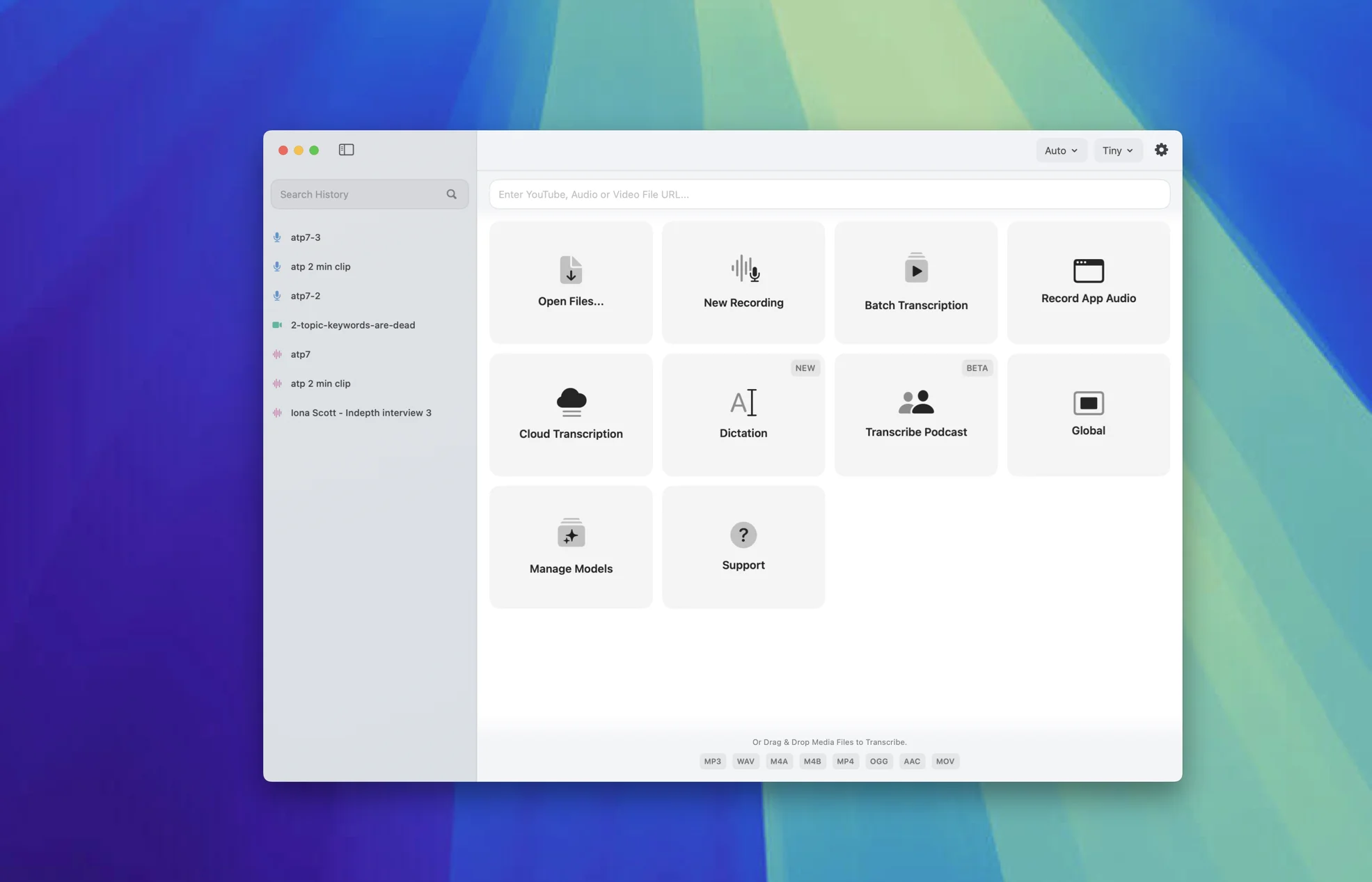
- Architecturally most private: EmberType, MacWhisper, and SuperWhisper (in offline mode) — all run Whisper locally on your Mac by default. With local models, audio never leaves the machine.
- Hybrid: Apple Dictation. On-device if you've enabled it correctly; server-based otherwise. Verify in System Settings.
- Cloud-first by design: Wispr Flow ("transcription always happens in the cloud," per their own privacy page) and Otter.ai (currently the subject of a consolidated class-action lawsuit).
- I build EmberType. I'll be honest about its limits versus the alternatives.
The Distinction No One Makes
A few months ago I was on a call with a clinician evaluating dictation tools for her practice. She'd done her homework — she had a spreadsheet, a vendor matrix, and three privacy policies open in browser tabs. She was about to pick one of them based on which had the most reassuring language about HIPAA. I asked her one question: where does the audio actually go after you press the button?
She didn't know. None of the privacy pages she'd read had told her in plain terms. They told her about encryption, about retention policies, about audit logs and access controls — all good things. But none of them had answered the structural question: does my voice leave my computer or does it not?
That question is the entire framing of this article, and I think it's the only one that matters for genuinely private dictation. A privacy policy is a promise. Promises are written by lawyers and approved by founders and they can be quietly updated when a company is acquired, breached, sued, or pivoted. The history of consumer software is a history of "we will never" becoming "we now also" three product cycles later.
Architecture is different. Architecture is what the code is physically capable of doing. If the audio is processed on a server in Virginia, no privacy policy in the world can change the fact that it traveled to a server in Virginia, that someone with the right access could read it, and that someone with a court order could compel a copy. If the audio is processed in your Mac's Neural Engine, the same court order has no vendor to land on; whatever exists is on your own machine, under your control.
The only way to be sure your dictation isn't being read by someone else is for it to never have a chance to be. That's the thesis. Everything below is the application of it.
The Three Architectural Categories
Before I get to the apps, here are the three buckets I'll sort them into. The line between them is where your audio physically gets converted to text.
Local-only
The Whisper model is downloaded once. After that, audio is captured and transcribed entirely on your Mac, and anything kept stays there. Network optional. Verifiable by turning off Wi-Fi.
Hybrid
The app can run locally or in the cloud, depending on a setting, your hardware, your language, or which mode you've selected. The default behavior matters more than the option to switch.
Cloud-first
The audio is streamed to a server, processed there, and the transcript comes back. Privacy promises stack on top of this fact, but cannot remove it. Stops working without internet.
One more note before the tour: I'm using "private" in a specific sense throughout this article. I don't mean "the company has good intentions." I mean "the data has fewer places to land." A startup with a beautiful privacy page and a cloud-only architecture is structurally less private than a faceless utility that processes everything locally. The intentions might be opposite. The structure is what counts.
1. EmberType — Local by default (and yes, I built it)
Full disclosure that you already know: I built EmberType. So I'll judge it the same way I judge every other app on this list, including stating the things it doesn't do.
Architecture: Local by default. EmberType downloads a Whisper model on first run (several model sizes available, from tiny to large-v3) and runs transcription locally on Apple Silicon. Cloud transcription and AI enhancement providers exist, but they're optional and only run if you add your own API key; nothing is bundled, and EmberType never receives your audio. There is no telemetry SDK. There is no analytics ping that includes any audio metadata. On its own, the app's network calls are license-key validation against Polar (our payment processor), a Sparkle update check, a small announcements file, and any model downloads you start — all of which can be observed in Little Snitch and none of which transmit audio.
Privacy policy summary: Short, because there isn't much to police. We never see your audio, we never see your transcripts, we don't have an account system that could correlate sessions to identities. The policy exists mostly to tell you what we could see (Polar transaction metadata) and what we don't (everything else).
Privacy architecture summary: The audio goes from your microphone to whisper.cpp running in your Mac's CPU/GPU, the resulting text gets pasted at your cursor, and the recording and transcript are saved to a local history on your Mac until you delete them (automatic cleanup is available but off by default). With local models and no cloud provider configured, none of it leaves the machine.
Honest verdict: In its default local setup, EmberType is genuinely private in the architectural sense — but so are MacWhisper and SuperWhisper-offline, both of which I'll cover below. The differentiator isn't privacy versus those two; we're all in the same architectural bucket. The differentiators are price model ($39 one-time), developer-oriented features, and the fact that cloud models stay off unless you add your own API key — there's no bundled cloud service to drift into. EmberType has a shorter track record than MacWhisper. SuperWhisper has more model variety and a Pro tier. I'm not going to pretend those things aren't true.
Best fit for: People who want a one-time-purchase Whisper dictation app, who already trust Apple Silicon's local AI capabilities, and who want zero ambiguity about whether their audio reaches a server.
2. MacWhisper — Local-only, the elder statesman
MacWhisper, by Jordi Bruin, is the local-Whisper Mac app that's been around the longest in this category and arguably defined it. If you've heard of any local dictation tool on macOS, there's a good chance it's this one. It runs OpenAI's Whisper models entirely on-device — and as one independent reviewer put it, it is the dictation tool that "never phones home."
Architecture: Local-only by default. MacWhisper supports a wide range of Whisper variants and Nvidia Parakeet models, all of which run on-device. The app does include optional cloud-based AI features for things like transcript summarization (where you can connect your own OpenAI key), but the dictation and core transcription pipeline is local.
Privacy policy summary: The marketing material on MacWhisper is consistent and clear: audio doesn't leave your machine. Reviewers and users have repeatedly verified this — turn off the network and it keeps working.
Privacy architecture summary: Same structural picture as EmberType. The Whisper model loads into memory, audio is processed in the local CPU/GPU, transcripts are written to a local SQLite database. No cloud relay.
Honest verdict: MacWhisper is the best-known local-only Mac dictation app for a reason. The product is mature, the pricing is fair (€59 one-time for Pro on Gumroad, with a free tier), and the developer has a track record. If MacWhisper had existed in the form it's in today when I was deciding what to build, I might not have built EmberType at all. We cover the differences in detail elsewhere, but architecturally? They're equivalent. Pick whichever UI you prefer.
Best fit for: Anyone who wants a battle-tested, established local Whisper app with an active development community and a wide range of models.
3. SuperWhisper — Local-only by default, cloud as an option
SuperWhisper is the most architecturally honest app on this list, in a specific sense: it tells you upfront that it can do both. The default mode is offline transcription using local Whisper models. But the app also integrates with cloud providers — OpenAI's GPT-5, Anthropic's Claude Haiku, Meta's Llama, Grok, Gemini, and Mistral — for transcription or post-processing.
Architecture: Hybrid by capability, local-only by default. Apple Silicon Macs run offline Whisper models well; Intel Macs are explicitly nudged toward cloud models. The user picks which mode each "preset" uses.
Privacy policy summary: SuperWhisper foregrounds the offline-by-default behavior in its marketing — "works offline, so you can transcribe anytime" — which I appreciate. The honest framing is the privacy story.
Privacy architecture summary: If you stay in the default offline modes, SuperWhisper is structurally equivalent to EmberType and MacWhisper. The moment you create a custom mode that uses, say, Claude Haiku for cleanup, your transcript leaves your machine and goes to Anthropic's servers. That's not a critique of SuperWhisper — it's how the feature is designed to work — but it's the structural reality. Cloud features in a local app are still cloud features.
Honest verdict: SuperWhisper gives you the most flexibility of any app on this list. It's also the one most likely to silently drift across the architectural boundary if you stop paying attention to which mode you're in. For maximum privacy, stick to the offline presets and don't enable cloud-based AI keys. The Pro tier pricing (around $849/year by the count I last saw) is steep relative to MacWhisper or EmberType, but the multi-provider AI integration is genuinely unique. We have a longer comparison piece if you want depth.
Best fit for: Power users who want one app that can do both local and cloud transcription, and who are disciplined enough to know which mode they're in.
4. Apple Dictation — Hybrid, default depends on your settings
Built into macOS, Apple Dictation is the option most people reach for first because it's already there. It's also the one with the most confusion around its actual privacy posture, because the answer is genuinely "it depends."
Architecture: Hybrid. Apple supports both on-device dictation (running locally on Apple Silicon) and server-based dictation (audio sent to Apple's servers). Which one you get depends on your macOS version, your language, your hardware, and crucially whether on-device dictation has been enabled and the model downloaded. Apple's official documentation says you can "check Keyboard settings to see whether your voice inputs and transcripts for general text Dictation...are processed on your device and not sent to Siri servers" — which is exactly the sentence that tells you the answer is not automatic.
Privacy policy summary: Apple has the strongest brand reputation for privacy of any company on this list, and that reputation isn't undeserved. Their support documentation is reasonably explicit about both modes, and you can opt out of audio recording sharing during setup.
Privacy architecture summary: When on-device dictation is active, audio stays on your Mac — same architectural category as the local-only apps above. When it's not, audio is sent to Siri servers for transcription. There's a default during setup to "Share Audio Recordings" with Apple, which you can decline. The trick is most people don't read the dialog.
Honest verdict: If you've taken the time to verify on-device dictation is enabled in System Settings → Keyboard → Dictation, Apple Dictation is genuinely private and free. If you haven't, you may be sending audio to Apple servers without realizing it. The frustrating part is that Apple doesn't make it loud which mode you're currently in — there's no big "ON-DEVICE" indicator next to the dictation key. If accuracy is your secondary concern, on-device Apple Dictation is also noticeably weaker than Whisper in our internal testing — it's older technology. We have a fuller take in Apple Dictation versus the alternatives.
Best fit for: Casual dictation users who don't want to install anything and have verified on-device mode is active. Not the right answer if you're transcribing anything regulated.
5. Wispr Flow — Cloud-first by design
Wispr Flow is the most polished cloud-first dictation app on Mac, and the one most often compared to the local apps above on feature lists. The feature comparison usually obscures the architectural one.
Architecture: Cloud-first. From Wispr's own privacy page: "Transcription always happens in the cloud to provide the best speed and accuracy." That sentence is the entire conversation. There is no offline mode. There is no local fallback. Audio is captured on your Mac, encrypted in transit, and sent to Wispr's transcription servers, where the transcript is generated and returned.
Privacy policy summary: Wispr offers two modes. Standard mode: "we may use your dictation data for debugging model failures or improving transcription services." Privacy Mode (Zero Retention): "your dictation data isn't stored or used for model training by us or any third party." Wispr also commits to never selling or sharing data. To their credit, the policy is clear.
Privacy architecture summary: Even in Privacy Mode, the audio reaches Wispr's servers — that's required for transcription to happen, because that's where the transcription happens. Privacy Mode promises that the data isn't stored after processing. It doesn't (and structurally can't) promise that the data is never seen. There's a difference between "we delete it" and "we never received it." Local apps deliver the latter; cloud apps can only ever deliver the former.
Honest verdict: Wispr Flow is genuinely good software. The product is fast, the writing-cleanup features are slick, and many users love it. The privacy framing on their landing page is also accurate by the strict letter — they've genuinely thought about it. But the underlying architectural fact remains: your audio leaves your machine every time you dictate. If that's a deal-breaker for your use case, no privacy mode setting can change it. We covered the case study of a Wispr user who got banned for unstated terms-of-service reasons in a separate article — it's a worthwhile read on the broader risk of having your dictation tooling be a service you don't fully control. We also wrote a feature-by-feature Wispr Flow alternative comparison.
Best fit for: Users for whom the cloud-AI cleanup features are worth the architectural tradeoff, and who aren't dictating anything regulated, confidential, or proprietary.
6. Otter.ai — Cloud-first, and currently in court over it
Otter.ai isn't strictly a dictation app — it's a meeting transcription and AI notetaker — but it shows up in dictation comparisons because people use it for that purpose. It is also the most cautionary tale on this list right now.
Architecture: Cloud-first. Otter runs on AWS infrastructure in the United States. Audio is captured by the Otter app or by an Otter "meeting bot" that joins your video calls, uploaded to Otter's servers, transcribed there, and the transcripts (along with the audio) are stored in your account.
Privacy policy summary: From Otter's privacy policy: "We train our proprietary artificial intelligence technology on de-identified audio recordings. We also train our technology on transcriptions to provide more accurate services, which may contain Personal Information." Audio is "stored as long as necessary." Data is shared with cloud providers, analytics vendors (Google Analytics, Amplitude), and law enforcement when legally required.
Privacy architecture summary: Maximum exposure. Your audio sits on AWS, your transcripts sit on AWS, and both can be used to train Otter's models. The "meeting bot" model means an Otter agent literally joins your calls — and the recording can persist beyond the moment you intended.
The legal situation: As of this writing, Otter.ai is the defendant in In re Otter.AI Privacy Litigation, a consolidated class-action proceeding combining four separate suits filed between August and September 2025. The lead case, Brewer v. Otter.AI, alleges that Otter's transcription bot recorded private conversations without the consent of all parties. Judge Eumi K. Lee consolidated the cases on October 22, 2025. Otter's motion-to-dismiss hearing is scheduled for May 20, 2026 — fifteen days after this article publishes. Whatever happens at that hearing, the architectural reality of what enabled the alleged conduct will be unchanged: a cloud-first product that captures audio remotely is structurally capable of capturing audio it wasn't supposed to capture.
Honest verdict: Even if the suit is dismissed in full, the lesson is permanent: cloud-first meeting-recording tools have an attack surface that local-only tools do not. Don't use Otter (or any cloud-first transcription tool) for anything regulated, confidential, or where consent is even slightly ambiguous. We have a fuller treatment in our Otter.ai alternative guide and a piece specifically on the Otter privacy litigation.
Best fit for: Honestly? Hard to recommend right now for sensitive work. For non-confidential team meetings where every participant has consented, the product itself is functional. But the architectural risk is the same one the lawsuit is built around.
The Architecture-First Recap
Setting aside marketing, branding, and feature counts, here's the same six apps sorted by structural privacy. This is the only ranking that matters if "private" is your primary criterion.
| App | Architecture | Audio Leaves Mac? | Privacy Verdict |
|---|---|---|---|
| EmberType | Local by default | No, unless you add a cloud key | Architecturally private (in default mode) |
| MacWhisper | Local-only | No | Architecturally private |
| SuperWhisper (offline mode) | Local-only by default | No, if you stay offline | Architecturally private (in default mode) |
| Apple Dictation (on-device) | Hybrid | Depends on settings | Verify in System Settings |
| Wispr Flow | Cloud-first | Yes, every dictation | Policy promises only |
| Otter.ai | Cloud-first | Yes, plus stored on AWS | Currently in privacy litigation |
Recommendations by Use Case
I'm going to stop generalizing for a second. Here's what I'd actually tell five different specific people, if they emailed me asking which dictation app to use.
The clinician handling PHI
Local-only, full stop. If your dictation contains anything that touches a patient — symptoms, names, case notes, medication discussions — the audio cannot leave your Mac. Use EmberType (local models, no cloud key), MacWhisper, or SuperWhisper in offline mode. Don't use Apple Dictation unless you've personally verified on-device mode is active in your particular macOS version. Don't use any cloud-first tool, regardless of "HIPAA-compliant" badges in the marketing. Our guide to HIPAA-compliant dictation on Mac goes deeper on the regulatory side.
The journalist with sources to protect
Local-only. The threat model isn't a casual breach — it's subpoenas, search warrants, and the possibility that years from now a vendor's data could be compelled by a court. A vendor can't be compelled to produce data it never received. EmberType (local models only) or MacWhisper. Don't use anything that touches a server, including transcript-cleanup features that route through cloud LLMs.
The developer dictating proprietary code
Local-only. Your dictation may include API keys you say out loud, internal architecture you describe, customer names you reference. Cloud transcription means feeding all of that to a third party. EmberType or MacWhisper. If you also want voice-to-LLM workflows for things like Claude Code, see our developer dictation workflow guide — but keep the transcription layer local.
The lawyer or compliance officer
Local-only, and document the architecture for your records. The chain of custody for a dictated note matters; every server hop introduces a custody question. EmberType or MacWhisper, with careful attention to where any AI-cleanup features route data. We have a guide for legal use if you want depth.
The casual user dictating grocery lists and Slack messages
Honestly? Use whatever you find easiest. The privacy stakes for "remember to pick up almond milk" are low. Apple Dictation (verified on-device) is free and built in. Wispr Flow is fast and slick if you don't mind the cloud architecture for non-sensitive content. The point of this article isn't that everyone needs maximum privacy — it's that the people who do need it should know what they're choosing.
What "Privacy" Actually Costs
One thing I want to be honest about: local-only dictation is not free of tradeoffs. The architectural privacy guarantee comes with three real costs.
You need an Apple Silicon Mac. Whisper-large at acceptable speeds basically requires an M-series chip. If you're on an Intel Mac, your local options are restricted to smaller, less accurate Whisper models — at which point you might genuinely be better off with a hybrid solution.
You manage the model files yourself. Local apps download models that range from a few hundred megabytes to several gigabytes. You'll have a "Models" folder somewhere on your disk. It's not painful, but it's a thing you didn't have to think about with cloud apps.
You don't get the latest model improvements automatically. When OpenAI releases a better Whisper variant, local apps need to ship an update and you need to download the new weights. Cloud apps deploy server-side and you get the upgrade transparently. The privacy gain costs you upgrade convenience.
None of these are deal-breakers for most people, and for the use cases above (clinician, journalist, lawyer, developer with proprietary code) they're trivial costs versus the alternative. But it would be dishonest to pretend the choice is free.
The Builder's Bias, Stated Plainly
I'm going to end with the obvious thing: I built one of these apps, and I'd love it if you used it. EmberType is $39 once, runs Whisper locally, and is available at embertype.com. There's a 7-day free trial.
But here's the thing — if you read everything above and decide MacWhisper is the better fit for you, or you decide SuperWhisper's flexibility is worth the higher price, or you decide on-device Apple Dictation is good enough and you'd rather not install anything else, those are all completely defensible choices. Architecturally, we're in the same bucket as MacWhisper and SuperWhisper-offline. The differences below the architectural line are matters of taste, price, and what your particular workflow needs. Pick the one that fits.
What I'd push back on is the framing that you should pick a cloud-first dictation tool for genuinely sensitive work because the privacy policy is reassuring. The privacy policy is the wrong artifact to evaluate. The architecture is the artifact. Architecture is the part that doesn't change when the company does.
If this article persuaded you to look up where your dictation actually goes, even if you decide to keep using whatever you're using now, it did its job. That's the question more people should be asking.
Try the Local-Only Approach
EmberType runs Whisper AI on your Mac. On-device by default, cloud only with your own API key, no telemetry. $39 one-time after a 7-day trial — no subscription.
Download EmberType FreemacOS 14+ required. Apple Silicon only. No account needed.
Frequently Asked Questions

Free Mac Dictation Tips
Get tips on voice-to-text, dictation workflows, and privacy. No spam.
Unsubscribe anytime. We never share your email.
You're in! Check your inbox.
Architecture Beats Marketing
EmberType is voice-to-text for Mac that runs on-device by default. No telemetry, and with local models no audio leaves your machine. Cloud models stay off unless you add your own API key.
Download EmberType FreemacOS 14+ required. Apple Silicon only. $39 after 7-day trial.