
The Quick Version
- Anthropic's Voice Mode (
/voicein Claude Code v2.1.69+) is push-to-talk, well-tuned for code, and streams your audio to Anthropic's servers. It also requires a Claude.ai account. - For proprietary code, NDAs, or regulated industries, that's often a no. The fix is a local dictation app that types into Claude Code's prompt area — audio never leaves the Mac.
- The setup I actually use: Claude Code in iTerm + EmberType (local Whisper) on a global hotkey. Hold the hotkey, speak, release, the prompt appears in Claude Code, hit Enter.
- Turn AI Enhancement off when dictating prompts — smoothing changes the meaning. Build a custom dictionary for project-specific identifiers.
- Anthropic's built-in voice is fine for personal projects, OSS, and anything not under NDA. Both modes can coexist on the same Mac — pick per project.
I Started Dictating to Claude Code in March
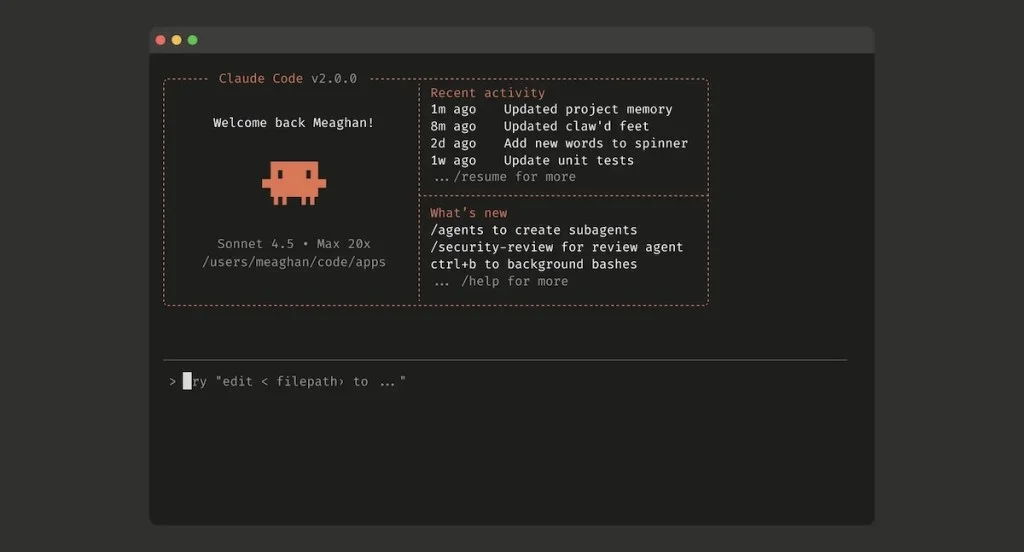
I started dictating to Claude Code on the day Anthropic shipped Voice Mode in March. I was in the 5% of accounts that got it in the first wave, the welcome screen surprised me with a new /voice hint, and within ten minutes I had stopped typing prompts entirely. It was that good. Push-to-talk on the spacebar, transcript streams in dimmed as you speak, release to insert at the cursor, hit Enter. Their team got the ergonomics right on the first try, which is rare.
I am a developer at EmberType. We make a Mac dictation app, so I have been dictating into terminals and editors for years — first with macOS's built-in dictation, then with various Whisper wrappers, then with the app we ship now. By the time Voice Mode landed in Claude Code, my muscle memory for "voice into a coding tool" was already deep, and I expected Anthropic's first-party version to slot in cleanly. It did. For about three days.
Then I switched to a client repo with an NDA and a no spoken prompts to third parties clause in the security review document. And I started reading the Voice Mode docs properly. The relevant sentence is on the page, in plain English: "Voice dictation streams your recorded audio to Anthropic's servers for transcription. Audio is not processed locally."
That was the moment the article you are reading started writing itself in my head. There are two ways to dictate to Claude Code on a Mac. One is Anthropic's built-in mode, which is delightful for personal code and an immediate no for anything proprietary. The other is a local dictation layer that types into Claude Code's prompt input — slightly less elegant, completely offline, and the only option you can defend in a security review. I now use both, and I switch per project.
This is the guide I wish I had written for myself in March.
What Anthropic Actually Shipped (And What It Sends to the Cloud)
Voice Mode rolled out gradually beginning March 3-4, 2026, available initially to about 5% of users and ramping across Pro, Max, Team, and Enterprise plans through the rest of the month. Coverage in TechCrunch, 9to5Mac, and the Claude Code release notes framed it explicitly as RSI relief — a hands-free way to direct an agent through long refactors without hundreds of keystrokes.
Voice Mode product imagery from 9to5Mac's launch coverage, March 3, 2026.
Mechanically, the feature is well-thought-through. From the official documentation:
/voicetoggles dictation on./voice holdis the push-to-talk default;/voice tapis tap-to-start, tap-to-send.- Hold mode: hold
Space, speak, release. The transcript inserts at your cursor. Works mid-prompt — you can mix typed and spoken text in one message. - Tap mode: tap once to start (only when input is empty), speak, tap again to stop and auto-submit if the transcript is at least three words.
- Transcription is tuned for coding vocabulary. The docs call out
regex,OAuth,JSON, andlocalhostas recognized correctly out of the box, and your project name and current git branch are added as recognition hints automatically. - Twenty supported dictation languages, configurable via
languagein/config. - Available on Pro, Max, Team, and Enterprise plans at no extra cost. Does not consume Claude tokens.
And the constraints, all from the same docs page:
- Audio streams to Anthropic's servers for transcription. Not processed locally.
- Requires a Claude.ai account. Voice Mode is not available with direct Anthropic API keys, Amazon Bedrock, Google Vertex AI, or Microsoft Foundry.
- Requires Claude Code v2.1.69 or later (tap mode needs v2.1.116+). Check with
claude --version. - Needs local microphone access, so it does not work in Claude Code on the web or SSH sessions.
The Claude.ai-account requirement is the one most people miss until they try it. If your team standardized on the API for billing, observability, or because you route everything through a corporate proxy, Voice Mode is not available to you at all — even if you don't care about the audio question. That alone narrows the audience.
When Anthropic's Voice Mode Is Actually Fine
Let me lead with where I still use it, because this is not a hit piece. The built-in Voice Mode is the fastest path from "I want voice in Claude Code" to "I have voice in Claude Code", and for the right project it is the right answer.
I use it for:
- Personal side projects. Toy apps, weekend builds, things that will live on GitHub. There is no confidentiality story to defend, and the polish of the official mode wins.
- Open-source contributions. If the code is going to be public anyway, sending the spoken description to Anthropic costs nothing.
- EmberType's own marketing site code. The HTML that produces this article. Public-facing static site, no secrets, fine to talk through.
- Tutorials and screencasts. When I am recording a video about Claude Code itself, using the first-party Voice Mode is the more honest demo.
For these projects the cloud round-trip is invisible — sub-second latency in my testing, and the coding-tuned transcription handles "snake case underscore handler" or "camel case parse user input" without me thinking about it. Project name and git branch as recognition hints is a genuinely smart touch I would not have thought to ask for.
If your entire job is shipping personal or public code, you can stop reading here, run /voice in Claude Code tomorrow, and you will have a great voice-coding workflow. The rest of this article is for the other half.
The Half of My Work Where Cloud Audio Is a No
I work on multiple proprietary codebases for clients. The pattern is familiar: signed NDA, security review at onboarding, an explicit list of approved tools, and a clause that prohibits routing source code or business logic through third-party AI services that haven't been vetted. Some teams have wholesale-approved Claude Code under their Anthropic enterprise contract — for them, typed prompts to Claude are fine because the data terms are in writing. The voice piece is a separate question, and the honest answer is "we haven't reviewed it yet, please don't send audio."
The audio question is harder than the text one for two reasons. First, audio carries metadata text doesn't — your voice, ambient sounds, who else is in the room. Second, security teams move slowly on net-new data flows. Adding "we send recordings of engineers describing the codebase to a third-party transcription endpoint" to a vendor review doc is the kind of thing that takes three months and a Slack escalation, even when the underlying provider is one the company already trusts for typed prompts.
The faster, simpler answer is: don't send the audio at all. Run transcription locally. Claude Code on the receiving end gets typed text — the same text it would get if you'd typed it yourself — and the spoken layer is invisible to the network.
This is not a theoretical concern. From conversations with developer customers of EmberType:
- Healthcare engineers who can't dictate near patient data, even ambiently.
- Finance and trading-systems engineers whose firms classify any recording of code review as a regulated communication.
- Government contractors with FedRAMP and IL5 classifications that prohibit non-approved cloud transcription.
- EU-based teams whose GDPR review hasn't certified Anthropic's transcription endpoint specifically — the chat endpoint is reviewed; the new voice one isn't yet.
- Solo developers building on top of competitive code who simply don't want any third party hearing them describe what they're building.
For all of them, the local approach is not a preference. It is a constraint.
The Local Setup, End to End
Here is the workflow I run on a daily basis. The architecture is intentionally simple: Claude Code unchanged, plus a local dictation app sitting underneath it as a global system input. Claude Code never knows the difference.
Step 1: Set Up Claude Code Itself
If you haven't already, install Claude Code from Anthropic's official installation guide. The CLI runs in your terminal — I use iTerm2; the built-in Terminal works fine — and it does not need any voice-related configuration for this approach. Specifically, you do not run /voice. Leave the built-in voice mode disabled.
Verify it's working with a normal typed prompt first. Once claude launches and accepts text, the receiving end is ready.
Step 2: Install a Local Dictation App
You have three credible options for fully-local Whisper-based dictation on Mac. I'll lead with EmberType because that's the one I help build, but the architecture is the same for all three:
| App | Pricing | Engine | Notes |
|---|---|---|---|
| EmberType | $39 one-time, 7-day trial | Local Whisper (large-v3 default) | Apple Silicon only. Built specifically as a system-wide hotkey-driven dictation tool. |
| SuperWhisper | $8.49/mo or $249 lifetime | Local Whisper + optional cloud LLM enhancement | Mature, polished. Cloud features are opt-in; verify they're off if compliance matters. |
| MacWhisper | Free / Pro $59 | Local Whisper | Originally a transcription app for audio files; the dictation hotkey is a more recent add. |
I've written previously about SuperWhisper alternatives, MacWhisper alternatives, and the broader Wispr Flow comparison if you want the side-by-side. For this article, the important property all three share is the same: audio is transcribed on the Mac and never sent anywhere. That's the whole point.
Download EmberType from embertype.com/download if you want to follow the rest of the steps in the same app I use.
Step 3: Set the Global Hotkey
Open EmberType → Settings → Hotkey. The default is fn (the globe key on modern Macs), which works well because nothing else uses it. I personally use right-option as my push-to-talk because I rebound globe to switch input languages. Pick whatever your fingers find naturally without stretching — you'll press this key thousands of times a day.
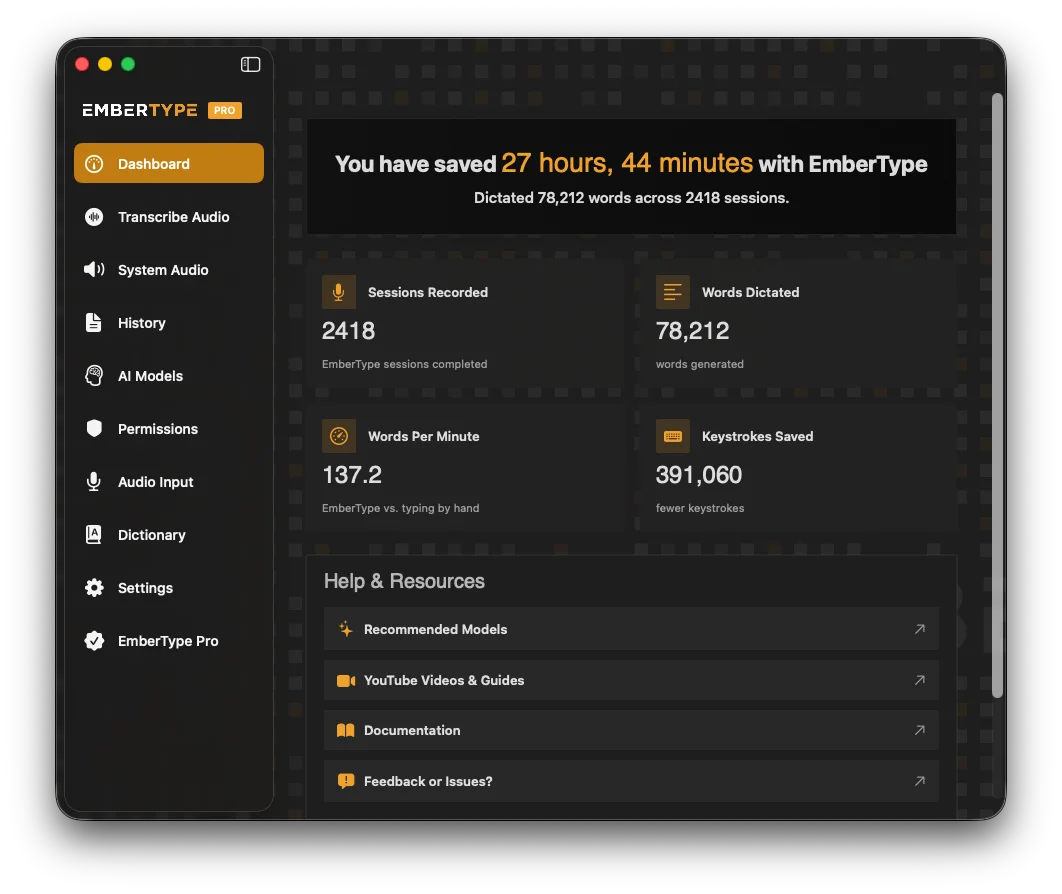
EmberType's dashboard. The hotkey, mic, and active model are surfaced front and center. Source: embertype.com.
Test the hotkey in any text field — Notes, the URL bar, anywhere. Hold the key, say something short like "this is a test", release. The text should appear at your cursor within a second or two on Apple Silicon.
Step 4: Pick the Right Whisper Model
EmberType ships with Whisper large-v3 as the default, which is the sweet spot of accuracy and speed on M1+. If you're on a base M1 with 8GB RAM and you find transcription latency creeping above 2 seconds, try medium — same architecture, half the parameters, noticeably faster, only slightly less accurate on technical vocabulary. For everyone on M1 Pro / Max / M2+ with 16GB+ RAM, large-v3 is the right answer and you don't need to think about it.
Don't waste time on the smaller models for this use case. tiny and base are great for offline transcription of clean recorded audio at scale; for prompts to a coding agent, where every misheard service name costs you a follow-up correction, the big model is worth the extra second.
Step 5: Microphone
Built-in MacBook mic is fine for a quiet home office — that's literally what I'm using to dictate this article. If you work somewhere noisier, a USB mic or a headset boom mic helps far more than upgrading to a fancier transcription model. I covered this in detail in the microphone-for-dictation guide; the short version is "the Blue Yeti has been on my desk for ten years and the AirPods Pro you already own are probably better than you think."
Step 6: Turn AI Enhancement Off
This is the step that most people skip and then complain about results. EmberType (and SuperWhisper, and Wispr Flow) all have an "AI Enhancement" or "post-processing" feature that runs the raw Whisper transcript through an LLM to clean up grammar, remove filler, and make the text flow more naturally. This is great for emails, journaling, and meeting notes. It is terrible for prompts to a coding agent, because the LLM has been trained to make text read smoothly, and "make it read smoothly" can quietly mean "remove the technical word the developer said because it sounds awkward."
Real example from my own logs: I dictated "refactor the LRU cache to use the new tombstone strategy from the 0.8 migration doc" with AI Enhancement on. The cleaned version that landed in my prompt was "refactor the cache to use the new strategy from the migration doc." Three pieces of necessary specificity gone. Claude wrote the wrong code, plausibly. I had to argue with it for two minutes before I realized the loss had happened upstream, in my own dictation app.
Settings → Enhancement → Off, when the target is Claude Code. Keep it on for everything else if you like it. EmberType lets you per-app override, so the enhancement can be off in iTerm and on in Mail simultaneously. Worth setting up.
Step 7: Build a Custom Dictionary
Whisper is great at general English. It is mediocre at your project's service names, internal acronyms, and unusual identifiers. The fix is the custom dictionary — every dictation app has one. Add the words you say repeatedly that the model gets wrong, with the exact spelling you want.
For my current Claude Code projects, my custom dictionary includes: company name and abbreviated form, every microservice name in the monorepo, the names of the four databases, the project's bespoke acronyms (you know the ones), and "Polar" because by default Whisper writes "polar" and capitalization matters in identifiers. Twenty entries gets you 95% of the gain.
Step 8: The Workflow
That's the setup. Here's what a real prompt to Claude Code looks like once it's all in place:
- Cursor is in Claude Code's prompt input, blank.
- Hold the global hotkey.
- Speak the prompt naturally: "Look at the auth middleware. The new token format from the security team has a different signature scheme. Update the validate function and add a test case for the legacy format so we don't break old sessions."
- Release the hotkey. Text appears in Claude Code's prompt area, typically within a second.
- Eyeball it for any obviously-mangled identifier, fix in place if needed (Claude Code's prompt editor is just a text input — left arrow, edit, done).
- Hit Enter. Claude does the thing.
Total latency from "stop talking" to "text in Claude Code prompt": about a second on M2 Max, two seconds on base M1. The audio never crossed a network. I never logged in to anything. My Claude Code account configuration — including whether it's pointed at the API, Bedrock, Vertex, or Foundry — is irrelevant; this approach works with all of them, because the voice layer doesn't know Claude Code exists.
Try the Setup Yourself
EmberType is the local Whisper dictation app I built and use daily for Claude Code. 100% offline. Works with any text field on macOS, including Claude Code's prompt input.
Download EmberType Free7-day free trial. $39 one-time after. Apple Silicon, macOS 14+.
Pro Tips: Dictating Code-Flavored Language
Most prompts to Claude Code are natural language — describe what you want, the agent writes the code — so dictation works well by default. But there are habits that pay off, especially when you do need to spell out technical syntax in the prompt itself.
Don't Dictate Code. Dictate Intent.
The single biggest mindset shift: with an agentic tool, you do not need to dictate the actual code. You don't need to say "open paren string close paren". You say "create a function that takes a user ID string and returns a promise of a user object" and Claude writes the signature. You're not a stenographer for the AI — you're a director. Speak in intent, not syntax.
For the Few Times You Must Spell an Identifier
When you genuinely need to refer to parseUserInput or HTTP_TIMEOUT_SECONDS in your prompt, two approaches work better than trying to enunciate every underscore:
- Use the words, don't spell the case. Say "the parse user input function" and trust Claude to figure out which identifier you mean from context. It almost always does. The exact casing doesn't usually matter for the agent's understanding.
- If casing must be exact, dictate the words and hand-edit the case after release. Faster than trying to say "camel case" or "snake case" out loud, which Whisper sometimes transcribes literally.
Dashes, Snake Case, Numbers
Whisper handles most punctuation cues if you say them ("dash", "underscore", "open paren") but it's inconsistent and the same phrase can transcribe two ways. For things you say constantly, add an entry to the custom dictionary: I have "dash" mapped to - in some contexts and "snake" mapped to _ when I'm dictating a flag name. The custom dictionary is doing more work than people give it credit for.
Per-App Settings Matter
The same dictation session can move from Claude Code to Slack to a Notion doc in two minutes. The right post-processing for each is different. EmberType's per-app rules let me keep AI Enhancement off in iTerm (where Claude Code lives), on in Notion (where I want clean prose), and aggressively on in Mail (where filler words make me sound like I'm rambling). One app, three personalities, zero context switching. The Notion-specific guide goes deeper on that pattern.
Long Prompts Beat Short Prompts
A counterintuitive thing I've learned: voice prompts to Claude Code work best when they're longer than what you'd type. When you type, you optimize for speed by cutting context. When you speak, the marginal cost of an extra sentence is nearly zero, so you give the agent more context per turn. A typed prompt of "fix the cache bug" becomes a spoken prompt of "the cache is invalidating too aggressively when we have a tombstone for a key that's about to be re-set in the next operation; look at the LRU implementation and figure out if we should defer the eviction by one tick or rework the tombstone semantics." Claude does much better work on the second one. Voice naturally expands you toward the kind of context an agent needs.
Honest Comparison: When the Built-In Mode Wins
Even after all of the above, Anthropic's built-in Voice Mode has real advantages for the projects where it's appropriate. Worth being honest about them.
| Dimension | Built-in Voice Mode | Local dictation (EmberType etc.) |
|---|---|---|
| Audio location | Streams to Anthropic | Stays on Mac |
| Setup time | Run /voice |
Install app + config |
| Coding-vocab tuning | Built in + git-branch hints | Custom dictionary needed |
| Project name as hint | Automatic | Manual entry |
| Works with API key / Bedrock / Vertex | No (Claude.ai account only) | Yes (transparent) |
| Works in SSH / remote sessions | No (mic must be local) | Yes (text travels) |
| Works in other apps too | Claude Code only | Every text field on macOS |
| Cost | Included in Pro/Max/Team/Ent | $39 one-time (EmberType) or sub |
| Latency | ~1s (network round-trip) | ~1-2s (local model) |
| NDA / compliance friendly | Depends on vendor review | Yes by construction |
The two modes solve overlapping but not identical problems. Built-in Voice Mode is the right answer when you're on Pro/Max/Team/Enterprise, on a personal or public-code project, on a local laptop with a microphone. Local dictation is the right answer everywhere else: API-based setups, SSH sessions, proprietary code, regulated industries, multi-app workflows where you also want voice in Slack and Notion. Most working developers I know need both. They are not in competition; they are in different lanes.
The Workflow That Stuck
Two months in, here's where I've landed. I have Claude Code installed in iTerm. I have EmberType running with my hotkey on right-option, AI Enhancement off in iTerm, on elsewhere, custom dictionary populated for my main client repo. When I open Claude Code in that repo, I never run /voice — local dictation is the input. When I open Claude Code on EmberType's own marketing site repo, I sometimes run /voice for variety, because nothing about this site is confidential.
My typing volume is down maybe 60% across a workday. My RSI flare-ups, which used to remind me they existed every couple of weeks, have not been a problem since March. The vibe-coding promise — that you describe what you want and the machine writes the code — has finally felt real, and the local-only setup means I can use it on the codebases that pay my mortgage, not just the ones I do for fun.
If you're a developer with a Mac, an interest in Claude Code, and either a privacy-conscious instinct or an actual NDA, the setup above is the one. It takes 20 minutes to install, costs less than two months of most coding subscriptions, and it does not require you to rethink a single thing about how Claude Code is configured on your machine. The voice layer sits underneath; Claude Code stays Claude Code.
The era of typing prompts to a coding agent is over. The era of dictating them is here. The only question is whether your audio leaves the laptop on the way.
Frequently Asked Questions

Free Mac Dictation Tips
Get tips on voice-to-text, dictation workflows, and developer productivity. No spam.
Unsubscribe anytime. We never share your email.
You're in! Check your inbox.
Dictate to Claude Code Without the Cloud
EmberType runs Whisper AI locally on your Mac. Audio never leaves the laptop. Works in Claude Code, Cursor, every IDE, and every text field on macOS.
Download EmberType FreemacOS 14+ required. Apple Silicon only. $39 after 7-day trial. No account required.