

Key Takeaways
- Dragon Legal is Windows-only ($799) with no Mac version available
- Cloud dictation creates privilege risks under ABA Model Rule 1.6(c) and Formal Opinion 477R
- Lawyers speak at 130-150 WPM but type at 40-60 WPM, losing billable time daily
- Firms using dictation report 25-40% productivity gains in documentation workflows
- EmberType transcribes on your Mac by default for $39 one-time; with local models, dictated audio stays on your machine, and cloud providers are opt-in with your own key
The Problem Every Attorney Knows But Ignores
According to the American Bar Association, lawyers spend approximately 40% of their working day on documentation. Briefs, memos, client correspondence, discovery responses, case notes. You already know this. You live it.
Here is the math that should make you angry. You speak at 130-150 words per minute. You type at 40-60 WPM. If you are billing at $300 per hour and spending 30 minutes per day typing documents that could be dictated in 10 minutes, that is roughly $75,000 per year in lost productivity. Not lost to complexity or thought, lost to the physical act of pressing keys.
Dictation is not a new idea for attorneys. Before computers, you dictated to secretaries and transcription pools. The modern equivalent should be better in every way. Instead, most legal dictation software was built for Windows, carries absurd price tags, and — here is the part that should concern you as a professional bound by ethics rules — routes your client's most sensitive information through third-party cloud servers.
Dragon Legal Is Not the Answer (Especially on Mac)
I had multiple attorneys email me asking if Dragon Legal by Nuance was their best option. Here is what I told them:
- Dragon Legal v16 is Windows-only. There is no Mac version. Nuance killed Dragon for Mac years ago and has shown zero interest in bringing it back.
- Dragon Legal costs $799 per license. For a solo practitioner, that is a painful number — and it still does not run on your MacBook.
- Dragon Legal Anywhere costs $540/year. The cloud subscription version works in a browser, but it sends your audio to Nuance's servers. That is client data on Microsoft infrastructure (Nuance was acquired in 2022).
- Dragon requires voice training. You need to spend time conditioning the software to your voice before it reaches peak accuracy. Modern Whisper-based tools work accurately out of the box.
- Dragon is effectively abandoned. Since the Microsoft acquisition, Dragon's desktop product has received minimal updates. The company's focus has shifted to enterprise healthcare AI.
If you are an attorney working on a Mac — and Apple's market share among legal professionals has been growing steadily — Dragon Legal is simply not an option. And if you are considering Dragon Legal Anywhere's cloud subscription, read the next section first.
Legal Dictation Software Comparison
Here is how the available options stack up for attorneys on Mac:
| Feature | Dragon Legal | Wispr Flow | Apple Dictation | EmberType |
|---|---|---|---|---|
| Mac Support | No | Yes | Yes | Yes |
| Price | $799 or $540/yr | $15/mo ($180/yr) | Free | $39 one-time |
| Privacy (Offline) | Desktop: Yes / Cloud: No | No (cloud required) | Partial | On-device by default; optional cloud with your own key |
| Legal Terminology | Excellent | Good | Basic | Very Good |
| Voice Training | Required | None | None | None |
| Works in Any App | Yes (Windows) | Yes | Most text fields | Yes |
| AI Text Cleanup | Basic | Aggressive | None | Yes |
| Custom Vocabulary | Yes | No | No | Yes |
Wispr Flow is the closest Mac alternative in terms of features, but it requires a constant internet connection and sends all audio to cloud servers. For legal work, that distinction is everything.
The Ethics Problem Nobody Talks About
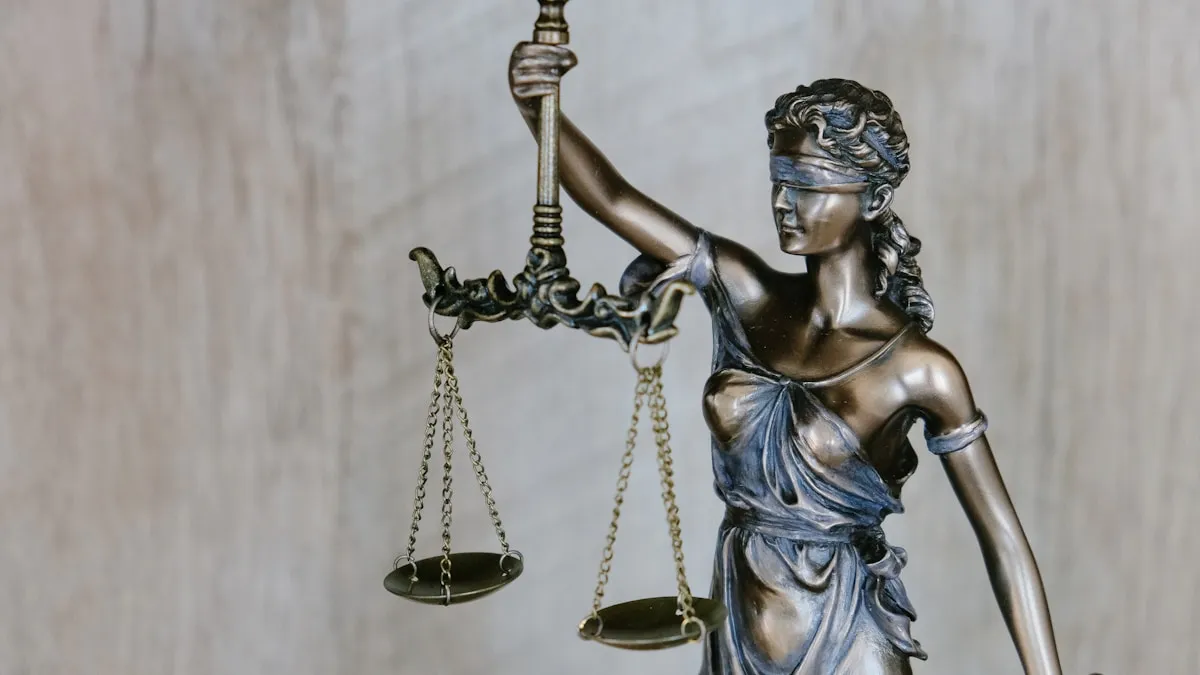
Most comparisons of legal dictation software focus on features and price. They are missing the most important question: where does your client's audio go?
Think about what you actually say when you dictate a brief. Client names. Case facts. Legal strategy. Settlement figures. Witness testimony. Opposing counsel's weaknesses. With a cloud dictation service, all of it — as raw audio — travels across the internet to a third-party server before the text comes back to you.
The American Bar Association has been direct about this. ABA Formal Opinion 477R requires lawyers to make "reasonable efforts" to protect client information when using technology. ABA Model Rule 1.6(c) establishes an ethical duty to prevent inadvertent or unauthorized disclosure of confidential information.
Here is the question that should keep you up at night: when an equally capable offline dictation tool exists at one-twentieth the price, can you argue that sending client audio to a cloud server constitutes "reasonable efforts" to protect confidential information? I am not a lawyer, but the attorneys I have spoken with do not think so.
Specific Risks of Cloud Dictation for Lawyers
- Data transmission. Audio containing privileged information travels over the internet to remote servers, creating interception opportunities.
- Third-party storage. Cloud providers may store audio recordings and transcripts for model training, quality assurance, or compliance. Their retention policies may not align with your ethical obligations.
- Terms of service changes. A provider can update their data handling practices at any time, potentially exposing previously protected information.
- Breach exposure. If the cloud provider suffers a data breach, your clients' privileged information could be compromised through no fault of your own.
- Subpoena vulnerability. Data stored on third-party servers may be subject to subpoena or government requests in ways that data on your own machine is not.
None of this means cloud dictation is categorically prohibited for lawyers. But when the bar association tells you to use "reasonable efforts" and a tool that dictates fully offline exists for $39, the risk-benefit analysis gets uncomfortable fast.
What We Built for Legal Workflows
I did not set out to build a legal dictation tool. But after our third beta tester turned out to be an attorney, I realized the legal profession had a specific, unmet need: accurate dictation that keeps client data on the machine. EmberType was already built for exactly this, because offline processing was our founding design principle.
Zero Network Capability for Transcription
EmberType uses OpenAI's Whisper AI model running entirely on your Mac's Apple Silicon chip. When you dictate a motion to dismiss or summarize deposition testimony, the audio is processed by your own hardware and never transmitted anywhere. This is not a privacy setting you can toggle. The networking code for audio transmission does not exist in the application. Your client data stays where it should: on your machine, under your control.
Dictate Into Clio, Word, or Any App
EmberType operates system-wide. Press a keyboard shortcut, speak, and your words appear wherever your cursor is — Microsoft Word, Google Docs, Clio, MyCase, PracticePanther, or any application that accepts text on Mac. One of our attorney users told me the biggest time saver was not the dictation speed itself, but eliminating the copy-paste step from a separate dictation window into their practice management software.
Legal Terminology: We Tested It
I dictated standard legal phrases across multiple sessions to benchmark accuracy. Habeas corpus, voir dire, res judicata, motion in limine, amicus curiae, stare decisis, force majeure, nolo contendere — all transcribed correctly on the Large-v3 Whisper model out of the box. For case-specific terms, client names, opposing counsel, judges, and jurisdiction-specific language, you can add custom dictionary entries that the model learns immediately.
Clean First Drafts, Not Raw Transcripts
Legal documents need to read like writing. EmberType's AI cleanup removes filler words ("um," "uh," "you know"), corrects punctuation, and produces text that reads like a first draft rather than a deposition transcript. You still review and edit — no attorney should skip that step — but you start from something vastly more polished than raw speech.
$39 vs $799
Dragon Legal costs $799 per license for Windows-only software. Dragon Legal Anywhere costs $540/year for cloud-based access. EmberType costs $39 one-time. For a solo practitioner watching overhead, the math is not complicated. For a firm equipping 5 attorneys, that is $195 versus $3,995 (or $2,700/year for Dragon cloud). There is a free 7-day trial so you can test it with your actual workflow before spending anything.
Setting Up Legal Dictation in 10 Minutes
I have walked several attorneys through this setup. It takes about 10 minutes, and the productivity gain is immediate.
Step 1: Install and Pick Your Model
Download EmberType and run through the initial setup. For legal work, I strongly recommend the Large-v3 Whisper model — it handles Latin legal terminology significantly better than the smaller models. If your Mac has 16GB+ RAM, it will run comfortably. For 8GB machines, the Medium model is still very good. See our recommended models guide for the details.
Step 2: Front-Load Your Dictionary
Spend 5 minutes adding terms specific to your active cases. This single step makes the biggest difference in day-one accuracy:
- Client and opposing party names (the model cannot guess proper nouns it has never seen)
- Judge names and court names
- Case numbers and citation formats you use often
- Jurisdiction-specific terminology and local procedural terms
- Firm-specific abbreviations and shorthand
Step 3: Dictate Like You Are Explaining to a Colleague
Legal dictation works best when you speak in complete sentences at a natural pace. Do not say "period" or "comma" — EmberType handles punctuation automatically. The attorneys who get the best results tell me they pretend they are explaining the case to a junior associate. The AI formats it as written text.
Step 4: Start With These Document Types
Based on feedback from practicing attorneys, these are where dictation saves the most time:
- Client correspondence — dictate emails and letters in half the time. This is the fastest win.
- Case memos — capture your analysis immediately after research while your reasoning is fresh
- Brief sections — draft arguments by speaking through your reasoning. The flow is more natural.
- Discovery responses — work through objections and responses verbally. Faster than typing boilerplate.
- Post-hearing notes — dictate observations immediately after court while details are sharp
- Time entries — describe your work by voice instead of typing terse, vague entries at 6pm
Step 5: Review (Obviously)
Dictation produces a strong first draft, not a final document. You still review for accuracy, adjust formatting, and add citations. But most attorneys I have spoken with find that dictating a first draft and editing it is 30-40% faster than typing from scratch, even after accounting for the review step. The quality of the first draft is higher, too, because you are thinking about the argument rather than the typing.
Start Dictating Legal Documents Today
EmberType: on-device by default, private, and accurate. Built for professionals who cannot compromise on confidentiality.
Download Free TrialmacOS 14+ required. Apple Silicon only. $39 one-time after 7-day trial.
Frequently Asked Questions

Free Mac Dictation Tips
Get tips on voice-to-text, dictation workflows, and productivity. No spam.
Unsubscribe anytime. We never share your email.
You're in! Check your inbox.
Try EmberType for Legal Dictation
Offline, private, accurate. Draft briefs, memos, and correspondence by voice.
Download Free TrialmacOS 14+ required. Apple Silicon only. $39 after trial.