
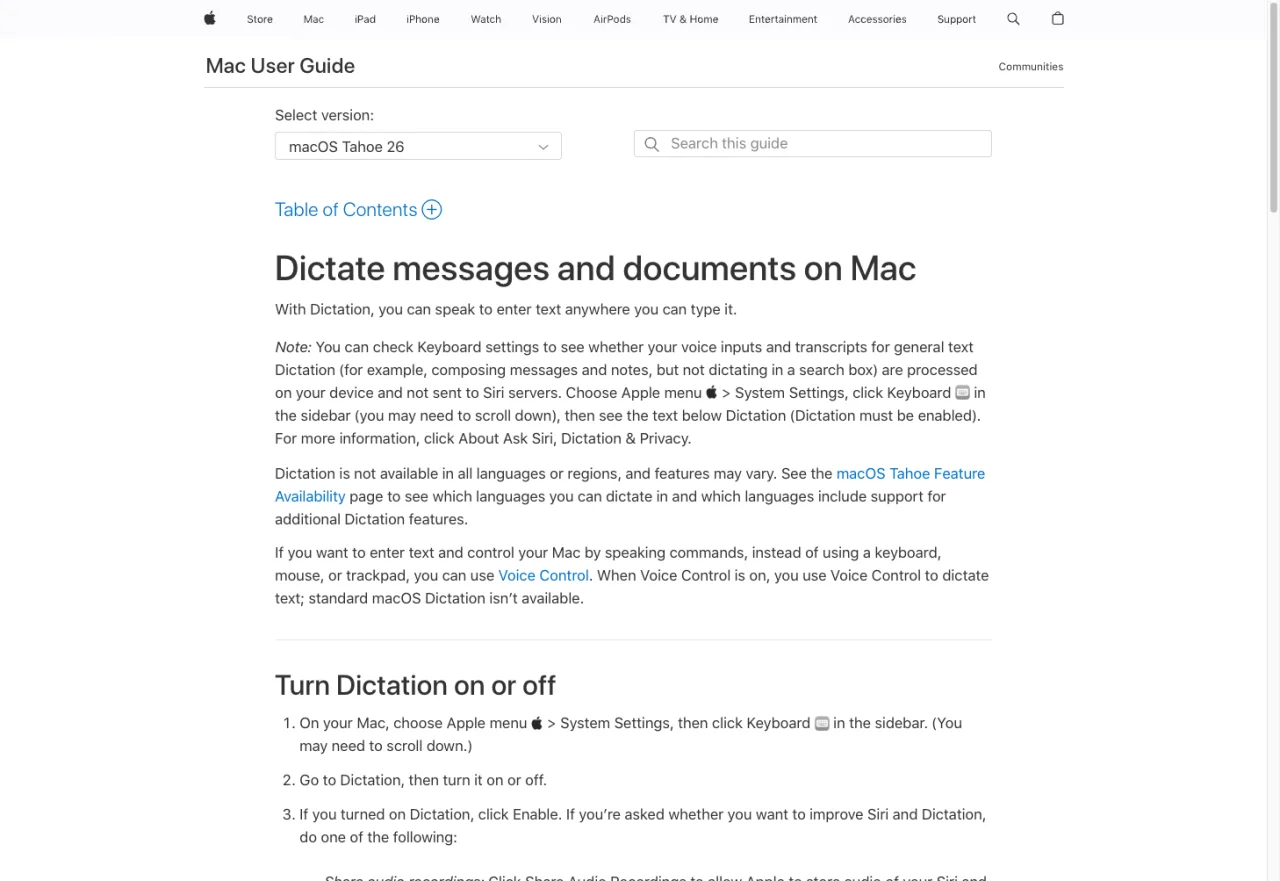
People are still searching for "Apple Dictation vs Dragon" in 2026 — Google Search Console shows it pulling triple-digit monthly impressions for our site, even though we don't have a dedicated page on it. So clearly the comparison still matters to people, even though one of the two contenders is officially dead. Let's actually answer the question.
Quick disclosure: I make EmberType, a Mac dictation app that arrived several years after Dragon left the platform. It's part of the answer to "what should I use instead." I'll cover Apple and Dragon honestly first, then explain where modern Whisper-based tools actually slot in.
Key takeaways
- Dragon for Mac is officially discontinued. Dragon Professional for Mac 6 reached end-of-life in 2018. Nuance does not sell or support a Mac version.
- Apple Dictation is free and built-in — works for short tasks, struggles with technical vocabulary and long-form writing.
- The "vs" question is settled by elimination — Apple wins because Dragon is gone.
- Modern Mac dictation runs OpenAI's Whisper locally. Whisper is more accurate than Dragon was on most general dictation benchmarks and runs on Apple Silicon.
Quick Verdict (TL;DR)
If you're choosing today, the answer is one of three things:
- Apple Dictation if you only dictate occasionally and accuracy isn't critical. Free, built-in, works.
- Run Dragon for Windows in Parallels only if your specific workflow (legal coding, medical EMR macros, custom command grammar) genuinely requires Dragon's vocabulary tooling.
- A Whisper-based Mac app for everything in between — accuracy is dramatically better than Apple Dictation, privacy is configurable (local-only is a real option), and there's no Windows VM tax.
The next sections explain why.
Apple Dictation: What It Actually Is
Apple Dictation is the voice-to-text feature built into macOS. You press the dictation key (or Globe + F5 on newer Macs), and speak. Text appears in any text field. There's no app to install, no account to create, no cost. If you have never set it up, start with how to dictate on Mac — it takes about two minutes.
On Apple Silicon Macs running macOS 13 or later, short dictations run on-device — your audio never leaves the machine. Apple's official guide notes that some longer dictations route through Apple's servers, though the user-facing distinction is fuzzy. The privacy story has improved meaningfully since 2014 but isn't quite as clean as the marketing implies.
Where it's good:
- Short messages, search queries, casual emails
- Common conversational vocabulary
- Zero install friction — already on your Mac
- Free, no subscription, no account
Where it falls short:
- No custom vocabulary support — every "MacBook," every drug name, every legal term is a lottery
- No AI cleanup — every "um" and "uh" stays in your transcript
- Accuracy degrades on longer passages (anything past ~30 seconds tends to drift)
- Frequent reports of Apple Dictation breaking after macOS updates — the team is small and the feature is not a top Apple priority
- No way to dictate offline guaranteed — sometimes routes to the cloud silently
If your bar is "good enough for a quick reply," Apple Dictation clears it. If your bar is "good enough to write a brief, draft a memo, or take real meeting notes," it doesn't.
Dragon for Mac: A Brief Eulogy


Dragon NaturallySpeaking was once the gold standard of consumer dictation software. The product line had a 30-year run on Windows, with serious traction in legal, medical, and accessibility contexts. The Mac version was always a step behind — Dragon Dictate for Mac shipped in 2009, was rebranded Dragon Professional Individual for Mac, and went through six versions before Nuance pulled the plug.
The official end-of-life timeline, per Nuance's own support documentation:
- October 2018 — Dragon Professional Individual for Mac 6 reaches end-of-sale. Nuance stops selling new licenses.
- October 2019 — End of full support. No more updates, no more new feature work.
- October 2022 — End of all support, including security and compatibility patches.
- 2024 — Nuance acquired by Microsoft. Dragon's consumer/individual line consolidated into Windows-only and enterprise verticals (Dragon Medical, Dragon Legal). The Mac product is not coming back.
Why Dragon left the Mac: A few reasons converged. The Mac dictation market was always smaller than Windows. Apple's own (free) Dictation eroded the bottom of the market. Maintaining a Mac codebase that kept up with macOS's evolving accessibility and security frameworks (especially the move to sandboxing, code signing, and Apple Silicon) required real engineering investment for diminishing return. And — speculatively — Nuance's gradual pivot toward enterprise verticals made consumer products less strategically interesting.
What you should do if you have an old copy: If you have Dragon Professional for Mac 6 sitting on an Intel Mac running an older macOS, it might still work for basic use. It will not run on Apple Silicon (M1+) without virtualization, and Nuance does not support that configuration. A few users run Dragon Professional v16 (the Windows version) via Parallels on Apple Silicon — this works for most use cases but adds latency and a Windows license cost.
The History This Article Sits Inside
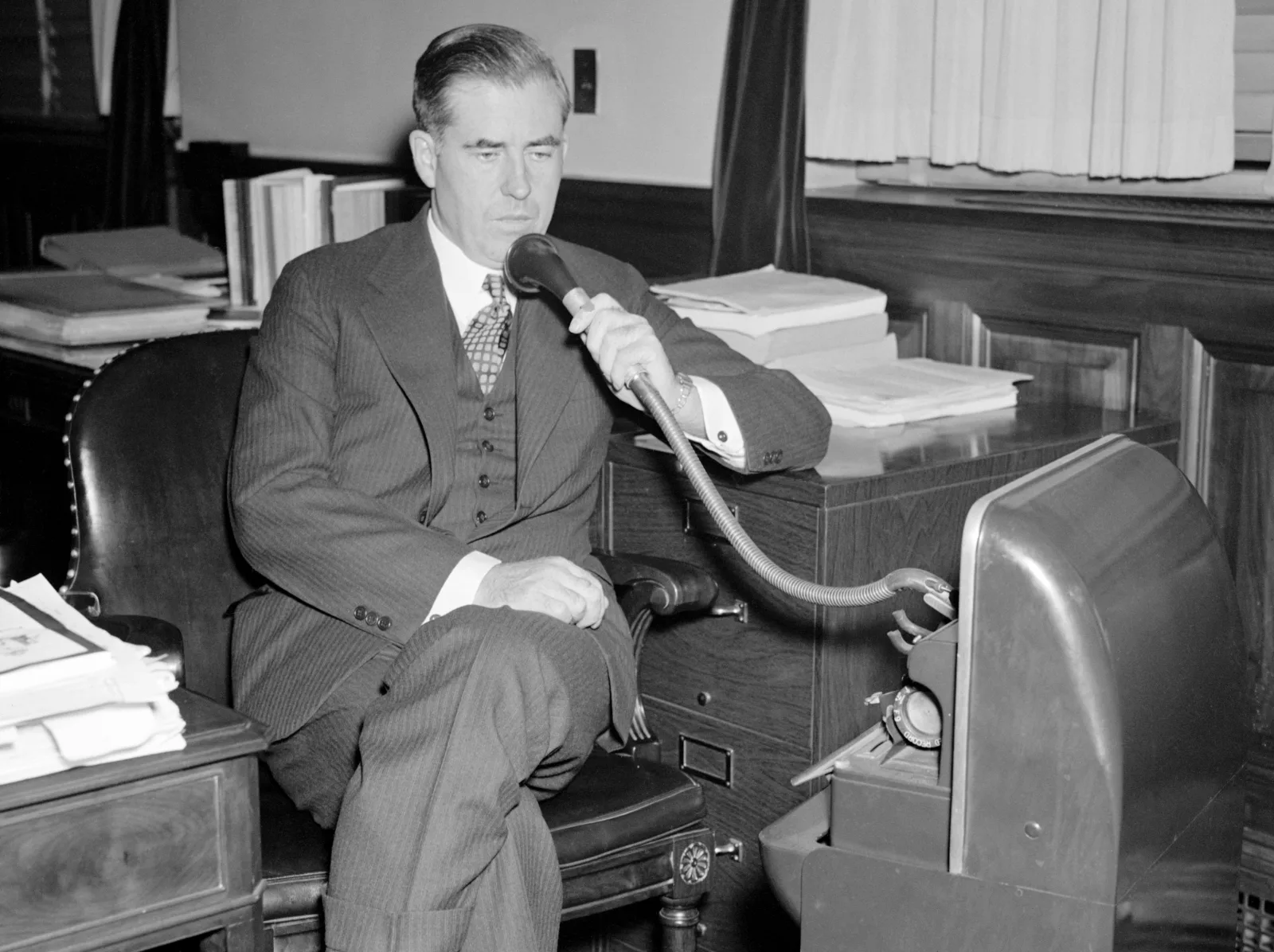

The 1937 Wallace photo is captioned, on the original Library of Congress card: "Secretary of Agriculture Henry A. Wallace dispenses with the services of a stenographer." The dictation tool of the day was a wax-cylinder Dictaphone — Wallace would speak into it, ship the cylinder to a typing pool, and get a manuscript back hours later.
The reason that's relevant: every meaningful dictation product since has been a slightly faster version of that loop. Dragon, in the 1990s, collapsed the typing pool into the local PC. Apple Dictation, in 2014, made the loop free at the cost of accuracy. Whisper, in 2022, made the local-PC option as accurate as the cloud — for the first time in this 90-year story, you can dictate on your laptop and not pay either with money (subscription) or with privacy (audio leaves the machine). That's the technical shift Mac users mostly missed when Dragon left.
Side-by-Side Comparison
| Feature | Apple Dictation | Dragon (legacy) | Whisper-based (2026) |
|---|---|---|---|
| Status | Active | Discontinued (2018) | Active |
| Price | Free | $300+ (legacy) | Free–€64 |
| Apple Silicon | Yes (native) | No | Yes (native) |
| Custom Vocabulary | No | Yes | Partial (via dictionary) |
| AI Cleanup | No | No | Yes |
| Specialized (medical/legal) | No | Yes (via grammar) | Partial |
| Offline Guarantee | Partial (mixed) | Yes (always local) | Yes (configurable) |
| System-Wide | Yes | Yes | Yes |
| Long-Form Accuracy | Poor | Good | Excellent |
Dragon's remaining advantage was its custom-grammar tooling — domain-specific vocabularies and voice macros that legal and medical workflows depended on. Whisper-based apps haven't fully replicated that yet. For most general-purpose dictation, though, Whisper outperforms Dragon's older models on standard accuracy benchmarks.
Try a Modern Mac Dictation App
EmberType: Whisper-powered, 100% offline, $39 one-time. The thing Dragon's absence created room for.
Download Free TrialNo credit card required • macOS 14+ • Apple Silicon
What Modern Mac Dictation Looks Like
OpenAI released the Whisper speech recognition model in late 2022, open source. By 2024, a handful of indie Mac apps had wrapped it into local-first dictation tools. By 2026, Whisper-based apps have largely replaced Dragon's role on the Mac:
- EmberType — system-wide live dictation, $39 one-time, 100% offline, AI text cleanup runs locally
- MacWhisper — file-based transcription with optional live dictation, $0–€64 one-time
- SuperWhisper — live dictation with broader cloud-AI integrations, $8.49/mo or $69 one-time
- Wispr Flow — VC-backed cloud-AI dictation, $15/mo, fastest "polished" feel but everything routes through their servers
For the Apple Dictation upgrade path specifically — same shortcut-driven, system-wide workflow, just dramatically more accurate — EmberType, BetterDictation, or SuperWhisper are the closest fits. For a complete one-time-purchase shopping list, see our no-subscription Mac dictation guide.
Should You Try to Run Dragon Professional v16 on Mac?
Specifically asked enough times to deserve an answer: yes, you can run Dragon Professional Individual v16 (the Windows version) on an Apple Silicon Mac via Parallels Desktop. It runs. Real users do this every day. It's also probably not worth it unless you have a specific Dragon-only feature dependency.
The downsides:
- Parallels license: $99.99/year
- Windows 11 license: $139 one-time (or rent via Microsoft)
- Dragon Professional Individual v16: $699 one-time
- Total: ~$940 to start, plus annual Parallels renewal
- Latency: every keystroke and every dictated word has to traverse the VM boundary
- Audio routing: getting your Mac mic into Dragon's Windows VM cleanly is doable but fiddly
- No support if anything breaks: Nuance/Microsoft don't officially support this
For most people, the right answer is "use a Whisper-based Mac app for $0–$79." For users with a custom Dragon vocabulary built up over years (often legal or medical), keeping Dragon is reasonable — that vocabulary is the lock-in, not the engine.
The Best Dragon Alternative for Mac in 2026
If you landed here searching "Dragon alternative for Mac" rather than the head-to-head, here's the short version: the thing that replaced Dragon on the Mac isn't a single product, it's a category — Whisper-based local dictation. Of those, the closest spiritual successor to what Dragon used to be (accurate, system-wide, and yours to own) is EmberType: one $39 purchase, runs entirely on your Mac, no subscription, no cloud.
That's not the only option, and I'd rather you pick the right one than the one I happen to make:
- Cheapest accurate upgrade from Apple Dictation: EmberType ($39) or BetterDictation ($39) — both one-time, both Whisper-based.
- You mostly transcribe audio files, not live dictation: MacWhisper.
- You need hard custom-vocabulary or voice-macro grammar (legal, medical): this is the one case where keeping Dragon for Windows in Parallels still makes sense — that grammar tooling is the real lock-in, not the recognition engine.
For the full one-time-purchase shortlist, see Mac dictation with no subscription; for the broader modern landscape, the best speech-to-text apps for Mac.
Frequently Asked Questions

Free Mac Dictation Tips
Tips on voice-to-text, dictation workflows, and productivity. No spam.
Unsubscribe anytime. We never share your email.
You're in! Check your inbox.
The Modern Mac Dictation Tool Dragon Would Have Become
EmberType: same Whisper engine the cloud apps use, running 100% locally on your Mac. $39 one-time, 7-day trial.
Download Free TrialmacOS 14+ · Apple Silicon · $39 after trial