
By Steve Mount, builder of EmberType, a Mac dictation app that competes with Monologue. This article is based on Monologue’s website, pricing page, privacy policy, terms, help docs and changelog, Every’s launch post and subscription page, and the US App Store listing, all checked on October 16, 2026. I have not used Monologue. This is a reading of its documents, not a hands-on test.
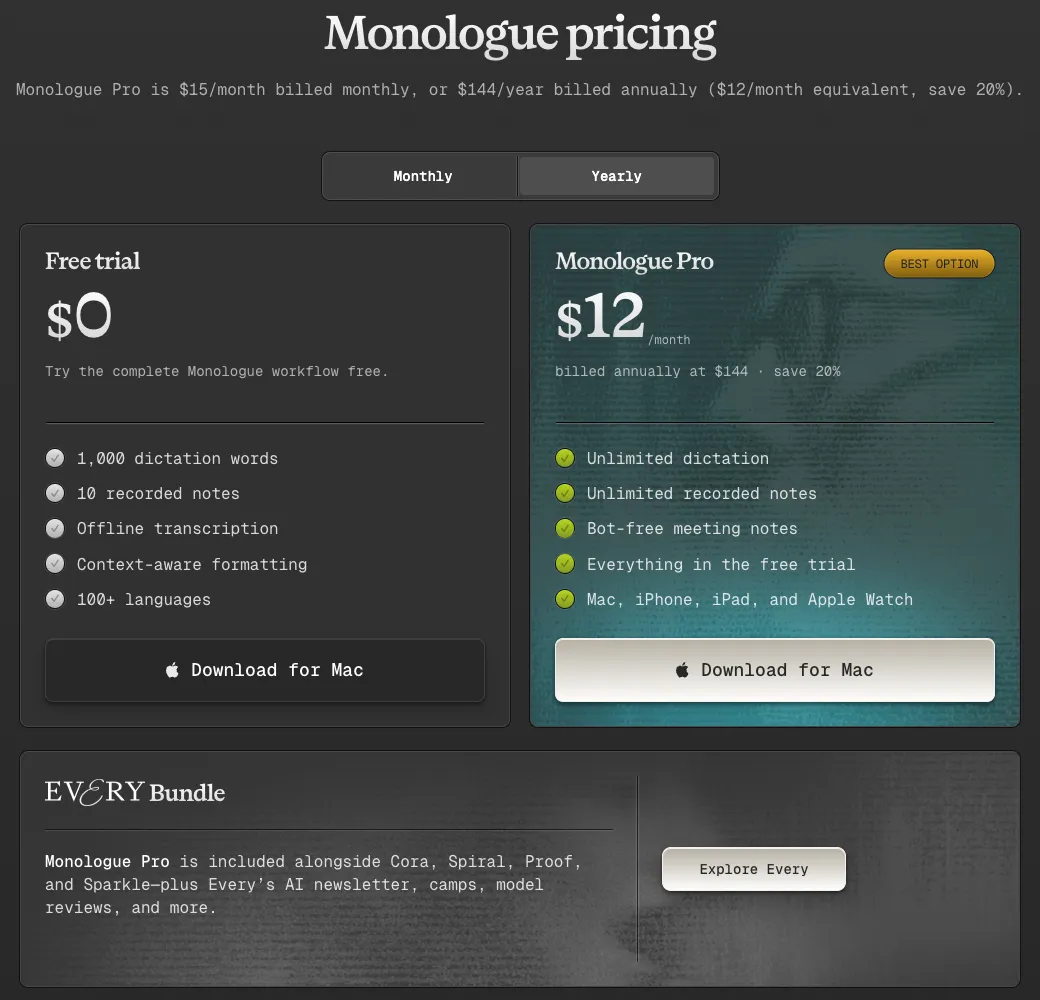
The short answer: Monologue Pro costs $15 a month or $144 a year. The free plan is a trial of 1,000 dictation words and 10 recorded notes. Pro is also included in a paid Every subscription ($30 a month or $288 a year). By default your audio is transcribed on Monologue’s servers. A local model on Apple silicon Macs can transcribe offline, but the smart formatting still goes online.
What Monologue is
Monologue comes from Every, the AI newsletter company that also makes Cora, Spiral and Sparkle. Every’s CEO Dan Shipper introduced it on September 16, 2025 as “a voice dictation app for Mac that writes the way you talk,” built by Every’s entrepreneur in residence Naveen Naidu. Since then it has grown in three directions. The iPhone app arrived in February 2026 with Notes for voice memos, Notes reached the Mac in April with system-audio capture for meetings without a bot, and on September 23, 2026 came an in-house dictation model called mono-1.
The dictation pitch on monologue.to is the same one Wispr Flow makes. You speak messily and Monologue types what you meant: it drops self-corrections, adds paragraphs and sign-offs, turns spoken items into lists and adjusts tone for the app you’re in. Modes (prebuilt ones for email, docs, notes and code, or your own instructions) can switch automatically by app or website, and a personal dictionary handles names and jargon. It supports more than 100 languages, and an MCP server, API and CLI let AI agents read your saved notes. The availability page rules out Windows and Android.
The price, and the Every question
| Option | Price | What you get |
|---|---|---|
| Free trial | $0 | 1,000 dictation words, 10 recorded notes, offline transcription, context-aware formatting |
| Monologue Pro, monthly | $15 a month | Unlimited dictation and notes, bot-free meeting notes, Mac, iPhone, iPad and Apple Watch |
| Monologue Pro, yearly | $144 a year ($12 a month) | Same as monthly |
| Every subscription | $30 a month, or $288 a year after a 14-day free trial | Monologue Pro plus Every’s other apps, newsletter and events |
| App Store (in-app purchases) | $14.99 monthly; $143.99 yearly (and “Early Bird” items at $14.99 and $144.99) | Pro, billed and refunded through Apple |
Sources: the pricing page, Every’s plans and the US App Store listing. At launch, standalone access had an early-bird price of $10 a month, so anyone reading an older review will see a lower number than today’s.
Two things change the real cost. First, the Every bundle is not a discount. At $288 a year it is exactly twice the standalone Pro price, so it only makes sense if you already want Every’s writing or its other apps. If you do, Monologue costs you nothing extra. Second, the terms say cancelling does not entitle you to a refund for the rest of the term, and the billing docs warn that time and credits don’t transfer between Apple, Monologue, Every and team billing. Pick one place to pay and stay there.
The free plan is labelled “Free trial,” and nothing on the pricing page says the 1,000 words reset. It is enough to judge the output, not to live on.
The local model is a transcription option, not a privacy mode
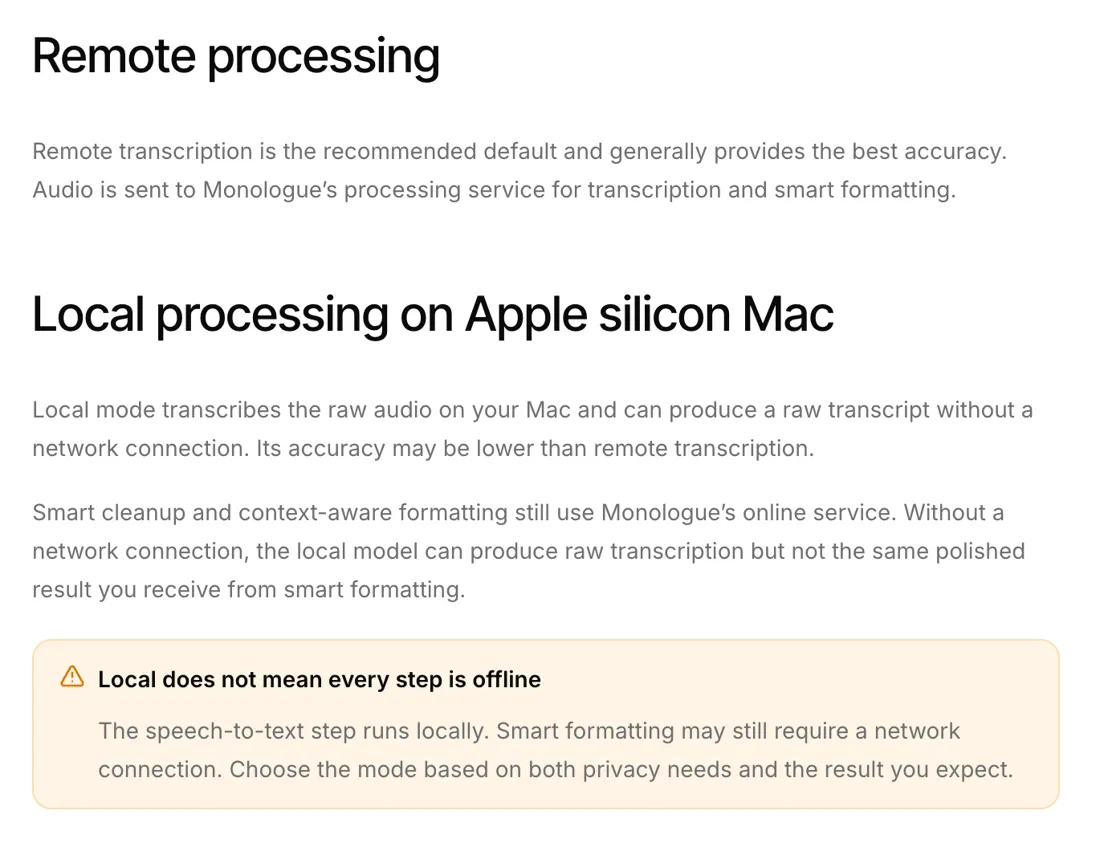
Monologue’s homepage lists “Works offline: local models when you want speed or privacy, no connection required.” The help docs are more precise, and to Monologue’s credit they don’t hide it. The languages and processing models page says remote transcription “is the recommended default,” with audio “sent to Monologue’s processing service for transcription and smart formatting.” The local option, available only on Apple silicon Macs (the October 2025 changelog names Parakeet v3), “transcribes the raw audio on your Mac.” Then comes the important part:
“Smart cleanup and context-aware formatting still use Monologue’s online service.” A highlighted box on the same page puts it more bluntly: “Local does not mean every step is offline.”
From the builder’s side, this follows from what Monologue sells. The raw transcript is the commodity part; plenty of free apps run Parakeet or Whisper on a Mac. What people pay for is the rewrite, and Monologue runs that on its servers. So the local model transcribes your audio on the Mac, but in normal use your words still leave it as text for formatting. Offline, you get a raw transcript without the polish. There is also a Blazing Fast mode that, per the modes docs, “skips the normal smart post-processing path.” I found no page stating that Local plus Blazing Fast sends nothing, so I wouldn’t assume it.
On iPhone and iPad there is no local option at all: the permissions page says “remote transcription and iPhone or iPad dictation send the audio and relevant context to Monologue’s services.”
What leaves the Mac, feature by feature
| Feature | What is sent | What Monologue says about keeping it |
|---|---|---|
| Dictation, default (remote) | Audio and relevant context to Monologue’s service | Audio and transcripts not saved on its servers; AI providers process dictation with “zero data retention” |
| Dictation, local model | Whatever smart formatting needs online; the docs don’t itemize it, but the transcript and context are the obvious inputs | Same as above |
| Deep Context (optional) | Screenshots of supported on-screen content; needs Screen Recording permission | Screenshots “deleted immediately after processing” |
| Notes and meetings | Audio, uploaded for transcript and summary | Stored in your account, synced, readable through MCP, API and CLI |
| Sharing transcripts to improve dictation | Your dictation transcripts | Opt-in toggle in Settings → Data & Privacy |
Sources: monologue.to/data-privacy, the permissions page above and the privacy policy. Not storing dictation server-side and keeping transcript sharing opt-in are good commitments. The row I would think hardest about is Deep Context. The phrase “screenshots are deleted immediately after processing” implies the image itself is processed off your Mac. EmberType’s equivalent feature makes a different trade: it reads screen text with on-device OCR and passes only that text to whichever AI provider you set up. A screenshot may give the model more to work with, but it puts pixels from your screen on a server. Deep Context is optional, so leave it off in apps showing client or patient data.
Where the documents lag the product
None of this suggests Monologue mishandles data. These are gaps worth knowing before you dictate anything sensitive.
- The privacy policy is older than half the product. It is dated October 31, 2025, before Notes (February 2026 on iPhone, April on Mac) and mono-1 (September 2026). It says Monologue won’t store audio or transcripts on its servers “unless you specifically use the toggle switch,” while Notes store them by design. Its named AI providers are Groq, Fireworks and OpenRouter. The mono-1 announcement calls the new model “in-house” but doesn’t say where it is hosted or whether those providers still handle dictation.
- Local history has a 14-day lifespan. The policy says audio and transcripts kept in the app on your device are deleted after 14 days. That is good for privacy, but if you use History to recover old dictations, don’t count on anything older than two weeks.
- Analytics are named. The policy lists PostHog (site analytics), Sentry (crash reporting) and New Relic (service monitoring). The App Store privacy label lists identifiers and usage data as linked to you, and audio as collected but not linked to you.
- The mono-1 numbers are vendor numbers. Monologue reports a 7.22% word error rate on WildSpeech-Bench, second to OpenAI’s GPT-4o Transcribe at 6.68%, and “about 55% fewer estimated edits” than its previous pipeline. By its own footnotes, 1,000 of the 1,100 clips are synthetic voice clones and the edit counts come from a “blinded AI editor,” not real user edits. It’s more methodology than most dictation apps publish, but nobody outside Monologue has measured it.
Which download you’re getting
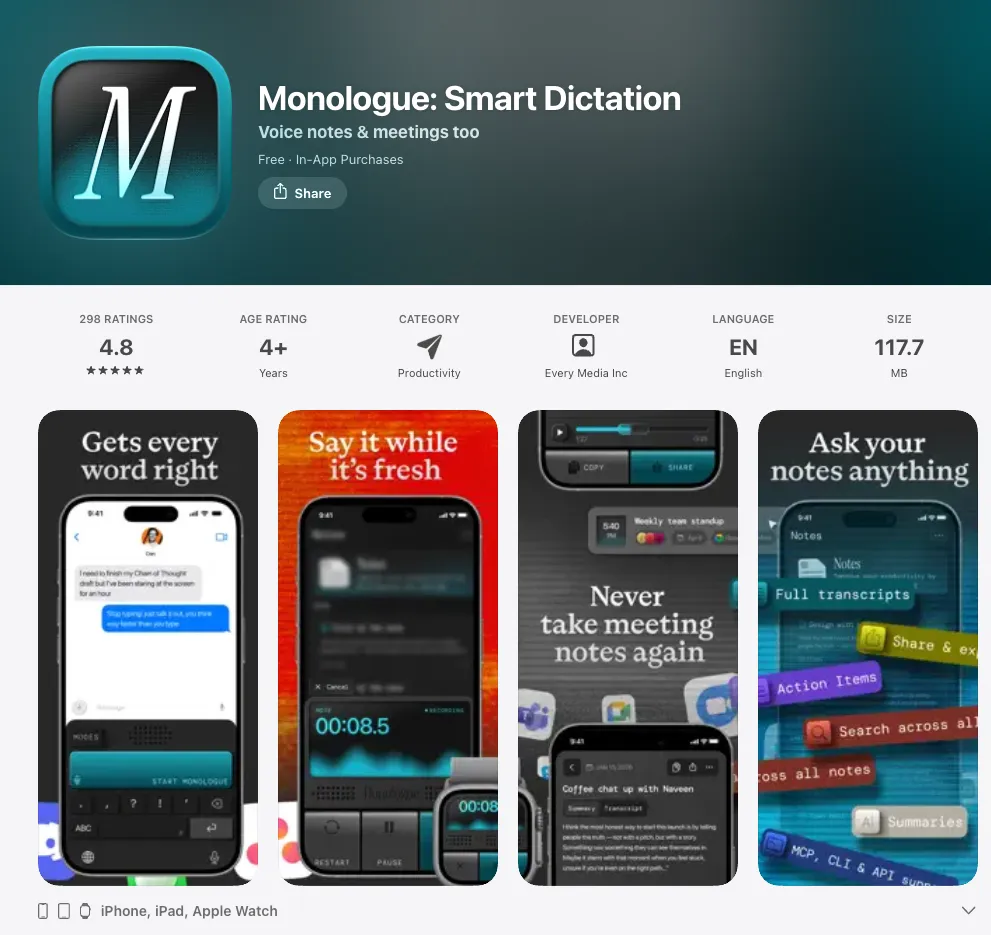
The App Store results that rank for “monologue app” lead to the iPhone, iPad and Apple Watch app (4.8 stars from 298 US ratings on October 16; version 1.2 from October 2). The Mac app is a direct download. The Mac setup guide says to get it from monologue.to, and a search of the US Mac App Store returned no Monologue listing. Like EmberType, it needs Accessibility permission to paste into other apps, which the guide lists as required for automatic pasting. The Mac app was at version 1.5.1 on September 28, 2026. An April 2026 hotfix for Intel Macs shows the Mac app runs on them, though only with remote transcription.
Who should pay for Monologue
Choose Monologue if you dictate on both Mac and iPhone and want one subscription with synced modes and dictionary, if you want voice notes and bot-free meeting notes in the same app, if you hand transcripts to coding agents through MCP, or if you already pay for Every, in which case it is included. It also runs on Intel Macs, with remote transcription only, which EmberType does not support. If you are comparing it with Wispr Flow, its closest match, see what Wispr Flow costs and the Wispr Flow alternatives.
Look elsewhere if the polished output has to happen without a server, if you need Windows or Android, or if a $144 yearly subscription for dictation alone is hard to justify.
Where EmberType fits
I build EmberType, so weigh this accordingly. It does less than Monologue: Mac only, Apple Silicon, macOS 14 or later, with no iPhone app, no synced notes and no agent API. What it does differently is the cleanup route. Speech recognition runs on your Mac by default. AI rewriting is off until you turn it on, and then it runs either through your own API key with the provider you choose or through a local model in Ollama, in which case the transcript, and screen text if you enable Contextual Awareness, stays on the Mac. It costs $39 once after a seven-day trial. Three years of Monologue Pro on the yearly plan is $432.
If the cross-device sync and notes are why you want Monologue, EmberType is not a substitute. If what you want is dictation on one Mac, with a cleanup path that can stay entirely local, it is. For more options, see the Mac dictation apps ranked by privacy architecture, the Spokenly review (free with local models), the FluidVoice review (open source) and the Typeless review (cloud-first, like Monologue).
Want the cleanup to stay on your Mac too?
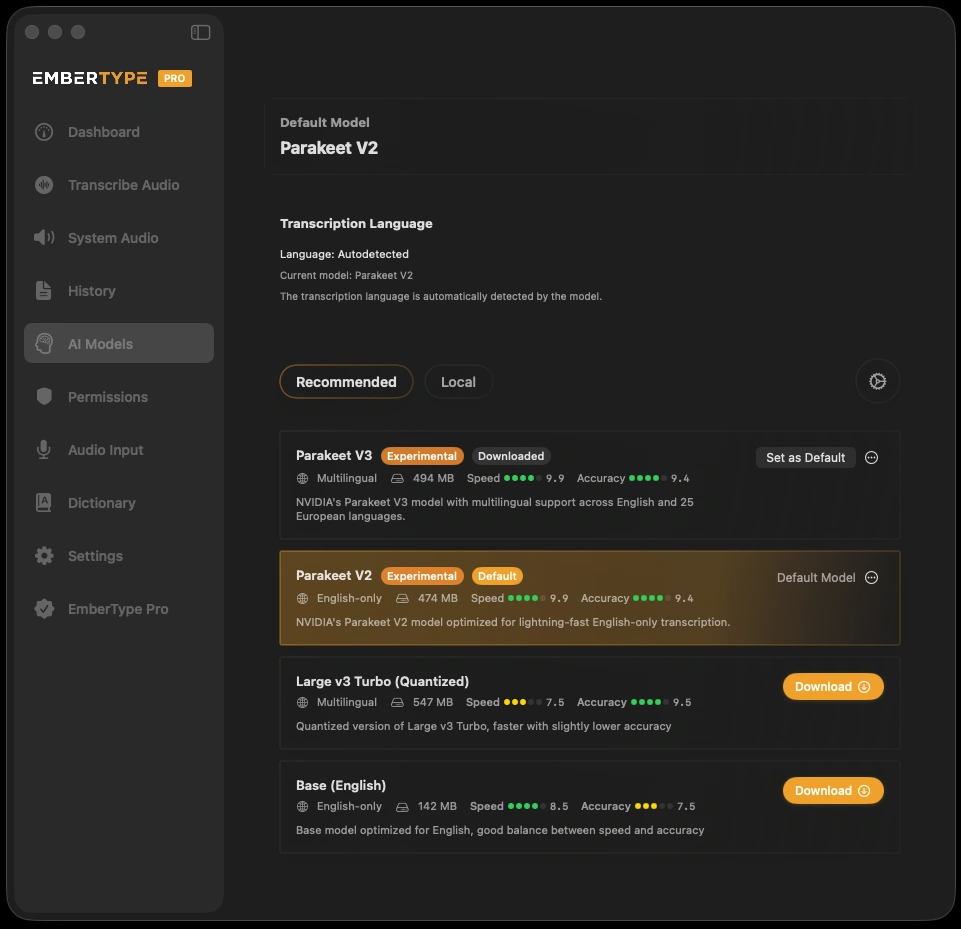
Try EmberType free for seven days, with on-device speech recognition by default and optional AI rewriting through a local model or your own key.
Download EmberTypeApple Silicon · macOS 14+ · $39 one-time after the trial
More pricing and privacy readings of dictation apps are in the comparisons hub.
