
By Steve Mount, builder of EmberType, a paid Mac dictation app that competes with FluidVoice. I have not used FluidVoice. This review is based on its public source code at commit cc3168c (October 1, 2026), its README, release list and issue tracker, and a read-only inspection of the official 1.6.9 download’s code signature. I did not build or launch the app. Everything was checked on October 2, 2026.
FluidVoice is a real, free, GPLv3 dictation app for macOS 15 or later. Its speech recognition runs on your Mac, and the official download is signed and notarized by Apple. The code shows three things the homepage leaves out. It sends anonymous analytics by default, and one daily activity signal has no off switch in Settings. The AI cleanup it advertises most, Fluid Intelligence, is closed-source and missing from any build of the public code. And it inserts text through your clipboard, then puts the old clipboard back. None of that should stop most people from trying it. You should just know it going in.
What you get for $0
FluidVoice comes from Altic (GitHub account altic-dev). The first commit was September 21, 2025. The repository had 11,877 stars when I checked, and the code has been GPLv3 since February 23, 2026 (Apache 2.0 before that). You hold a hotkey, speak, and the text appears in whatever app has focus. There are no tiers or word limits, and nothing to buy.
The model list is long. According to the README’s model table, you can choose NVIDIA’s Nemotron Speech 3.5, Parakeet Flash (English, in beta), Parakeet TDT v3 (25 languages) and v2 (English), Cohere Transcribe, Apple’s built-in speech engine, or Whisper from Tiny to Large. Most of these need Apple Silicon. Apple Speech and Whisper also run on Intel Macs, so FluidVoice works on an Intel Mac too. I searched the source and found no third-party cloud transcription service. The speech step stays on your machine.
On top of dictation there is a Write Mode, which rewrites selected text, a Command Mode that turns spoken requests into actions on your Mac, file and meeting transcription, a custom dictionary, per-app prompts, a usage dashboard, and optional cleanup through your own OpenAI, Anthropic, Groq, Gemini, xAI, Cerebras or OpenRouter key, or a local Ollama or LM Studio server. The requirements are macOS 15.0 or later, about 1 GB per voice model, and about 3.5 GB more if you add Fluid Intelligence.
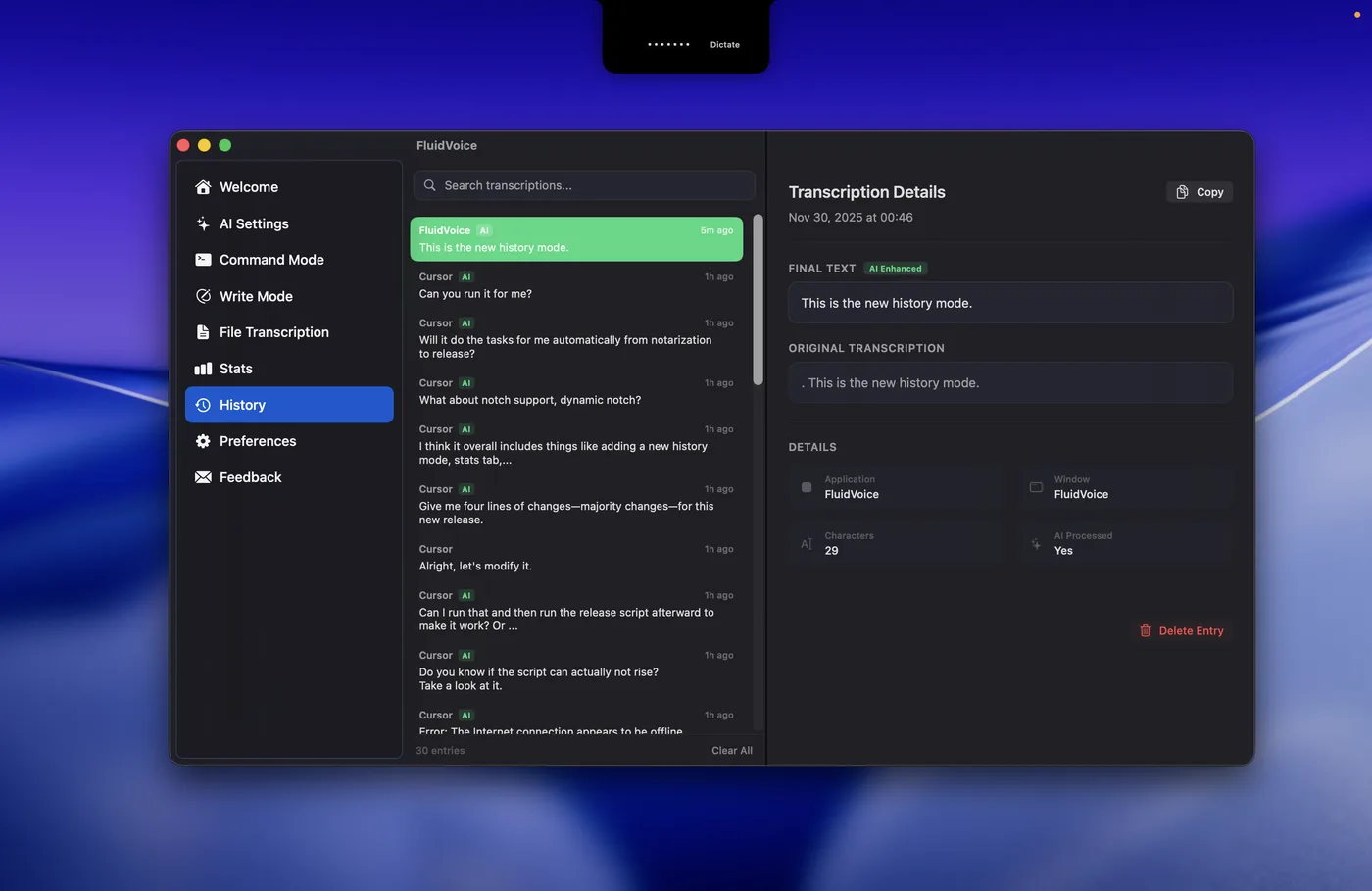

Google’s fourth result for “fluidvoice” is a June 22 r/macapps post titled “FluidVoice is back with a bang!”, by an account that introduced itself as the developer. The app had not gone anywhere. The developer was coming back after four months of work on Fluid-1, the model behind Fluid Intelligence, and the repository’s commit count did drop to 54 that May before jumping to 173 in June. Since then the project has moved fast. Version 1.6.0 shipped June 22 and 1.6.9 on August 18, which is ten releases in under two months. After that, the only new Mac release on GitHub has been a beta, 1.6.10-beta.7 (September 23).
“Local” and “nothing leaves your Mac” are two different claims
The FluidVoice homepage says “100% on-device”, “Zero data leaves your Mac” and “0 bytes leave this Mac”. The code shows that your voice and text stay local unless you add a cloud AI provider, which is the claim that matters most. But the app does send other things.
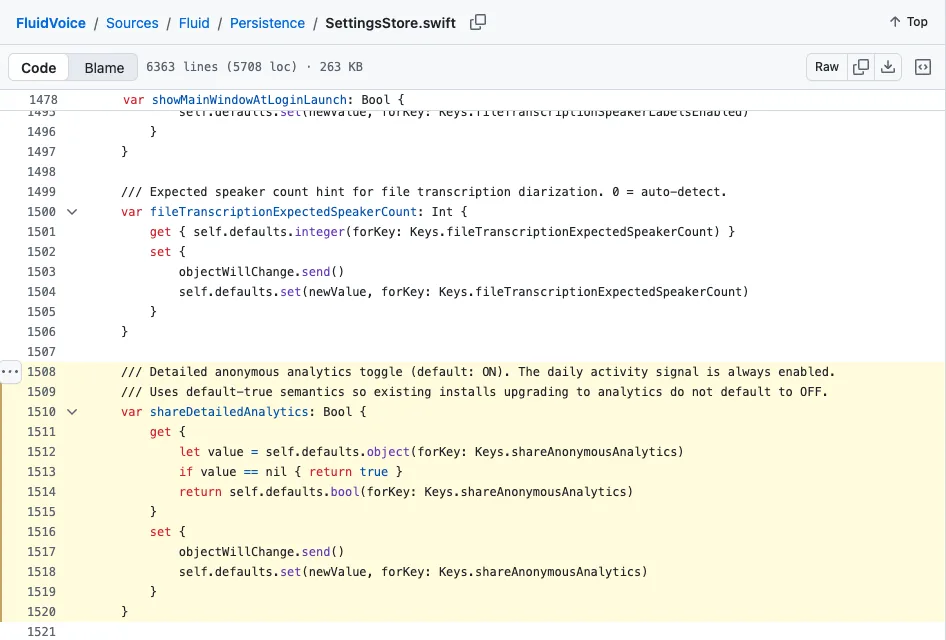
- Analytics, on by default. The app has a PostHog project key built in and reports to PostHog’s EU host. The README’s own privacy section describes this clearly. It records one anonymous signal per day, made up of a random installation ID, the date, the app version and the macOS platform, and uploads a week of them at a time. Detailed analytics (daily feature and model usage totals, onboarding progress, model download outcomes) are also on by default. You can turn the detailed analytics off in Settings. The daily signal stays on: the README says that “when disabled, only the weekly activity batch is sent.”
- Update checks go to GitHub’s releases API. The updater also refuses any download that isn’t signed by one of the project’s two approved code-signing teams, which is a good safeguard to have.
- Model downloads come from Hugging Face.
- Reports you send yourself. If you report a bad result from History, the raw and processed text go to the developer’s server. That only happens when you click.
According to the README, the analytics never include voice, audio, transcripts, selected text, prompts, clipboard contents or window titles. The code I read is consistent with that. So this is not a privacy scandal. The problem is the wording. “Zero data” is not true of an app that sends a weekly activity batch you can’t turn off in its own Settings. A review that says it switched analytics off is describing the detailed toggle, not the whole thing.
For comparison, I explain how I rank the privacy of different dictation designs in the most private dictation apps for Mac. That framework draws the line at where your audio becomes text, and by that test FluidVoice is local-only: its cloud options apply only to text cleanup. It just adds telemetry on top.
An open-source app with a closed model inside
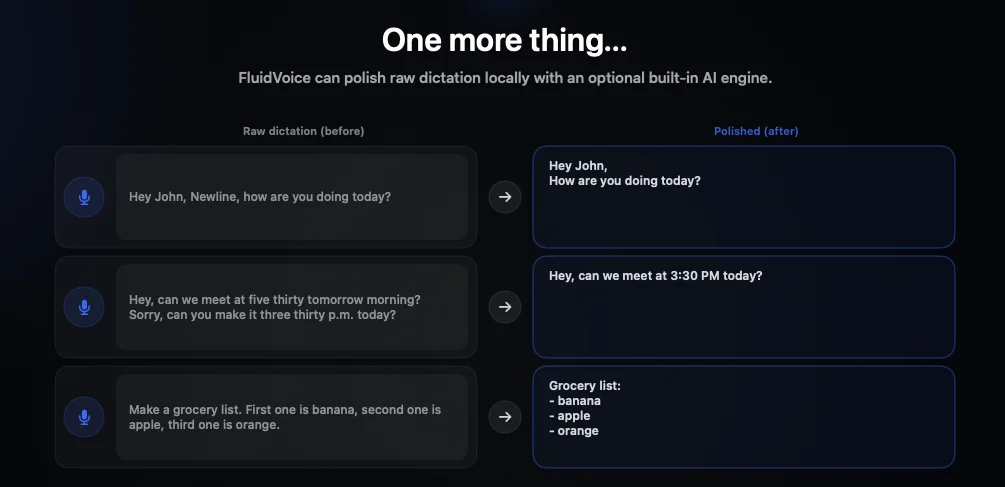
FluidVoice’s headline feature is Fluid Intelligence, a local model that tidies raw dictation. It removes filler words, fixes capitalization, formats lists and adjusts tone for each app. The README is upfront that it is “a separate, privately maintained local AI runtime,” and says the developer is keeping it private “so we can sustainably offer the core dictation experience for free.” That is a reasonable trade, and they disclose it.
The source adds a detail I haven’t seen in other reviews. The integration only compiles when a private build flag (PRIVATE_AI_PROVIDER) and a private FluidIntelligence module are present. If you build FluidVoice yourself from GitHub, you get a working dictation app without Fluid Intelligence. The official 1.6.9 download does include it: its main binary contains that code and a bundled llama framework. So the app you can audit and the app most people install are not quite the same app. The difference is the part that reads every sentence you dictate. It runs locally, but you can’t inspect it.

In the launch post, the developer reported that Fluid-1 scored 77.31% on their own set of 10,000 dictation examples, against 56.73% for GPT-5.4 and 34.72% for “Base Gemma 4 E2B,” which the post presents as the model Fluid-1 started from. These are the developer’s numbers on the developer’s test set. I couldn’t find an independent evaluation. The model also takes about 3 GB of disk space according to the launch post, or 3.5 GB according to the README. Two open issues show what that costs: one titled “Fluid Intelligence is unusably slow” (five seconds or more per dictation on a 36 GB M3 Pro), and one about the model download blocking onboarding and restarting from zero. The reporter of the slowness issue says that with the Fluid Intelligence model deleted, the text appears within the same second.
How it gets text into your apps
Inserting text into another app is the hardest part of a dictation app to get right, so it is the first thing worth checking. FluidVoice’s default is “Clipboard Paste (Recommended)”. It puts your text on the clipboard, presses Cmd-V for you, and then restores whatever was on the clipboard before. The other option, “Direct Paste”, types the text in through macOS events and Accessibility without touching the clipboard. The app’s own description says “some editors may reject or truncate it.” EmberType also pastes through the clipboard and restores it by default. It is the common approach, and FluidVoice’s own setting description gives the reason: direct typing gets rejected or truncated by some editors. Neither app is doing anything unusual here. In both apps, a clipboard manager may record the dictated text for a moment.
Command Mode is the feature I would think about before switching on. The AI model you configure turns a spoken request into shell commands, and FluidVoice runs them through zsh. By default it asks first only if the command matches a list of known-dangerous patterns such as rm, mv, sudo, kill and chmod. Anything not on that list runs straight away. A command like find . -delete, for example, does not match the list. Lists like this always miss something, so treat Command Mode as you would any AI agent with shell access.
Which download is the real one
The developer’s own channels point to three places: the GitHub releases page, altic.dev/fluid (its download button redirects to the stable GitHub file, 1.6.9 when I checked), and Homebrew with brew install --cask fluidvoice. The 1.6.9 file is signed with a Developer ID belonging to Barathwaj Anandan (team V4J43B279J), one of the project’s contributors, whose Hugging Face account also hosts the Cohere model the app downloads. Apple has notarized it.
The third result for “fluidvoice” on Google is fluidvoice.org, which calls itself “the official website of FluidVoice”. I can’t confirm that. The GitHub README doesn’t link to it, the repository’s homepage field points to altic.dev, altic.dev doesn’t link to it, and nothing in the repository’s code, history, issues or discussions mentions it. Its domain was registered on August 18, 2026. In fairness, its download buttons pointed to the genuine GitHub files when I checked. However, its main Mac button offers the 1.6.10 beta, while altic.dev gives you the stable release. My advice is simple: download from GitHub, altic.dev or Homebrew, and you don’t have to wonder. The SourceForge listing is a mirror that says it is “not affiliated with FluidVoice.” As for “FluidVox”, that is a different, paid product.
Windows is a muddle. The README says Windows is “on the way” and offers a waitlist. The repository description says “Windows pre-build available.” GitHub has Windows pre-release installers from 0.0.1 (July 8) to 0.0.10 (September 8). One issue reports that 3 of 70 VirusTotal engines flagged an early installer. Treat Windows as an early test build, not a finished app.
The rough edges, from its own issue tracker
A fast release schedule means fast fixes, and occasionally fast regressions. Open reports when I checked included dictation that stops hearing the microphone after three seconds (the reporter says 1.6.7 and 1.6.8 broke it and 1.6.6 worked) and idle CPU that builds up over a long session. Under the Reddit launch post, a blind user reported that the settings are not VoiceOver-friendly. These are individual reports, not my measurements, and a free project with a public tracker shows its bugs in a way paid apps usually don’t. Still, if dictation is how you do your job, it is worth keeping the previous build’s DMG and holding off on betas.
Who should use FluidVoice, and where EmberType fits
Use FluidVoice if you are on macOS 15 or later and want free, local dictation, especially if you like to tinker, want many models, need an Intel-compatible option, or want Write and Command modes. If you are reading this to decide whether to pay for dictation at all, try FluidVoice first. You may not need to pay anyone, and I would rather say that than pretend otherwise. If you are comparing it with paid apps, my Wispr Flow alternative and SuperWhisper alternative guides cover those.
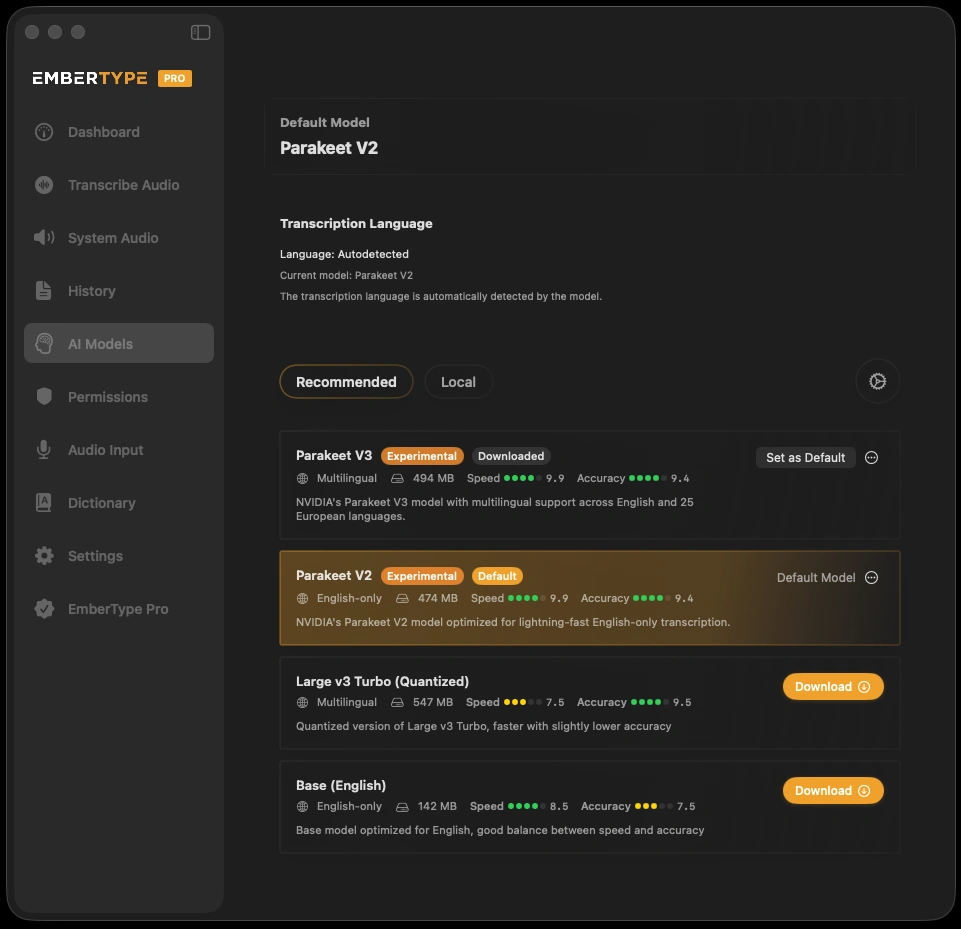
Here is where my interest comes in. EmberType is the app I build, and it is a narrower product. It costs $39 once after a seven-day trial and runs on Apple Silicon Macs with macOS 14 Sonoma or later, so it works on Macs that are one macOS version behind what FluidVoice requires. Speech runs on your Mac with Parakeet or Whisper. Cloud models are optional and need your own API key. Its source code has no usage-analytics service. It does make network requests for update checks, announcements, model downloads and the license check, plus calls to any cloud provider you add. Being paid means an email support address and someone accountable for the build you install; FluidVoice’s support is its GitHub issues and Discord. It also means fewer features: no Command Mode, Windows build or Intel support. If those matter, FluidVoice is the better choice. I made the broader argument about why paid apps built on open models still have to earn their price in Whisper is open source, so where is the moat?
Want the simpler, supported option?
Try EmberType free for seven days on macOS 14 or later, and compare it with FluidVoice on your own writing.
Download EmberTypeApple Silicon · macOS 14+ · $39 one-time after the trial
If you install it
- Get it from GitHub, altic.dev or Homebrew. Stick with the stable release unless you want betas.
- Check the analytics setting in Settings → Share Detailed Anonymous Analytics, and remember the daily activity signal stays on.
- Try it without Fluid Intelligence first. Then turn it on and see whether the cleanup is worth the delay and the 3.5 GB.
- Leave Command Mode off until you have read what it can run without asking.
More side-by-side reviews of Mac dictation apps are in the comparisons hub.
