
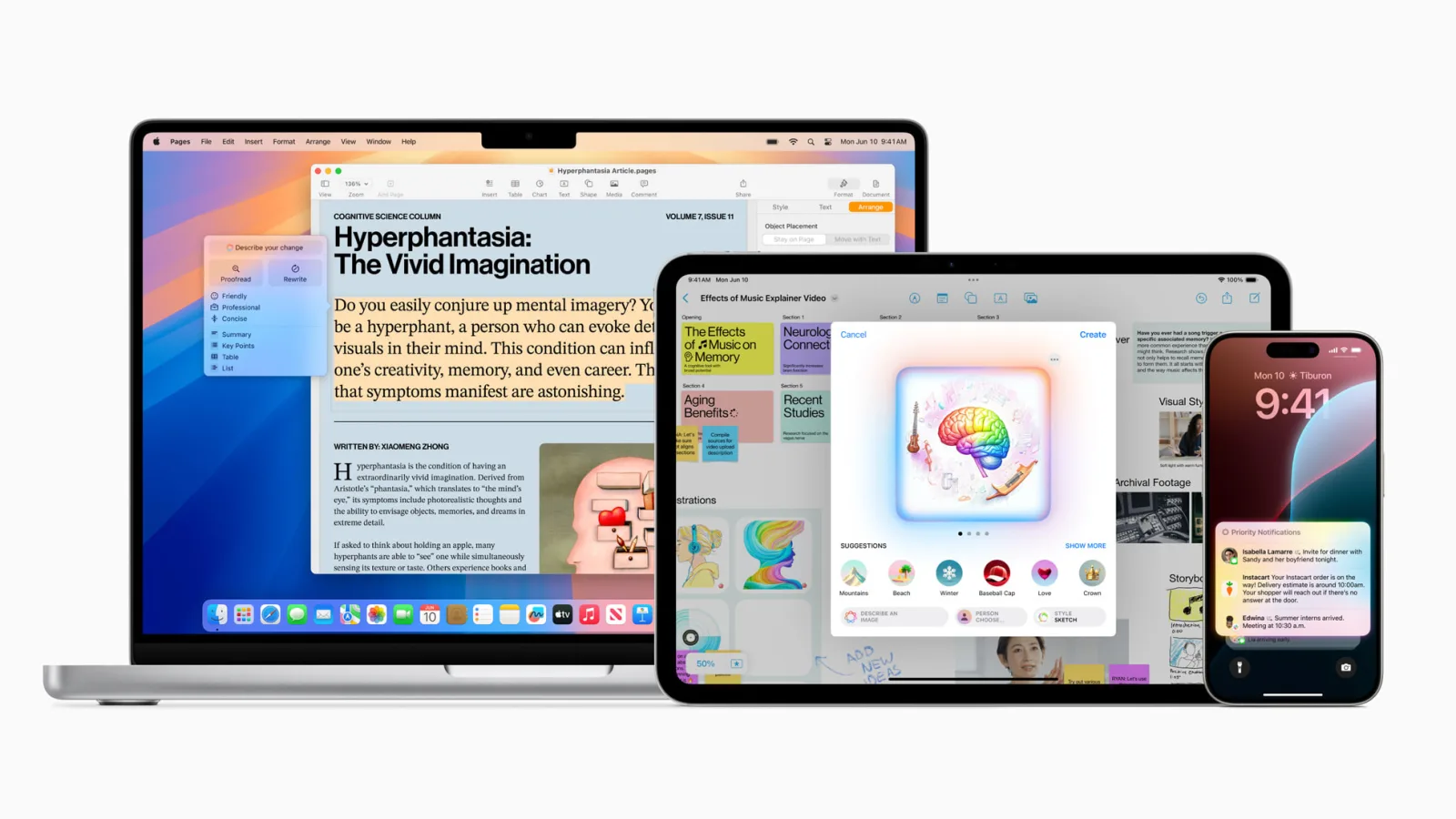
Open System Settings on your Mac today and look in two places. Open Apple Intelligence & Siri and you will see the new world — Writing Tools, Image Playground, Genmoji, smarter Siri, ChatGPT routing, the works. Now open Keyboard → Dictation — the same pane you use to set up dictation on a Mac. You will find a panel that, with the exception of a checkbox or two, looks almost identical to the one Apple shipped years ago. There is no "Apple Intelligence" branding. There is no model picker. There is no acknowledgement that the rest of the operating system just shipped a generational leap in on-device language AI. You can dictate, and the words appear, and the experience is fine. It is also exactly the same experience.
This is the gap. We have spent a year building an offline voice-to-text app for Mac, and we have watched Apple do something we expected them to do at any moment — apply the same on-device-AI argument they made for Writing Tools to the thing that puts the text on the page in the first place. They have not. We do not know why. But we have thought a lot about what it means.
The two Apple icons that don't talk to each other
Apple Intelligence and Apple Dictation are both Apple. Same company, same operating system, same Neural Engine. But they function as if they were built by two teams who never met. Apple Intelligence assumes you have already typed your message and want a model to clean it up. Dictation assumes you would rather speak than type. The natural pipeline — say it, watch a state-of-the-art model transcribe it, then a state-of-the-art model rewrite it — is the obvious end state, and Apple has shipped the second half of that pipeline without shipping the first half.
Walk through it on your own machine. Open Notes. Dictate a paragraph using Apple Dictation. Select the text. Hit the Writing Tools shortcut. Rewrite it. The Writing Tools step is genuinely impressive — it is an on-device language model running on Apple Silicon doing real summarization and tone shifting. The Dictation step that fed it is a service whose accuracy floor has not meaningfully moved in years. The two halves of the same workflow are two generations apart.
What Apple Intelligence actually shipped (the parts that affect text)
Apple Intelligence, launched in stages starting in late 2024, includes — at the time of writing — a handful of text-facing features on Mac:
- Writing Tools — Rewrite, Proofread, Summarize, Make a list, Make a table — available system-wide via the Edit menu or a keyboard shortcut. Runs on a small on-device language model with Private Cloud Compute for harder requests.
- Smart Reply in Mail and Messages.
- Image Playground, Genmoji, smarter photo search.
- Smarter Siri with on-screen awareness and optional ChatGPT routing (with per-request user opt-in).
- Priority notifications, mail summaries, and transcription and summarization of Voice Memos.
That last one is worth pausing on. Apple shipped Voice Memos transcription and summarization under Apple Intelligence. That feature uses a modern speech model on the Neural Engine to turn audio files into transcribed, summarized text. The architectural pieces exist. They run on the Neural Engine. They are shipping on the same Mac, in the same operating system, on the same chip, in the same year as Dictation.
Dictation did not get any of it.
What Apple Dictation actually is, in 2026
Apple Dictation — the system that powers the Fn-key push-to-talk experience in any text field on macOS — has had iterative improvements over its life but has not been rebranded, re-platformed, or re-architected under Apple Intelligence. On modern Macs, the on-device dictation feature exists in multiple system languages and transcribes locally for many of them. That part is good — the privacy story for Apple Dictation has long been reasonable for most users.
What has not changed in years is the experience floor. Punctuation injection still requires saying "comma" and "period." Long-form dictation still produces sentences that read transcribed-by-software rather than transcribed-then-cleaned-up. Diction errors that any modern Whisper-class model would catch — homophone confusion in context, technical terminology, proper nouns — still slip through. None of this is catastrophic. It is just, well, the same. And there is now a state-of-the-art language model on the same chip that could fix every one of those issues.
If you have ever Googled "Apple dictation not working" in frustration, you are not alone, and the troubleshooting steps have not changed much either.
The accuracy gap you can hear in five minutes
You do not need to take our word for this. The test takes five minutes and you can do it on your own machine.
Open TextEdit. Use Apple Dictation to read aloud a paragraph from a real technical document — anything with proper nouns and natural punctuation. Save the result. Now do the same paragraph with any Whisper-based Mac app using the medium-or-larger Whisper model. Compare them side by side.
What we have found in repeated tests is consistent. Whisper-based apps catch domain vocabulary that Apple Dictation misses. They handle punctuation more naturally without spoken-marker workarounds. They handle longer utterances without losing track of the surrounding context. They handle accents that are not North American better than Apple's native option. None of this is a knock on Apple's engineering — Whisper had the advantage of being trained on a curated 680,000-hour dataset specifically optimized for diverse, real-world audio. It is, however, a real comment on the 2026 state of a built-in feature that Apple has not updated to keep pace.
Why the gap exists — what we can observe, what we can't
We do not know why Apple has chosen this. We can observe a few things.
- Dictation is deeply integrated into UIKit and AppKit text-input infrastructure that predates the current AI push. Replacing it would mean touching code that touches every text field in the operating system. That is the kind of change Apple does carefully and rarely.
- Apple Intelligence's Private Cloud Compute architecture is real-time-friendly for some workloads but adds latency Apple may not want in the input path. Local-only would solve that, but then they would need to ship a much larger model on every Mac.
- Apple has historically released speech features conservatively. They shipped Voice Memos transcription before they touched Dictation, and Voice Memos is a contained app rather than a system-wide input layer.
- Accessibility users depend on Dictation behaving predictably. A reworked speech model that produces subtly different results for the same input could break years of muscle memory for some of Apple's most important users.
Those are observations. The why is Apple's; we do not pretend to know it. What we know is the shape of the gap, not the reason it is shaped that way.
The on-device argument Apple made (and didn't apply here)
Apple Intelligence's marketing rests on an argument we wholly agree with: that the right place to do language AI is on the device, not in someone else's cloud. Apple's tone on this has been almost evangelical. Private Cloud Compute is a sophisticated piece of cryptography-meets-marketing, designed to keep cloud workloads as private as Apple can make them. The on-device default is the entire point.
That argument applies to Dictation more cleanly than to almost any other feature. Speech-to-text is one of the most sensitive types of data a person generates — voice itself is biometric in many jurisdictions, audio reveals environment, language, mood, and intent. A dictation system that runs entirely on-device — really entirely, not Private Cloud Compute, not a metadata ping — is exactly the kind of architecture Apple's own pitch describes. Apple already ships local dictation; what is missing is a modern local model behind it.
We are not saying Apple is hypocritical. We are saying the argument is sitting there, made by Apple itself, waiting to be applied. The slot exists. Other people we admire — including the entire privacy-first dictation niche — have been quietly filling that slot for two years.
What an "Apple Intelligence Dictation" would have looked like
If you sat down and designed it from first principles, the feature is almost obvious.
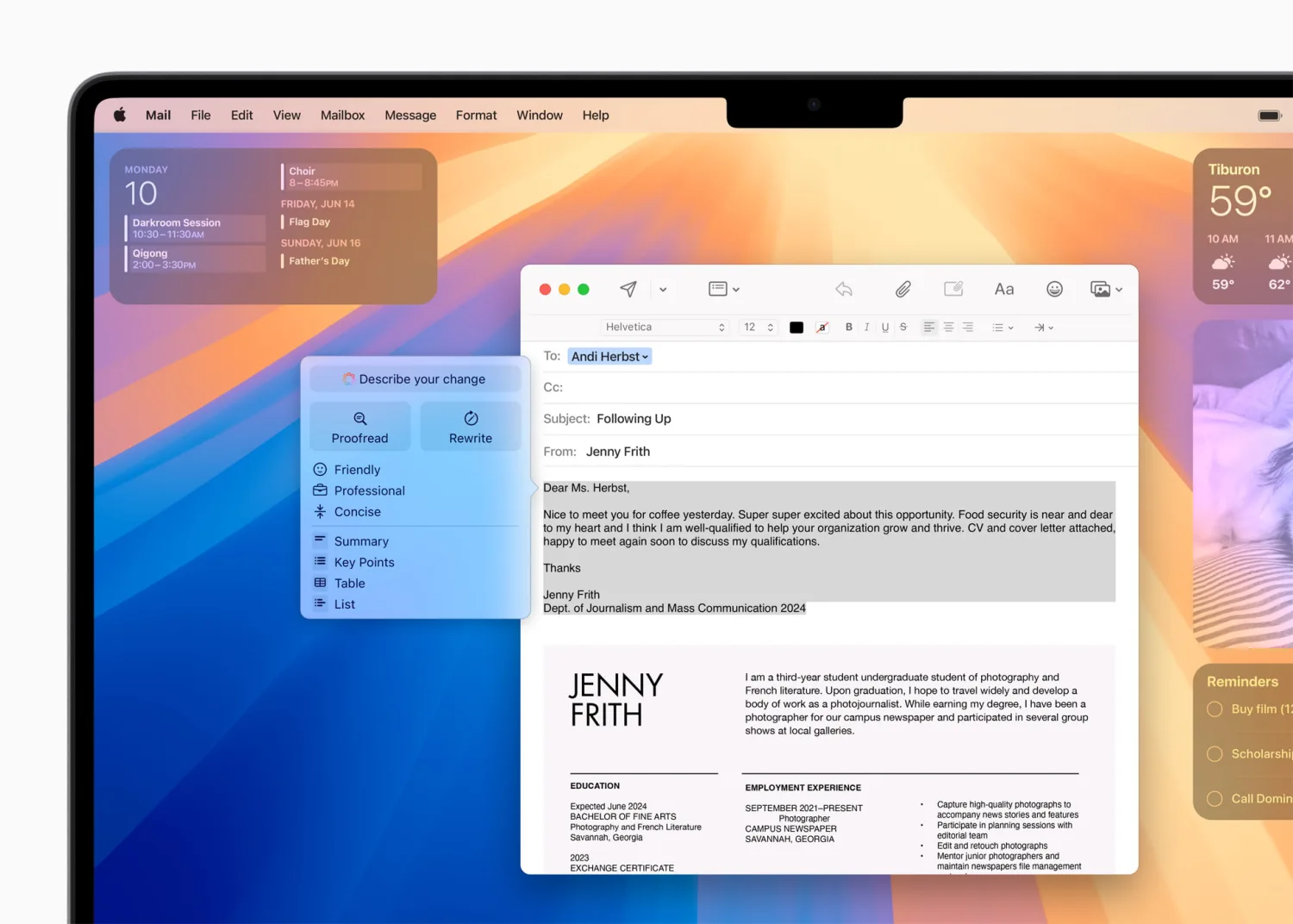
- A modern on-device speech model on the Neural Engine, sized for Apple Silicon — sub-second wake, real-time transcription at conversational speed.
- A small text-cleanup model that runs in the same path — auto-punctuates, fixes obvious homophones, normalises capitalisation, handles "scratch that" intelligently.
- A model picker in System Settings (the same way Image Playground exposes style choices).
- Per-app permissions — the dictation field in iMessage gets different treatment than the dictation field in Xcode.
- A subtle "improve this paragraph" affordance after dictation finishes — Writing Tools applied to the dictated text, automatically.
Each of those pieces is technically uncontroversial in 2026. The model sizes are within Apple Silicon's reach. The frameworks exist. Apple has shipped half of them already in adjacent features. What is missing is not a research breakthrough. It is a product decision.
How we ended up filling this gap with EmberType
When we started building EmberType in 2024, we did not set out to fill an Apple-shaped hole. We set out to fix a problem we had: typing was the bottleneck, every dictation option on Mac either compromised on privacy (cloud-routed) or on quality (legacy Apple Dictation), and we wanted to dictate to Claude Code at the speed we thought. None of the existing tools were architecturally honest about where the audio went.
We made a choice that was, at the time, weirder than it sounds now: on-device by default, no cloud fallback (cloud models only if you add your own API key), no telemetry, no account, no subscription. Whisper running locally on Apple Silicon, with the model size you pick, and a keyboard shortcut that types your words into whatever app you happen to be in. We thought we were building a niche tool for people like us — developers and writers tired of subscription voice apps and frustrated by the accuracy floor of the built-in option.
Then Apple Intelligence launched, and Dictation did not get the upgrade. And the niche got wider.

The Dictation Apple Intelligence Didn't Ship
EmberType runs OpenAI's Whisper model entirely on your Mac — modern speech recognition with the on-device-first values Apple Intelligence is built around. No cloud unless you choose it. No account. No subscription. Press a keyboard shortcut, talk, watch your words appear in any app.
Try EmberType Free for 7 DaysmacOS 14+ • Apple Silicon • $39 one-time after trial
The Whisper question — why we use the model Apple doesn't
The honest version of this section: we do not have access to whatever speech model Apple is running on the Neural Engine for Voice Memos transcription. We have access to Whisper, which OpenAI released as open-source software in late 2022 and has iterated on through Large v3 and Turbo variants. Every serious local-speech app on Mac runs Whisper. There is a reason.
Whisper trained on 680,000 hours of weakly-supervised, multilingual, multi-domain audio. The result is robust against accents, background noise, technical vocabulary, and real-world conditions in a way that other open speech models trained on cleaner datasets are not. It is not perfect. The Tiny and Base sizes will frustrate you. Large v3 Turbo on a current Apple Silicon Mac is genuinely impressive — and importantly, it runs locally, on the same Neural Engine Apple is now using for everything else.
If Apple released a comparable on-device dictation model tomorrow under Apple Intelligence, we would happily integrate it into our app or evaluate switching outright. We are not religious about Whisper. We are religious about on-device. Whisper is the best on-device option that currently exists; it is not the only one that ever could.
What still wins about Apple Dictation
It would be lazy to spend two thousand words arguing that Apple Dictation is bad. It is not. It is free. It is built in. It is privacy-conscious for what it does. It handles short-form input — search bars, single-line text fields, quick messages — perfectly well. It works without any setup. If you have never tried a third-party dictation tool and you only dictate occasionally, Apple Dictation is fine, and telling people to install a paid app to replace something that already works for them would be foolish.
What Apple Dictation is not built for: sustained long-form dictation, technical writing with domain vocabulary, voice-coding workflows, multilingual users who want any one of several languages with consistent quality, or anyone whose job involves enough typing that the accuracy floor matters.
If that describes you, the gap matters. If it does not, Dictation is still a perfectly reasonable choice, and you can stop reading.

The decision tree: which dictation system is right for you today
The honest version, with no theatrics.
- You dictate occasionally for short messages. Apple Dictation. Don't overthink it.
- You dictate to write — emails, drafts, articles, code comments — multiple times a day. Try a Whisper-based Mac app. We make one; so do MacWhisper and SuperWhisper. The local-Whisper category outperforms Apple Dictation noticeably for sustained dictation.
- You need privacy strictly — healthcare, legal, sensitive corporate work. On-device only. That eliminates cloud dictation tools regardless of policy and leaves you with Apple Dictation (fine) or a local-Whisper app (better at long-form).
- You are multilingual. Try Whisper Large v3 Turbo. The multilingual training in Whisper genuinely helps here in ways Apple's built-in option does not match.
- You are a developer doing voice-coding. A Whisper-based app with custom dictionary support handles your symbol vocabulary in a way Apple Dictation does not. Voice-coding on Mac with Apple Dictation alone is technically possible and practically painful.
That is the honest version. None of it is anti-Apple. Apple Dictation is the right answer for a real chunk of the population. It is just not the right answer for the people who dictate the most, and it has not been the right answer for them in years.
Where this probably goes (carefully — "probably")
We are not predicting Apple's roadmap, and you should not trust anyone who claims to. We are observing the shape of the moves Apple has already made.
Apple has shipped a modern on-device speech model for Voice Memos. They have shipped on-device text generation under Writing Tools. They have built Private Cloud Compute infrastructure for harder language tasks. The pieces required to ship a modernised Apple Dictation exist inside Apple already. We would not be surprised if some version of this lands in a future macOS — either as a quiet revamp of Dictation or as a new feature with a new name. We would also not be surprised if it does not, because Apple has more priorities than features, and the input layer is famously hard to change without breaking accessibility users.
What we are more confident in: whatever Apple ships in this space, it will be local-first. Apple's stated values force that. So even in the world where Apple eventually catches up, the people who care about local-first dictation will have a choice of tools that work on the same architectural principles. We think that is a good world.
What to do this week
If you have never tested a modern dictation tool against Apple Dictation, the five-minute test is the most useful thing you can do this week. Take a paragraph you would actually write — a real email, a real Slack message, a real document — and dictate it both ways. Look at how much editing each result needs. Multiply that by how often you dictate. The answer becomes obvious very quickly.
If the answer is "Apple Dictation is fine," great — you saved yourself a download and seven free days. If the answer is "I see what they meant by the gap," try EmberType free for seven days, or compare against MacWhisper or SuperWhisper if you want to weigh options first. We genuinely do not mind which one you pick. We mind that you do not keep typing if you would rather not.
Modern Dictation, Without Apple's Permission
Press a shortcut. Talk. Your words land in any Mac app — email, Notes, code, anywhere. On-device by default on Apple Silicon. No cloud unless you add your own key, no account, no subscription. The dictation upgrade Apple Intelligence didn't include.
Download EmberType Free7-day free trial • macOS 14+ • Apple Silicon • $39 one-time after trial
Frequently Asked Questions
No. As of 2026, Apple Intelligence on Mac includes Writing Tools, Image Playground, Genmoji, smarter Siri, ChatGPT routing, smart photo search, mail summaries, and Voice Memos transcription. Apple Dictation — the system-wide speech-to-text in any text field — has not been rebranded or re-platformed under Apple Intelligence. It remains a separate, older service whose behaviour has not meaningfully changed in years.
For many supported languages on modern Apple Silicon Macs, Apple Dictation runs on-device — the audio does not leave the machine. The privacy story for Apple Dictation has long been reasonable for most users. What has not been updated is the underlying speech model itself; the accuracy floor has not moved much in years.
For sustained long-form dictation, technical writing, or voice-coding, a Whisper-based Mac app outperforms Apple Dictation noticeably. The strongest local-Whisper options are EmberType (on-device by default, $39 once), MacWhisper (batch file transcription), and SuperWhisper (hybrid local-plus-cloud). For occasional short-form dictation, Apple Dictation remains a perfectly reasonable choice and there is no point installing anything else.
No one outside Apple knows. What is observable is that all of the architectural pieces required to ship a modernised Apple Dictation — an on-device speech model on the Neural Engine, on-device text generation under Writing Tools, Private Cloud Compute for harder language tasks — already exist inside Apple. We would not be surprised if a modernised Dictation eventually lands; we also would not be surprised if it does not, because the input layer is famously hard to change without breaking accessibility users.
Voice Memos transcription is a contained, asynchronous feature in a single app — Apple can ship a new model there without changing how every text field in the operating system behaves. Dictation is a system-wide input layer integrated deep into UIKit and AppKit text infrastructure. Modernising it is a far higher-risk product decision regardless of whether the underlying model technology is ready.
No. EmberType is an independent Mac app that runs OpenAI's Whisper model on your machine by default, with no cloud processing unless you add your own API key, no account, and no telemetry. It does not use any Apple Intelligence APIs. We built it because the gap between Apple's stated on-device AI values and the state of Apple Dictation kept getting larger, and someone had to fill it for the people who dictate the most.