
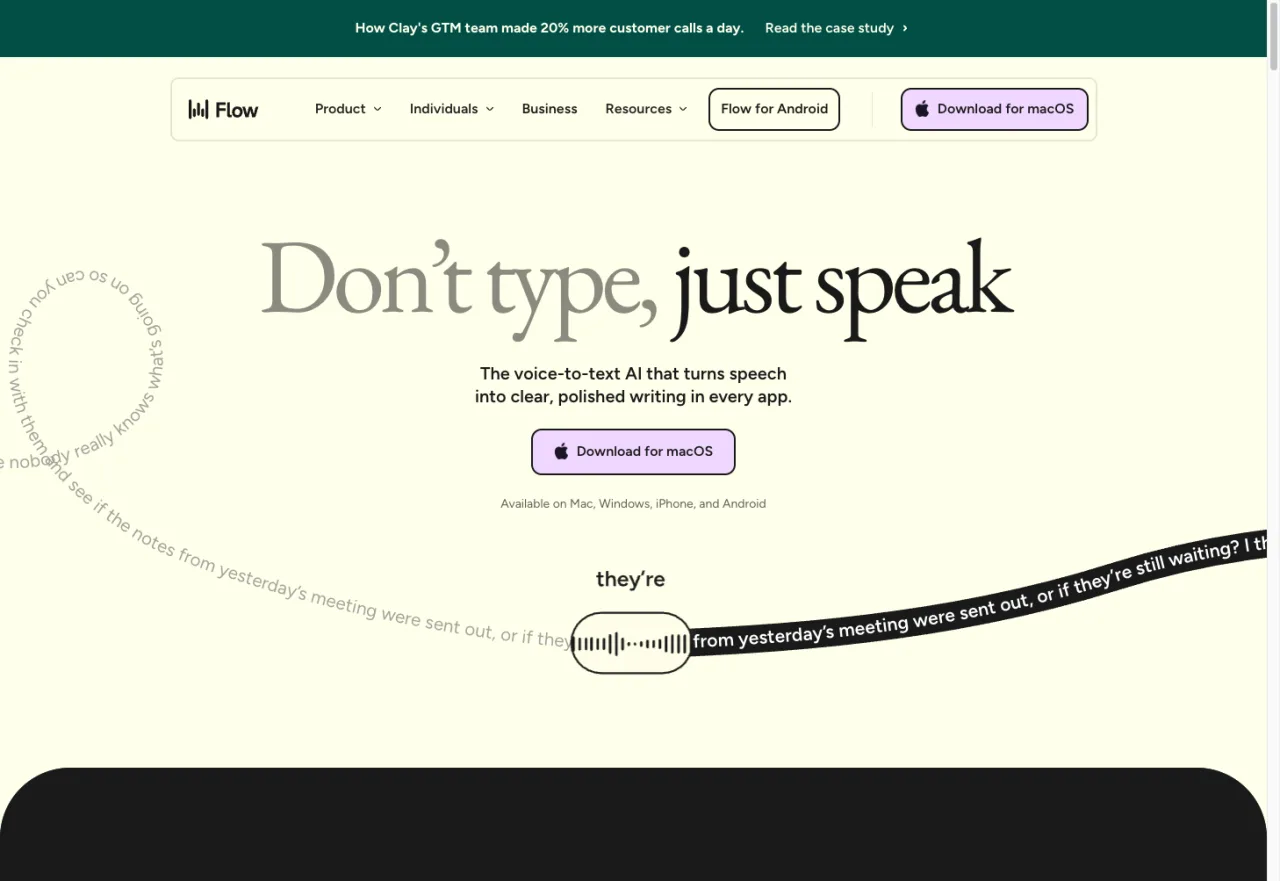
I'll give you the answer up front: Wispr Flow is for real-time dictation everywhere; MacWhisper is for transcribing audio files you already have. If you only do one of those things, the choice is obvious. If you do both, keep reading — there's a third option that handles both for less.
Disclosure: I make EmberType, the third option I'll mention later. The Wispr Flow vs MacWhisper analysis comes first and stands on its own.
Key takeaways
- Wispr Flow = system-wide real-time dictation. Press shortcut, speak, text appears at cursor in any app.
- MacWhisper = file-based transcription. Drag in audio, get a transcript with timestamps and (optionally) speaker labels.
- Same engine underneath: both run OpenAI's Whisper model. Accuracy on the same model is essentially identical.
- Pricing: Wispr Flow is $15/month subscription; MacWhisper is free or €64 one-time.
- Privacy: Wispr Flow's free tier processes audio in the cloud; paid tier offers local-only on Apple Silicon. MacWhisper is local-first by default with optional cloud AI integrations.
The Question Everyone's Asking Wrong
"Which is better, Wispr Flow or MacWhisper?" is like asking "which is better, a microphone or a tape recorder?" They're both audio tools, but they live in completely different parts of the workflow.
The real question is: do you have audio files you need transcribed, or do you want to skip typing entirely?
- If your problem is "I have 3 hours of interview recordings and a deadline" → MacWhisper.
- If your problem is "my hands hurt and I write 5,000 words a day" → Wispr Flow (or a one-time-purchase alternative).
- If your problem is "both, sometimes" → keep reading the section near the end about the third option.
What Wispr Flow Does (and Doesn't)
Wispr Flow is a real-time, system-wide AI dictation tool for Mac, Windows, and iOS. The pitch: press a keyboard shortcut, speak into any app — Slack, Notion, Gmail, your IDE — and Wispr inserts polished, formatted text at your cursor. It's the most-funded entrant in this category (Series B, well over $50M raised as of 2025) and that money shows up in the polish: the UX is the cleanest in the field, the AI cleanup is aggressive about formatting, and it handles "uh"/"um"/restarts gracefully.
What Wispr Flow excels at:
- Real-time, system-wide voice typing in any Mac app
- Aggressive cloud AI cleanup — converts spoken thoughts into formatted prose with paragraph breaks, bullet points, and reasonable punctuation
- Multi-platform (Mac, Windows, iOS) — useful if you switch devices
- Polish — small details like the modal UI, command suggestions, and onboarding are well-designed
What Wispr Flow doesn't do:
- Transcribe audio files you already have (it's not a file-transcription tool)
- Run fully offline by default — the free tier requires an internet connection; paid tier offers a local-only option on Apple Silicon
- Provide a one-time purchase option (subscription only as of May 2026)
- Speaker identification on multi-person recordings
Pricing: Free tier with weekly usage limits. Pro tier at $15/month month-to-month, or $12/month billed annually ($144/year). See our full Wispr Flow comparison for the buyer-side details.
What MacWhisper Does (and Doesn't)
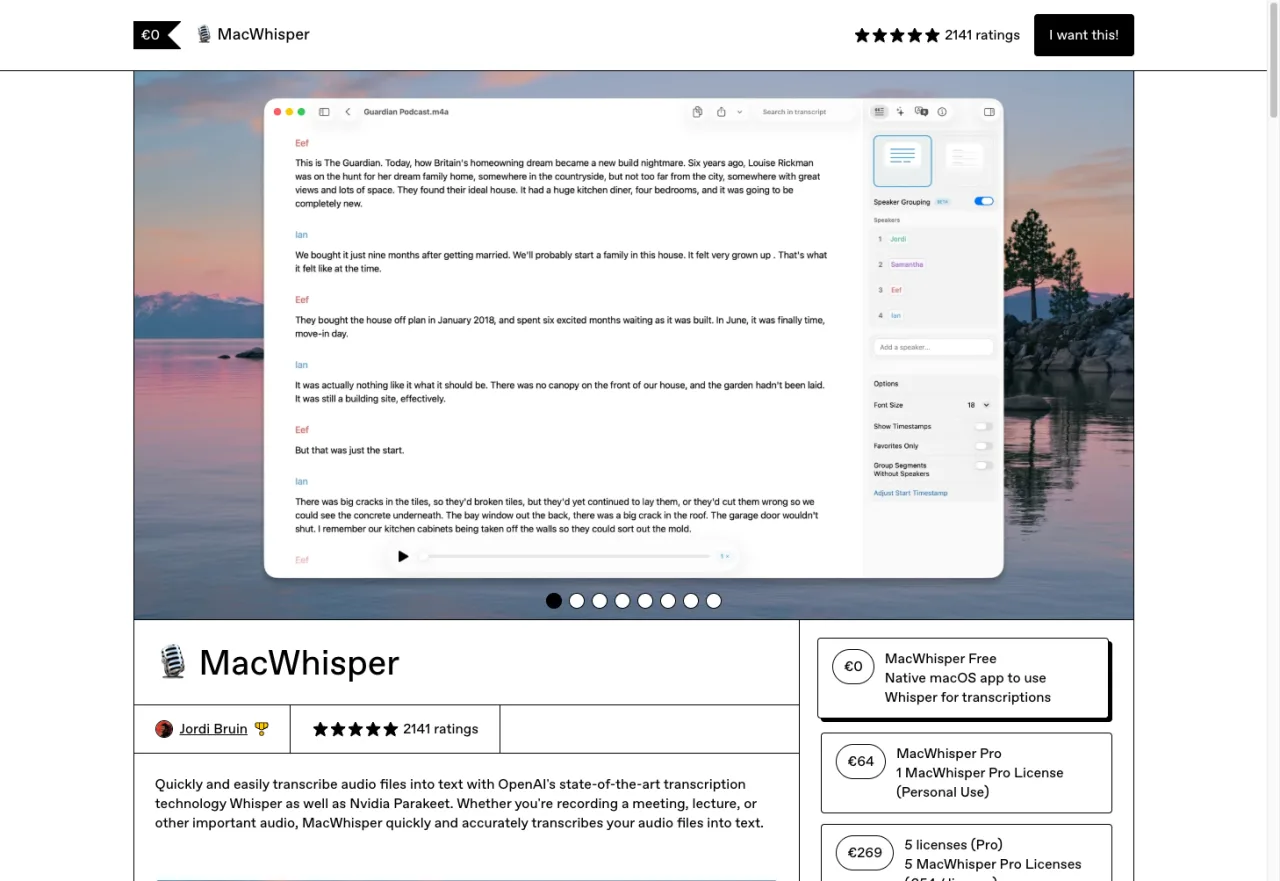
MacWhisper is a native macOS transcription app built by indie developer Jordi Bruin. The pitch: drag an audio or video file into the app, and get a timestamped transcript. The Pro tier (€64 one-time) adds NVIDIA's Parakeet engine, batch processing, speaker identification, larger Whisper models, and optional cloud AI integrations (ChatGPT, Claude, Deepgram, ElevenLabs). It's been at the top of the Mac transcription category for years for good reason.
What MacWhisper excels at:
- Transcribing audio and video files (MP3, MP4, WAV, etc.) — drag in, get transcript
- Speaker identification (Pro) — labels who said what in multi-person recordings
- Batch processing (Pro) — queue up dozens of files and let it run
- Local-first by default — Whisper models run on your Mac, no audio leaves the machine unless you explicitly use a cloud-AI feature
- One-time purchase — pay €64, own forever
- YouTube transcription via URL (Pro)
What MacWhisper doesn't do well:
- Real-time system-wide dictation — the live dictation feature exists but the UX is secondary to file transcription
- Pure-offline guarantee — Pro tier includes cloud AI integrations; if you want zero cloud features at all, MacWhisper has them in the codebase even if you never use them
- Mobile / cross-platform — Mac only
Pricing: Free tier covers basic transcription with smaller Whisper models. Pro is €64 one-time, lifetime updates. See our full MacWhisper comparison.
Same Engine Underneath: OpenAI's Whisper
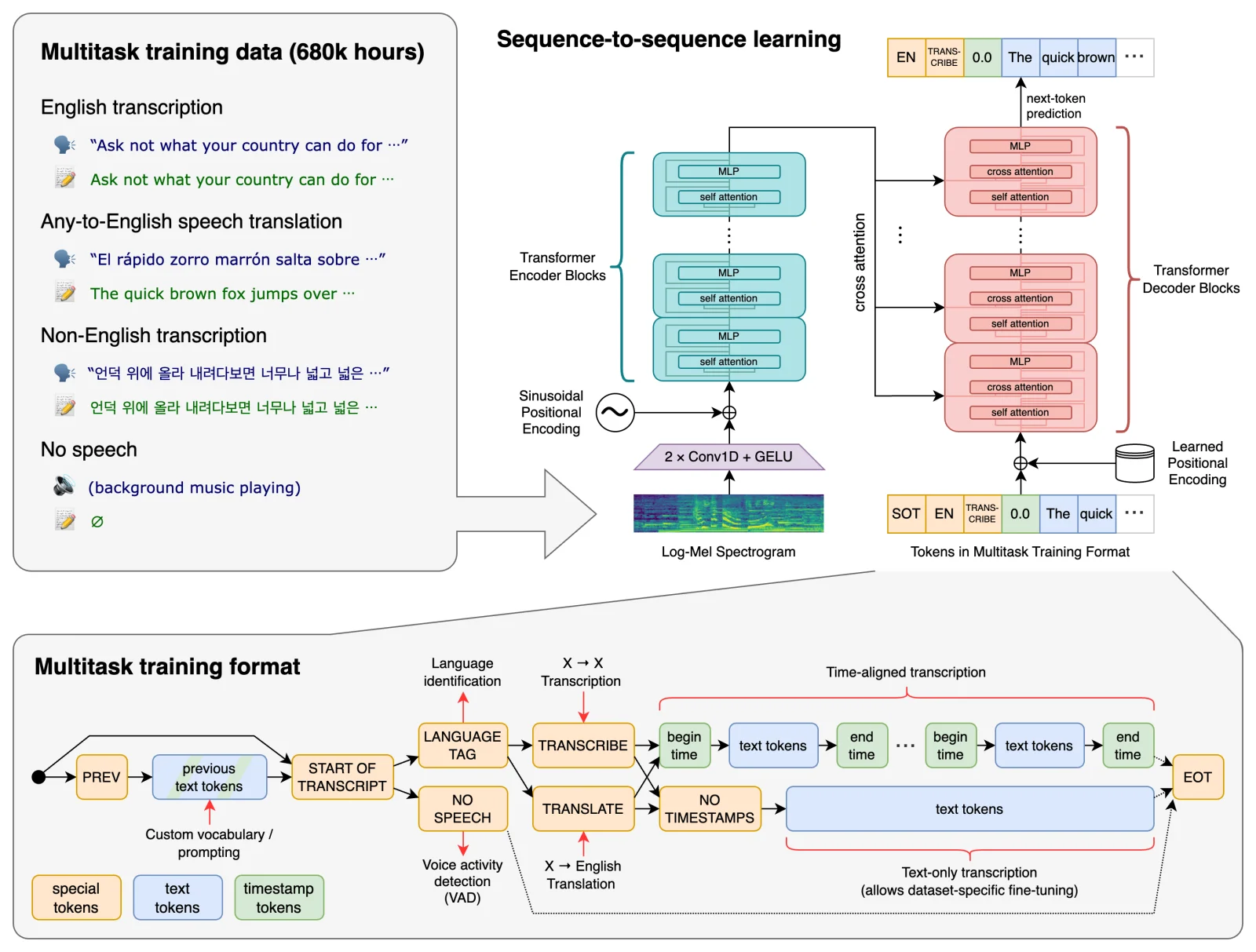

The reason both apps have similar accuracy on similar tasks is they're both calling the same model. OpenAI released Whisper in September 2022 — a 1.5-billion-parameter speech recognition system trained on 680,000 hours of multilingual audio. It was released open source under the MIT license, which is why an entire ecosystem of dictation apps now wraps it.
When you hear "Whisper Large v3" or "Whisper Turbo" in either app's settings, those are different model sizes from the same family. Wispr Flow runs them with their own optimization layer; MacWhisper runs them with a different tuning approach plus the option of NVIDIA's Parakeet model on Pro. EmberType runs them with a focus on local-only execution.
The takeaway: accuracy differences between Whisper-based apps are small, generally within a couple percent on standard benchmarks. The real differences are in the workflow wrapping the model — how cleanup is applied, how files are ingested, how the dictation modal feels — and in the pricing and privacy stories.
Side-by-Side Comparison
| Feature | Wispr Flow | MacWhisper Pro |
|---|---|---|
| Primary Workflow | Real-time dictation | File transcription |
| System-Wide Dictation | Yes (primary) | Yes (secondary) |
| File Transcription | No | Yes (primary) |
| Speaker Identification | No | Yes |
| Batch Processing | No | Yes |
| Pricing | $15/mo | €64 one-time |
| 3-Year Cost | $540 | €64 |
| Free Tier | Yes (2K words/day) | Yes (smaller models) |
| Default Privacy | Cloud (free) / Local (Pro) | Local |
| Cloud AI Integrations | Built in | Optional (Pro) |
| Multi-Platform | Mac, Windows, iOS | Mac only |
| Underlying Engine | Whisper + custom layer | Whisper + Parakeet (Pro) |
Pricing: One-Time vs Subscription
The pricing models tell you something about the companies behind each product.
- Wispr Flow is a venture-backed startup. Their financial model rewards subscription revenue, and their pricing reflects that. $15/month is reasonable for active users; the cost adds up if you keep it for years.
- MacWhisper is built by an indie developer (Jordi Bruin). Indie developers tend to charge once because that's what their audience prefers and what their cost structure can sustain.
Three-year math:
- Wispr Flow Pro: $15 × 36 = $540
- MacWhisper Pro: €64 (one-time, lifetime updates)
If you're confident you'll use the tool for years, MacWhisper is meaningfully cheaper. If you only need dictation for a few weeks of a project, Wispr Flow's flexibility is the win.
Privacy: Whose Story Is Cleaner?
Both apps offer "local processing," but the defaults differ in ways that matter:
Wispr Flow's free tier sends audio to their servers for processing. That's how they sustain a free tier — cloud processing on their infrastructure, supported by paid users. The Pro tier ($15/mo) offers a local-only mode on Apple Silicon, but switching to it is a user-toggle, not the default.
MacWhisper runs Whisper models locally by default. The Pro tier adds optional cloud-AI features (ChatGPT cleanup, Deepgram alternative engine, etc.) but those only fire when you explicitly invoke them. For a user whose threat model is "no audio leaves my Mac, ever," MacWhisper's defaults are closer to that goal — though the existence of cloud features in the codebase means a fully clean audit isn't possible.
If your privacy bar is "the code path doesn't exist" rather than "the toggle is off," neither app fully meets it — that's a category where local-only-by-design tools (EmberType, VoiceInk) are positioned. For most users, MacWhisper's defaults are private enough.
What If You Need Both?
EmberType handles real-time dictation AND drag-in file transcription, 100% offline, $39 one-time. Same Whisper engine. Different pricing model.
Download Free TrialNo credit card · macOS 14+ · Apple Silicon
Use Cases: Pick Based on Workflow
Choose Wispr Flow if:
- You write a lot — long-form articles, emails, reports — and want to dictate instead of type
- You work across Mac, Windows, and iOS and want one tool everywhere
- You want the most polished, "it just works" dictation experience and don't mind a subscription
- Your usage is bursty — you'll dictate intensely for a few months, then pause
Choose MacWhisper if:
- Your primary need is transcribing audio files you already have (interviews, meetings, podcasts)
- You need speaker identification or batch processing
- You'd rather pay €64 once than $15/month forever
- You're Mac-only and want a tool that's been refined over years
The Third Option: When You Need Both
If you're reading this comparison and the honest answer is "I want both" — real-time dictation in any app, plus the occasional file transcription — neither Wispr Flow nor MacWhisper is the cleanest fit. Wispr Flow doesn't transcribe files. MacWhisper's live dictation feels like a feature added later.
Apps designed for both:
- EmberType — $39 one-time. System-wide live dictation (Wispr Flow's job) plus drag-in file transcription (MacWhisper's job, minus speaker ID and batch). 100% offline. Same Whisper engine.
- SuperWhisper — $8.49/mo or $69 one-time. Live dictation plus file transcription with broader cloud AI options.
The $39 vs $15/month math is the obvious win for casual users; the no-subscription model matters more if you don't want a recurring expense. SuperWhisper's hybrid pricing is useful if you want the option of canceling.
Quick Decision Tree
- Real-time dictation only, polish over price? → Wispr Flow ($15/mo)
- File transcription only, one-time price? → MacWhisper Pro (€64)
- Both, one-time price? → EmberType ($39) or SuperWhisper one-time ($69)
- Free, willing to accept tradeoffs? → MacWhisper free tier or VoiceInk (open source)
- Maximum privacy? → EmberType (no cloud features at all) or VoiceInk
Frequently Asked Questions

Free Mac Dictation Tips
Tips on voice-to-text, dictation workflows, and productivity. No spam.
Unsubscribe anytime. We never share your email.
You're in! Check your inbox.
The Both-At-Once Option
EmberType: live dictation + file transcription, 100% offline, $39 one-time. Same Whisper engine, no subscription.
Download Free TrialmacOS 14+ · Apple Silicon · 7-day free trial · $39 after