
Disclosure: I build EmberType, one of the six tools in this comparison. I have tried to evaluate it with the same honesty as the others — its real weaknesses are listed alongside its real strengths. The other five tools were tested with the same setup over the past two months.
Key Takeaways
- Two questions matter: in-IDE or system-wide, and cloud or local. Everything else is implementation detail.
- Claude Code Voice Mode is the most integrated path if you live in Claude Code and don't mind sending audio to Anthropic. Free with your subscription.
- Cursor 2.0 has built-in voice but the latency drops you out of flow. Most Cursor power users pair it with a system-wide tool instead.
- SuperWhisper is the developer cult favorite — local-first, custom modes, ~$8-9/month.
- Wispr Flow is the well-funded cloud system-wide tool. Polished. Fast. Cloud-only. Subscription.
- MacWhisper and EmberType are the local, one-time-purchase alternatives. EmberType is $39 once. MacWhisper has a free tier and a paid tier.
- Most pros run two tools: an in-IDE voice for the IDE they live in, and a system-wide tool for everywhere else.
The Moment This Article Sits Inside
At Sequoia AI Ascent in March 2026, Andrej Karpathy stood on stage and quietly retired the term "vibe coding." He proposed "agentic engineering" instead — a phrase that better describes what professional developers actually do all day: direct AI agents through prompts, review what comes back, steer the architecture, own the result. The vibe never went away. The cultural shorthand just outgrew itself.
What is more interesting than the rebrand is what happened to the input layer at the same time. Within a single week in early March, OpenAI shipped voice in Codex and Anthropic shipped voice in Claude Code. Cursor 2.0 added a microphone icon to its chat. Wispr Flow closed another $25M at a $700M post-money valuation, on the back of a 100x year-over-year user-base increase. SuperWhisper shipped a Claude Code mode and quietly added five more local model options. The race has a name now, even if no one says it out loud: voice is becoming the default input layer for agentic coding.
I have been thinking about this transition for a while because I build a dictation app and I also vibe-code (sorry, Andrej — agentic-engineer) for several hours a day. So I have skin in this game from both sides. This article is the comparison I wish someone had written for me a year ago: the six tools Mac developers actually have in May 2026, the framework I use to decide between them, and the honest verdict on each.
Two Questions, Not Six
Every conversation about voice tools for coding spirals into feature-by-feature comparisons that miss the actual decision. There are really only two questions a developer needs to answer before picking a tool.
Question 1: In-IDE or System-Wide?
An in-IDE voice tool lives inside one application. Claude Code Voice Mode only works in Claude Code. Cursor's built-in voice only works in Cursor's chat panel. The strength is depth — these tools know they are sitting inside a coding context and can shape transcription accordingly. The weakness is that the moment you alt-tab to your terminal, your browser, your email, or your notes, the voice tool is not there anymore.
A system-wide voice tool runs as a background macOS app. You hold a hotkey, talk, release, and the transcribed text appears wherever your cursor is. SuperWhisper, MacWhisper, Wispr Flow, and EmberType all work this way. The strength is universality — one mental model, one hotkey, one set of dictionary entries that apply everywhere. The weakness is that they do not know they are in Claude Code versus a Slack message, so you lose any IDE-aware shaping.
Most professional developers I know in 2026 have both. They use Claude Code Voice Mode (or Cursor Voice) for actual prompting inside the IDE, and a system-wide tool for everything else. That is also what I do.
Question 2: Cloud or Local?
This is the one that sneaks up on people. When you dictate into a voice tool, the audio is either transcribed on your Mac (local) or sent to a server somewhere for processing (cloud). The difference matters more than it sounds like it should.
Cloud transcription is usually faster — Whisper running on Anthropic's GPU cluster will turn your audio into text in 200ms; the same model running on your M3 Pro takes 800ms. Cloud transcription often handles long, complex sentences with slightly higher accuracy because it can run larger models than a laptop can host. And cloud transcription comes with a recurring subscription, an internet dependency, and an audit trail of everything you ever said into the tool sitting on someone else's server.
Local transcription is slower (by a few hundred milliseconds), entirely yours, works on a plane, and survives the inevitable day a vendor changes their privacy policy. Or bans an account based on the contents of someone's dictation, which is a story you will want to read if you have any prompts you would not want a human moderator reviewing.
Once you have answered these two questions, you have narrowed six tools down to two or three. Now we can actually look at them.
1. Claude Code Voice Mode (Anthropic)
Where it lives: inside the Claude Code terminal. Cloud or local: cloud (audio routed through Anthropic). Cost: free with any Claude Code subscription (Pro, Max, Team, Enterprise).
This is the moment that lit the fuse on the broader voice + agentic coding race. Voice Mode launched on March 3, 2026 with no formal press release — Anthropic engineer Thariq Shihipar just posted on X that it was rolling out, and within a week every developer Slack I am in was talking about it. You activate it inside Claude Code with /voice, then push-to-talk by holding the spacebar. Release the spacebar and your transcribed prompt drops into Claude Code, the agent runs, you read the diff, you say "yes" or "redo with X." It is a remarkably tight loop.
The depth of integration is the entire selling point. Voice Mode knows it is sitting inside Claude Code, so it transcribes with that bias. "Refactor the use-effect in dashboard-page-tsx" arrives as something close to refactor the useEffect in DashboardPage.tsx, which is the kind of small thing you only appreciate after you have spent six months fighting a generic dictation tool to get camelCase right. Push-to-talk also matters more than I expected — always-on listening means the tool is constantly second-guessing whether you are talking to it or to your dog. Push-to-talk is unambiguous and feels closer to talking on a walkie-talkie than dictating into a voice memo.
Strength for vibe coding: the tightest IDE integration of any tool on this list. If your daily workflow is claude in a terminal tab, this is the most natural voice surface you can put on top of it. The cost is also unbeatable — you are already paying $20+/month for Claude Code, and Voice Mode adds zero on top.
Weakness: Claude Code only. The moment you switch to Cursor, your terminal, your browser, or your notes app, it is gone. And every word you say is going to Anthropic's servers. If you have legitimate reasons to keep audio on-device — regulated industry, NDA-bound prompts, privacy preference — Voice Mode is not for you.
Honest verdict: if you live inside Claude Code and you are comfortable with cloud audio, this is the strongest in-IDE option that exists today. I use it for Claude Code work and pair it with a system-wide local tool for everything else.
2. Cursor Voice (built into Cursor 2.0)
Where it lives: inside the Cursor chat input. Cloud or local: cloud. Cost: included with Cursor's regular subscription.
Cursor 2.0 added native voice input in the same season Anthropic shipped Voice Mode. The microphone icon sits in the chat input area; you tap it, talk, tap to stop, and your prompt fills in. It is functional. It works. And every developer I know who tried it within a week was already pairing Cursor with something else for voice.
The honest critique is latency. Cursor's voice transcription has a noticeable round-trip pause that does not feel like Claude Code Voice Mode's tighter loop or Wispr Flow's almost-instantaneous output. For dictation that is "type a paragraph into a chat field," the latency is fine. For agentic coding flow — where you want to think out loud, dictate three quick refinements in a row, and see the agent move — the latency pulls you out of state at exactly the wrong moments. The Cursor team has been iterating, so this may have closed by the time you read this. But as of early May 2026, it is the in-IDE voice with the most room to improve.
Strength for vibe coding: zero setup. If you already pay for Cursor, voice is already there. The native integration means transcription drops right into the chat composer with no extra hotkeys or apps to manage.
Weakness: latency, and the same single-app problem as Claude Code Voice Mode. The moment you leave the Cursor chat, the tool is gone.
Honest verdict: convenient if you are already a Cursor power user. But almost every Cursor power user I know has started pairing the IDE with Wispr Flow's Cursor flow or with SuperWhisper, because the system-wide tools feel faster and more responsive even when both go through the cloud.
3. SuperWhisper
Where it lives: system-wide macOS app, hotkey-activated, types into any focused text field. Cloud or local: local-first by default with optional cloud models. Cost: free tier with limits, paid tier ~$8-9/month.

SuperWhisper has been the dictation app developers tell other developers to use for two years now, and it earned that position fairly. The architecture is local-first — Whisper models run on your Mac by default, audio never leaves your machine unless you explicitly opt into cloud models for an accuracy boost. SuperWhisper has a dedicated Claude Code page listing official support for "Cursor, Claude Code, Open Code, Amp, Codex, or any other agentic coding app, without touching your keyboard."
The real differentiator is the Modes system. You can set up custom modes that change how transcription is post-processed depending on what you are doing. A "Claude Code prompt" mode might preserve technical terms verbatim, expand "TS" to "TypeScript," strip filler words, and format multi-sentence prompts into bullet points. A "PR description" mode might do the opposite — keep the natural cadence, add Markdown headers. You can wire any of OpenAI, Anthropic, or local LLMs into the post-processing pipeline. For a developer who wants real control over what their voice produces, this is unmatched.
Strength for vibe coding: local audio is the default, custom modes let you tune for code-flavored language, and the breadth of agentic coding integrations is the widest of any tool on this list. The community of developers using SuperWhisper is also the most active — there is real shared knowledge about how to configure it for specific workflows.
Weakness: subscription. Even at $8-9/month, the running cost over five years is more than buying a one-time-purchase tool, and "I want to own my software" is a perfectly valid preference. The setup learning curve is also steeper than the cloud-only alternatives — you will spend a couple of hours dialing in modes before it feels right.
Honest verdict: the strongest pick for a developer who wants a system-wide tool with local audio and serious customization. I think of it as the power-user choice. If your workflow involves three different agentic coding tools and you want one dictation surface that handles all of them with code-aware post-processing, this is the right answer.
4. Wispr Flow
Where it lives: system-wide macOS app, hotkey-activated. Cloud or local: cloud-only. Cost: subscription, ~$15/month or $144/year for the Pro tier.
Wispr Flow is the most-funded, most-marketed, and most-polished of the system-wide voice tools. The onboarding is clean. The UI is beautiful. The transcription is genuinely fast — among the fastest cloud round-trips I have measured. Wispr published a Prompting Cursor with Wispr Flow post in 2025 that became required reading among Cursor power users, and that flywheel has not slowed down.
It is also the tool that banned a user based on the contents of their dictation — a story I have written about separately because it captures the structural risk of cloud-only voice tools that I think most developers underweight when they are picking a workflow. Your prompts are an audit trail. Whoever holds that trail eventually has to decide what to do when the contents of it become inconvenient. I do not think Wispr Flow is unsafe to use; I do think you should make that choice with eyes open.
Strength for vibe coding: speed and polish. If your priority is "I want the fastest, smoothest cloud dictation tool that exists, and I want to install it once and never think about it again," Wispr Flow is the answer. The Cursor integration is genuinely thoughtful and the company clearly understands the developer market.
Weakness: cloud-only is the entire architecture. There is no offline mode, no local model option, no "I am on a plane" fallback. The subscription is also the most expensive of the system-wide tools by a meaningful margin.
Honest verdict: the right pick for a developer who values polish and speed above ownership and privacy. If you also use Wispr for non-coding writing (emails, Slack, docs) and the productivity gain pays for itself, the subscription math works out. For a developer who has thought about the cloud-audit-trail issue and decided it bothers them, look at SuperWhisper, MacWhisper, or EmberType instead. If you want a deeper comparison from the developer angle, I wrote a longer piece on Wispr Flow alternatives that goes into the specifics.
5. MacWhisper
Where it lives: system-wide macOS app and a separate transcription-focused app. Cloud or local: local. Cost: free tier, ~$59 one-time for Pro, ~$119 for the higher tier with all features.
MacWhisper from Jordi Bruin is one of the original Whisper-on-Mac apps and still one of the best built. The historical positioning was transcription — drop a podcast or meeting recording in, get a transcript out. Over time it has grown into a system-wide dictation tool too, and the pricing model (one-time purchase, with a free tier you can use forever) is genuinely friendly compared to the subscription apps.
For coding-flavored dictation specifically, MacWhisper is competent but not specialized. It does not have SuperWhisper's Modes system. It does not advertise integrations with the agentic coding tools the way SuperWhisper does. What it does have is a stable, well-maintained, native-feeling Mac app that gets out of your way. It is the dictation tool I recommend to non-developers all the time, and it works fine for developers too — it is just not the tool I would pick if my daily reality were "I dictate ten Claude Code prompts an hour."
Strength for vibe coding: pay once, own it forever, audio stays local. Strong default for general transcription work (meetings, podcasts, notes), so if your dictation needs are broader than just coding, the breadth pays off.
Weakness: not as code-aware as SuperWhisper. The "system-wide dictation" feature was added on top of an originally transcription-focused app, and it shows in the polish around developer use cases.
Honest verdict: a solid one-time-purchase choice for a developer who also does a lot of transcription work. If your only use case is "voice into agentic coding tools," SuperWhisper or EmberType is a better fit. I wrote a longer head-to-head on MacWhisper vs SuperWhisper if you are weighing those two specifically, and a separate Wispr Flow vs MacWhisper piece for the cloud-vs-local angle.
6. EmberType
Where it lives: system-wide macOS app, hotkey-activated. Cloud or local: 100% local. Cost: $39 one-time, 7-day free trial.
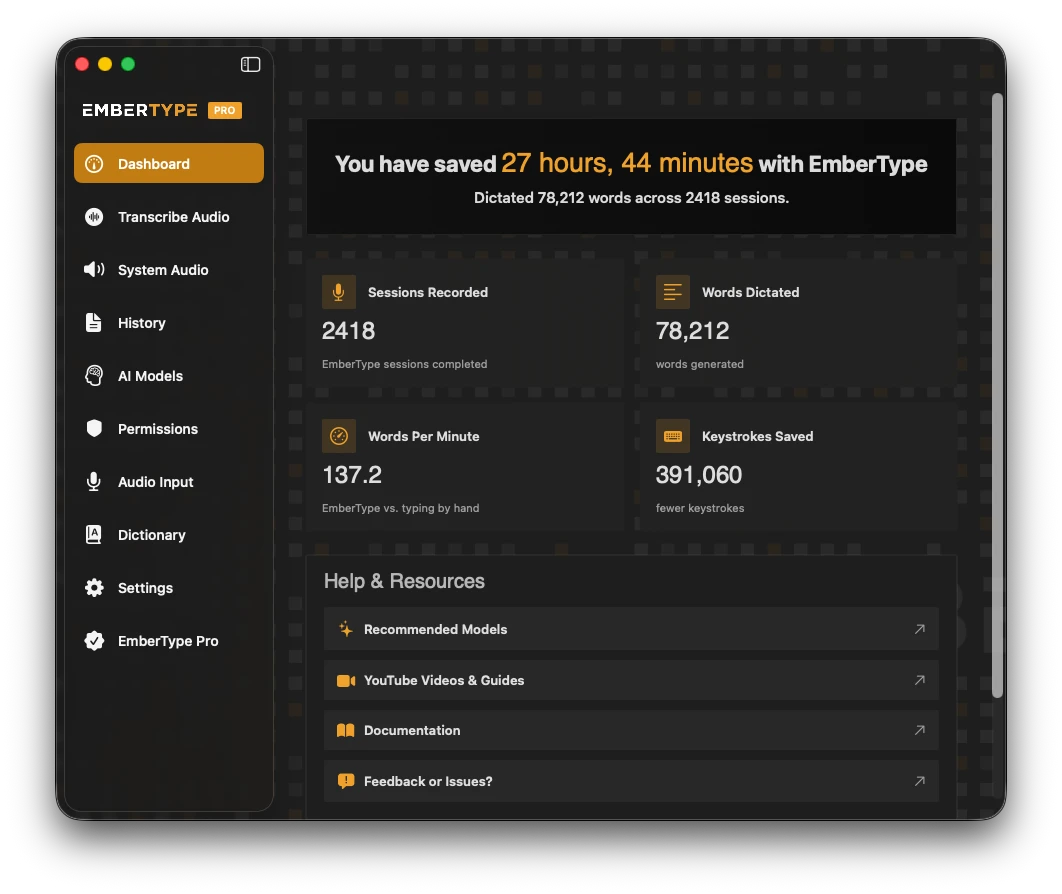
This is the tool I build, so I have to be especially careful here. Everything I said about Wispr Flow's strengths is also true about its weakness: the people who built it have a worldview, and that worldview is baked into the product. EmberType has a worldview too. The worldview is "you should own your dictation tool, your audio should never leave your Mac, and you should pay for it once." That worldview is not for everyone, and I will tell you where it is not the right fit.
Where EmberType is strong for vibe coding: it is 100% local — Whisper models run on Apple Silicon directly, audio never touches a server, and there is no audit trail of your prompts sitting anywhere. It is $39 once instead of $144/year, which over a five-year horizon is a meaningful spread. It works system-wide, so the same hotkey dictates into Claude Code, Cursor, your terminal, your email, your notes, and your text editor. There is no account required and no telemetry — the app does not even know you exist after you install it.
Where EmberType is honestly weak for vibe coding: I do not have SuperWhisper's Modes system. I do not have Wispr Flow's polished cloud-routed speed. I do not have any in-IDE integration the way Claude Code Voice Mode does — when you dictate into Claude Code with EmberType, you are dictating into the terminal via the system-wide hotkey, not "inside" Claude Code. The community is smaller. The marketing budget is one founder and a laptop.
If your workflow is "Claude Code all day, every day, I do not care about cloud audio," Claude Code Voice Mode is a stronger fit than EmberType. If your workflow needs custom code-aware post-processing modes for five different agentic coding tools, SuperWhisper is a stronger fit. If you want the fastest cloud-routed dictation at any price, Wispr Flow is a stronger fit.
EmberType is the right pick if you want a local, one-time-purchase, system-wide voice tool that disappears into the OS and respects your privacy by default. That is the worldview. It is the tool I built because it is the tool I wanted to use. If that matches your worldview too, it is probably for you. If it does not, one of the other five is honestly better.
I have written separately about how I actually use EmberType for vibe coding day-to-day, and a longer developer dictation workflow piece that goes into the practical setup, hotkeys, and how I think about prompting an agent by voice versus by keyboard.
Try EmberType Free for 7 Days
100% local Whisper AI. System-wide hotkey. No subscription. Works with Claude Code, Cursor, the terminal, and every other text field on your Mac.
Download EmberType FreemacOS 14+ required. Apple Silicon only. $39 one-time after trial.
The Comparison Table
| Tool | Where | Audio | Cost | Best For |
|---|---|---|---|---|
| Claude Code Voice Mode | In-IDE (Claude Code) | Cloud | Free w/ subscription | Daily Claude Code users |
| Cursor Voice | In-IDE (Cursor) | Cloud | Free w/ subscription | Casual Cursor users |
| SuperWhisper | System-wide | Local + optional cloud | ~$8-9/month | Power users, custom modes |
| Wispr Flow | System-wide | Cloud | ~$15/month | Speed and polish over privacy |
| MacWhisper | System-wide + transcription | Local | Free or one-time | Transcription + occasional dictation |
| EmberType | System-wide | Local | $39 one-time | Local, own-it-once, no subscription |
Use This When — My Honest Recommendations
This is the part I would have wanted at the top of every comparison article I have ever read. So here it is, with the honest answer for each scenario.
You live in Claude Code and don't care about cloud audio
Use Claude Code Voice Mode. It is the most integrated, the lowest friction, and it is already paid for. Push /voice, hold space, talk, release, ship. There is no better in-IDE experience available right now.
You live in Cursor
Use Cursor's built-in voice and a system-wide tool side by side. The built-in voice is fine for short prompts directly in the chat. For longer prompts, multi-sentence refinements, or anything where latency matters, pair it with SuperWhisper or Wispr Flow depending on your cloud-vs-local stance.
You bounce between Claude Code, Cursor, Codex, Aider, and the terminal
Stop trying to use an in-IDE tool for each one. Pick a single system-wide tool and use it everywhere. SuperWhisper wins this scenario for me — the Modes system is built exactly for this case.
You have a hard requirement that audio never leaves your Mac
Your shortlist is SuperWhisper (in its local-only configuration), MacWhisper, or EmberType. SuperWhisper if you want subscription + customization. MacWhisper if you want one-time purchase + transcription as a bonus. EmberType if you want one-time purchase + the smallest, simplest system-wide dictation surface possible.
You write code three days a week and prose four days a week
Get a tool that excels at general writing and works fine for code prompts. Wispr Flow if cloud is acceptable, EmberType if you want local. Both handle prose dictation cleanly without the developer-first complexity of SuperWhisper.
You hate subscriptions on principle
Your only options are MacWhisper (~$59-119 one-time) or EmberType ($39 one-time). I obviously have a horse in this race, but the honest answer is: try both free trials and pick the one that feels better. They are different products with overlapping use cases. There is more in this comparison if you want to see how the local-and-own-it-once category breaks down.
You want to look at the moment Claude Code Voice Mode lit the fuse
Read the 9to5Mac coverage of the rollout, the TechCrunch piece that ran the same day, and Karpathy's Sequoia AI Ascent talk for the cultural framing. Together they capture the week voice stopped being a curiosity and became the default.
What I Personally Use, On a Random Wednesday
For the sake of being concrete: here is my actual setup as of May 2026.
I open Claude Code in a Ghostty tab. I run /voice once at the start of the session. For the next several hours, every prompt I send goes through Claude Code Voice Mode — push spacebar, talk, release, watch the diff. Even though I build a local dictation tool, this is the right tool for that specific surface, because the integration is too good to ignore.
I have EmberType running in the background with a global hotkey on Right Option. The moment I leave Claude Code — to write a Slack message, draft an email, jot a note in Bear, write a commit message in Tower, ask Perplexity a question, or fill out a form — I hold Right Option, talk, release. The text appears. The audio never leaves my Mac. The dictionary I have built up over a year (full of friend names, project codenames, my own custom shorthand) follows me everywhere.
That is two tools doing the work of one. It is also the configuration almost every senior developer I know has converged on, with different specifics for the system-wide tool. Pick the in-IDE voice for the IDE you live in. Pick the system-wide tool that matches your worldview on cloud versus local. Stop looking for a single answer that does everything.
The Recap
Voice as the input layer for agentic coding is no longer a curiosity. As of May 2026 it is a standard expectation, shipping inside Claude Code and Cursor and OpenAI Codex by default, with a thriving ecosystem of system-wide dictation tools layering on top of all of them. The right tool for you is determined almost entirely by two questions:
- In-IDE or system-wide? In-IDE for depth inside one app. System-wide for breadth across all of them. Most pros use both.
- Cloud or local? Cloud for speed and polish, with a subscription and an audit trail. Local for ownership and privacy, often as a one-time purchase.
If you are in Claude Code all day and cloud is fine, Claude Code Voice Mode. If you want a power-user system-wide tool with custom modes, SuperWhisper. If you want the fastest cloud system-wide tool and don't mind the subscription, Wispr Flow. If you want a local one-time-purchase system-wide tool that disappears into the OS and respects your data, that is EmberType.
Whichever you pick, the bigger shift has already happened. We are not typing prompts to AI agents anymore. We are talking to them. That is the actual story of 2026, and it is only going to accelerate.
Frequently Asked Questions

Free Mac Dictation Tips
Get tips on voice-to-text, dictation workflows, and productivity. No spam.
Unsubscribe anytime. We never share your email.
You're in! Check your inbox.
Talk to Claude Code Without Sending Your Audio Anywhere
EmberType runs Whisper AI 100% locally on Apple Silicon. System-wide hotkey, $39 one-time, zero subscription, no audit trail. Works with Claude Code, Cursor, Codex, the terminal — any text field on your Mac.
Download EmberType FreemacOS 14+ required. Apple Silicon only. $39 after 7-day trial.