
The short version
- There is no native Dragon for Mac. Dragon Medical One is a Windows app; Microsoft's own docs say it can't be installed on macOS.
- Judge tools on where the audio goes first — local vs. cloud drives cost, privacy, and your HIPAA paperwork more than accuracy does.
- Apple Dictation is free and on-device but weak on long-form clinical notes and terminology.
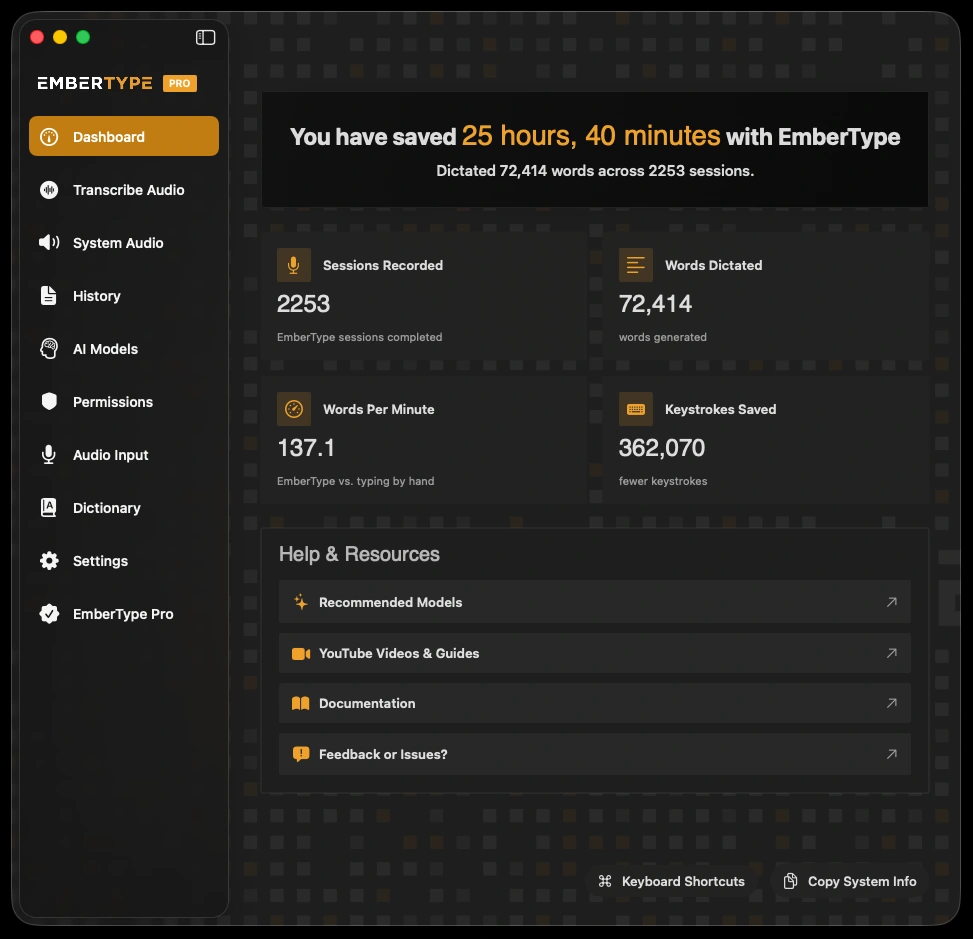
- Whisper-based local apps (EmberType among them) are the closest thing to a native Mac successor — offline, one-time price, general-purpose accuracy.
- No general tool matches Dragon's clinical vocabulary. If dense specialist terminology is your bottleneck, that gap is real — I'll say so plainly.
First, the uncomfortable truth: there is no Dragon for Mac
Most buyer's guides bury this, so let me put it up front. If you are a Mac clinician looking for "Dragon for Mac," the product you are picturing does not exist as a native Mac application, and hasn't since 2018.
Two separate things died here. First, the consumer product: Dragon Professional Individual for Mac was discontinued in 2018, per Nuance's own end-of-life notices. Second, the clinical product never came to the Mac in the first place. Dragon Medical One — the modern successor that hospitals actually deploy — is Windows-only. This isn't my interpretation; it's stated flatly in Microsoft's own documentation: "Dragon Medical One is a native Windows app; it cannot be installed and used directly on a macOS-based computer."
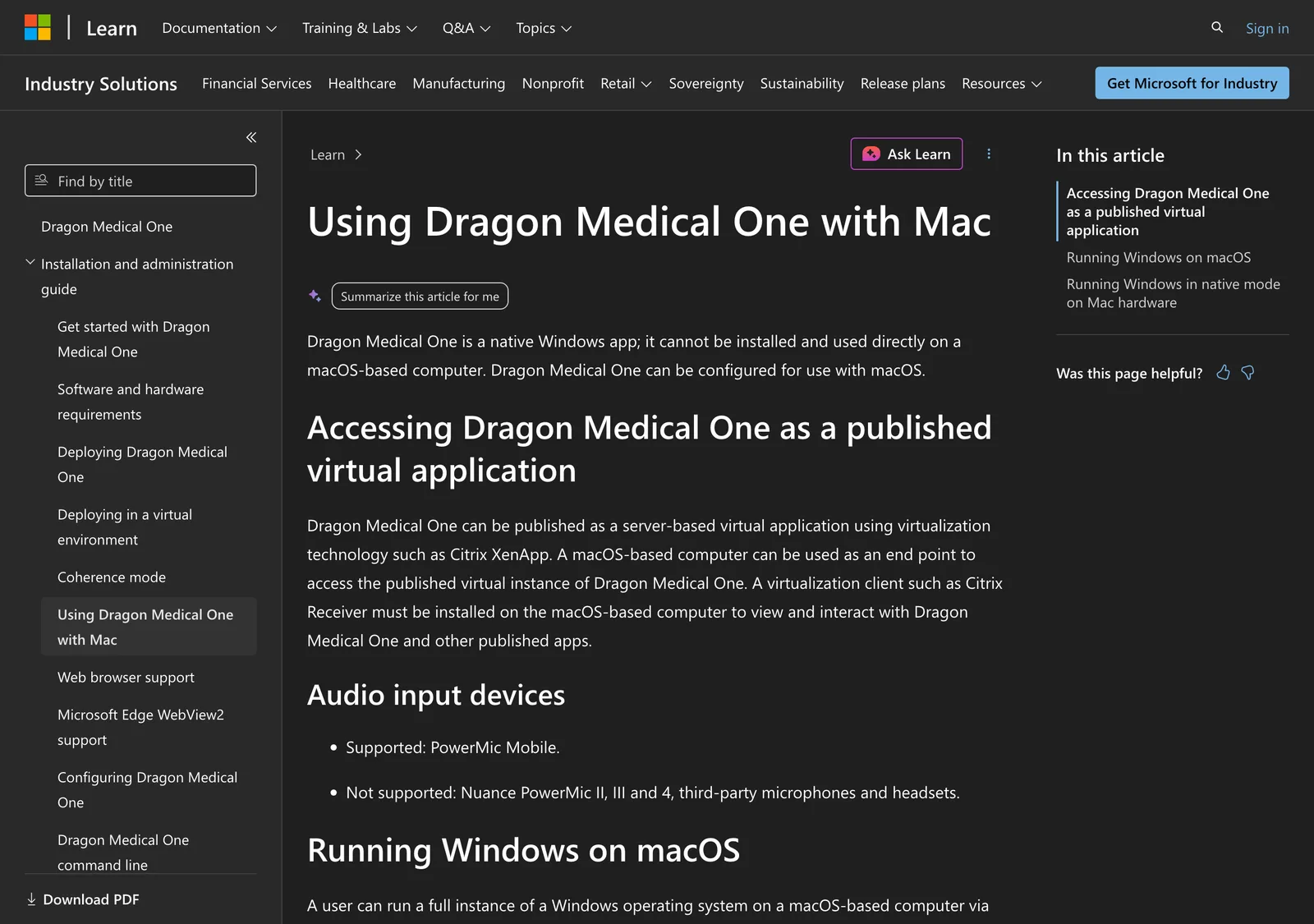
Microsoft (which completed its $19.7 billion acquisition of Nuance in March 2022) offers exactly three ways to run it near a Mac, and each one is a workaround, not a Mac app:
- A published virtual app over Citrix — your Mac is a thin client into a Windows session running on someone else's server.
- A Windows virtual machine via Parallels or VMware Fusion. Full Dragon functionality, but Microsoft warns that "dictation at the cursor isn't supported in native macOS apps" — you dictate into a Windows Dictation Box and move the text over.
- Boot Camp. Microsoft lists it, but Boot Camp doesn't exist on Apple Silicon. On any Mac sold since late 2020, this option is off the table entirely.
So the real Mac choice in 2026 isn't "Dragon or something else." It's "run Windows to reach Dragon, or pick a tool that was actually built for the Mac." The rest of this guide is about the second path.
The four questions that actually decide it
Consumer "best dictation app" roundups rank on accuracy and features. For clinical work, that ordering is wrong. Here is the order that matters, from a decision you can't undo down to one you can tweak later.
- Where does the audio go? On-device only, or to a vendor's servers? This one question sets your entire HIPAA posture — whether you need a Business Associate Agreement, a vendor risk review, and breach-notification exposure, or far less of that. It's the first filter, not the last.
- What does it cost, and how? A per-provider monthly subscription compounds; a one-time license doesn't. Over five years the gap between "$99/month per seat" and "$39 once" is enormous — I ran that math in the doctors' guide.
- How well does it handle your vocabulary? Not medical terms in general — your specialty's terms and the drugs you actually prescribe. This is where Dragon Medical genuinely earns its price, and where general tools need a custom dictionary to keep up.
- Does it fit how you already work? Do you dictate straight into your EHR, or into Notes and Word and then paste? If you paste, deep EHR integration — Dragon's headline feature — is something you'd be paying for and not using.
Notice that accuracy is only half of one question. In eight years of watching clinicians switch, the thing that moves the decision is almost never a benchmark. It's the audio path and the invoice.
The options that actually run on a Mac
Apple Dictation (free, built in)
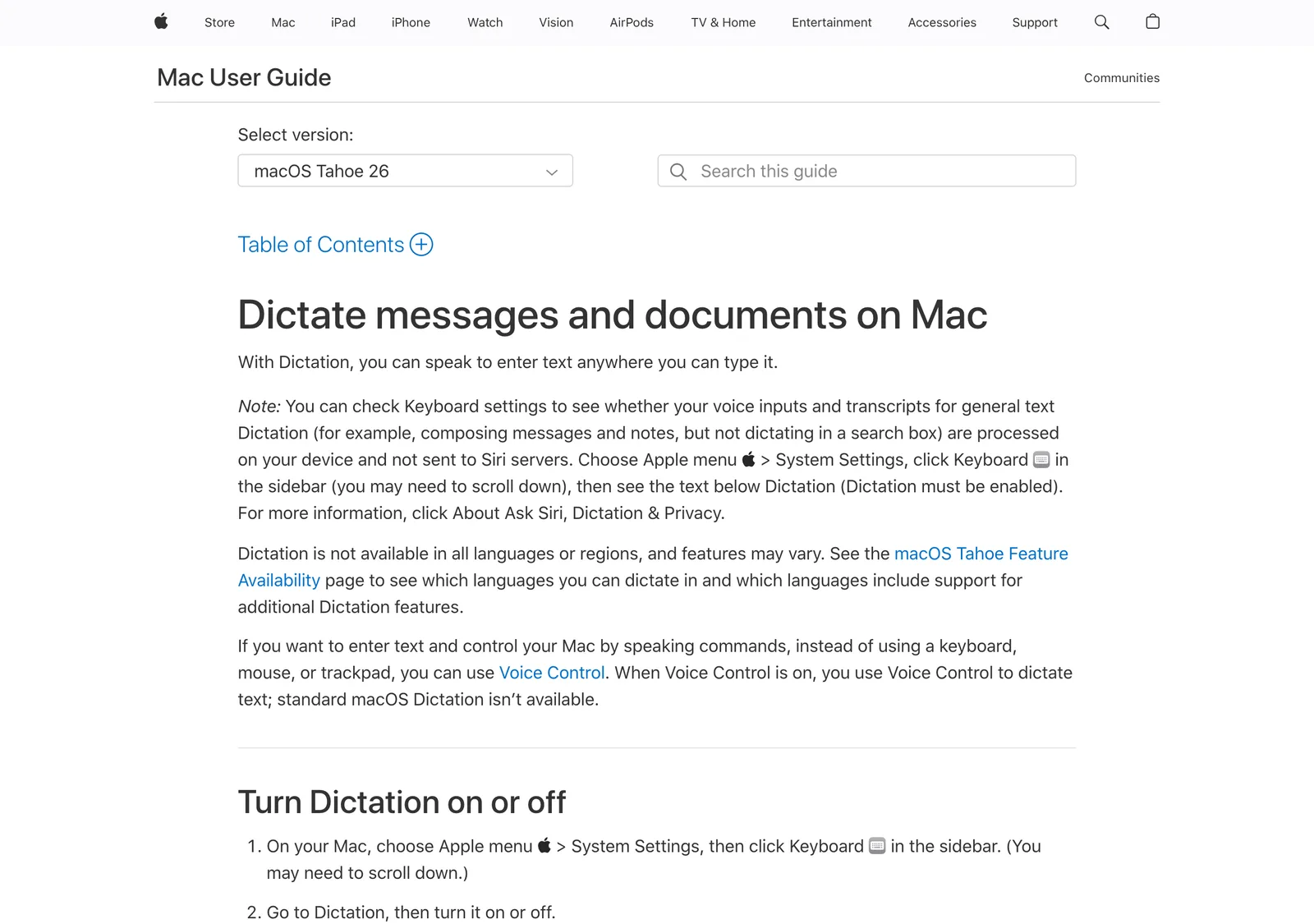
The tool already on your Mac. Per Apple's Mac User Guide, general text dictation on a modern Mac can be processed on-device and not sent to Siri servers — you can verify this in Keyboard settings. That makes it architecturally private and free, which is a genuinely good starting point.
The catch is quality. Apple Dictation was built for texting and short notes, and it shows on long-form clinical documentation — it fades on multi-sentence passages, and its accuracy on drug names and specialist terminology sits well below a modern Whisper model. For a quick note between patients it's fine. For a day of SOAP notes, most clinicians outgrow it fast.
Dragon Medical One (via a Windows session)
Still the deepest clinical engine on the market. Decades of physician dictation are baked into its vocabulary, its EHR integrations (Epic, Cerner, athenahealth and others) are real, and hospitals run it across thousands of providers with signed Business Associate Agreements. If you already work inside a Windows-based hospital system, it may be chosen for you — and that's often the right call at that scale.
On a Mac specifically, the tradeoffs are the ones above: you're running Windows to get there, cursor dictation into native Mac apps isn't supported, and the pricing is a per-provider subscription (commonly cited around $99/month in the reseller channel — Nuance and Microsoft don't publish an open consumer price). For a solo practitioner on a MacBook, that's a lot of scaffolding and recurring cost to reach one app.
Whisper-based local apps (where EmberType lives)
This is the category that actually grew into the Dragon-shaped hole on Mac. When OpenAI released Whisper as open source and Apple Silicon got fast enough to run it on-device, a class of native Mac dictation apps appeared that are offline, one-time-purchase, and system-wide. EmberType is the one I build; there are others (Superwhisper, Voibe, and similar). They share a shape: audio is transcribed locally by Whisper, text lands at your cursor in any app, and by default nothing is uploaded.
For a Mac clinician, that shape lines up with the four questions better than anything else available: the audio stays on the device, the price is paid once, it types into your EHR or Notes or Word the same way, and accuracy on ordinary clinical narrative is strong. Where it doesn't beat Dragon is exactly where I said it wouldn't — hyper-specialized terminology — which is the honest limit I get into below.
| Option | Runs on Mac? | Where audio goes | Cost model |
|---|---|---|---|
| Apple Dictation | Native, built in | On-device (general text) | Free |
| Dragon Medical One | Windows session only | Cloud (BAA available) | Per-provider subscription |
| EmberType | Native (Apple Silicon) | On-device by default; optional cloud with your own key | $39 one-time |
| Ambient AI scribes | Browser / cloud | Cloud (BAA available) | Subscription ($$$) |
A word on the ambient AI scribes
You'll also see tools like Suki, Abridge, Nuance DAX Copilot, and Freed in these searches. They're a different category: instead of you dictating, they listen to the visit and draft a structured note. They can be excellent, but they're cloud services that send the patient conversation to their servers, they're sold as ongoing subscriptions (usually well above dictation pricing), and they require a BAA. If your goal is to replace typing, dictation is the category. If your goal is to stop writing notes at all and you're comfortable with cloud processing and the cost, ambient scribes are worth a separate look.
Follow the audio: the line that matters most in healthcare
Back to question one, because it deserves its own section. When clinicians search for "HIPAA-compliant dictation," they're usually asking one of two things: "is this vendor safe to trust with PHI?" or "how do I dictate without creating compliance headaches?" Those lead to opposite answers.
The first leads to cloud vendors with Business Associate Agreements — legitimate, but they mean a signed BAA on file, documented risk analysis, periodic vendor re-audits, and a copy of your patient audio living on infrastructure you don't control. The second leads somewhere simpler: use a tool that never receives PHI in the first place. If dictation runs entirely on your Mac and no audio is transmitted, the software maker never receives PHI at all. Your risk analysis still has to cover the Mac and anything stored on it, and whether a BAA is needed with anyone is your compliance officer's call, not the vendor's.
Say it clearly: "offline" is a compliance posture, not a certification. EmberType is not HIPAA-certified — there's no SOC 2 audit and no BAA program. With its default local models nothing is transmitted to EmberType; if you enable an optional cloud provider with your own API key, that provider receives your audio or text and needs its own review. That distinction matters: a hospital compliance team may still require a certified vendor. A solo practitioner who stays on local models and documents that no audio leaves the device is standing on the cleaner side of the same risk analysis. Know which you are.
This is why I keep saying the audio path should be your first filter, not accuracy. It's the one property that changes what paperwork you owe.
Where EmberType fits — and where it doesn't
I build EmberType, so let me be the one to draw its boundary rather than leave it to a competitor.
It fits the solo practitioner, the small group, the therapist, the resident — anyone on a Mac who dictates narrative notes and pastes into their EHR, and who would rather pay $39 once than $99 every month for features they don't touch. With the default local models, audio never leaves the machine. Recordings and transcripts are kept in a local history on the Mac until you delete them; automatic cleanup is off by default, and once you turn it on you choose how long they're kept. Treat that history like any other local PHI. It types into any app. It runs on macOS 14+ on Apple Silicon, offline, with a custom dictionary you can load with your specialty's terms and the medications you prescribe most.
It doesn't fit the clinician whose bottleneck is dense specialist vocabulary that a general model hasn't been trained on, or the enterprise that needs deep EHR command-and-control, ambient documentation, or a vendor that will sign a BAA and produce a SOC 2 report for auditors. Whisper is a general-purpose model; it handles common clinical language and frequently prescribed drugs well, but it is not fine-tuned on physician dictation the way Dragon Medical is. If your notes are wall-to-wall rare terminology, that gap is real, and no amount of custom dictionary fully closes it. I'd rather you know that before you buy than after.
The honest framing: for a large share of Mac clinicians, the last general-purpose accuracy that Dragon offered is no longer worth running Windows and paying a subscription to reach. For a specialist minority, it still is. The buyer's guide that tells you otherwise is selling you something.
Try Offline Dictation on Your Mac
Whisper transcription that runs on your Mac by default. Cloud only with your own API key, no subscription. 7-day free trial.
Download EmberType FreemacOS 14+ required. Apple Silicon only. $39 one-time after trial.
Frequently asked questions
Is there a Dragon for Mac in 2026?
Not really. Nuance discontinued Dragon Professional Individual for Mac in 2018 and never replaced it. Dragon Medical One, the current clinical product, is a native Windows application — Microsoft's own documentation states it cannot be installed directly on macOS. Mac clinicians reach it only through a virtualized Windows session (Citrix or Parallels) or a limited browser session, not a native Mac app.
Is offline dictation HIPAA-friendly?
HIPAA compliance is a property of how you use a tool within your practice, not a certification stamped on the software. Dictation that runs entirely on your Mac and never transmits audio keeps PHI on your device, so the software vendor never receives it. That's a cleaner risk posture than cloud dictation, but it is not the same as a formal HIPAA certification, and whether any BAA is needed is a question for your own compliance review. EmberType works this way by default with its local models; its cloud transcription and AI enhancement providers are optional and run only with your own API key, and if you enable one, that provider receives your audio or text and belongs in that review. Confirm any tool used with PHI with your own compliance officer.
Does EmberType handle medical terminology?
EmberType runs OpenAI's Whisper model locally, which handles common clinical terms, anatomy, and frequently prescribed drug names well, but it's general-purpose dictation — not a clinical engine fine-tuned on physician dictation the way Dragon Medical is. Adding your specialty vocabulary and common medications to the custom dictionary improves accuracy on drug names. For most narrative notes it's strong; for dense specialist terminology Dragon Medical still leads.
What is the cheapest way to dictate clinical notes on a Mac?
Apple's built-in Dictation is free and, on Apple Silicon Macs with on-device processing enabled, keeps general text dictation on the device. It's limited on long-form notes and specialized terminology. For a step up in accuracy without a subscription, a one-time Whisper-based app such as EmberType ($39 once) is the low-cost option that also keeps audio on your Mac with its default local models.

Free Mac Dictation Tips
Get tips on voice-to-text, dictation workflows, and productivity. No spam.
Unsubscribe anytime. We never share your email.
You're in! Check your inbox.
Dictate Clinical Notes Locally
A native Mac dictation app that runs Whisper on-device by default. Cloud only with your own key, no subscription. 7-day free trial.
Download EmberType FreemacOS 14+ required. Apple Silicon only. $39 after trial.