
Key Takeaways
- You can draft 500-1,000 words per 30-minute commute — faster than typing, if your route is forgiving
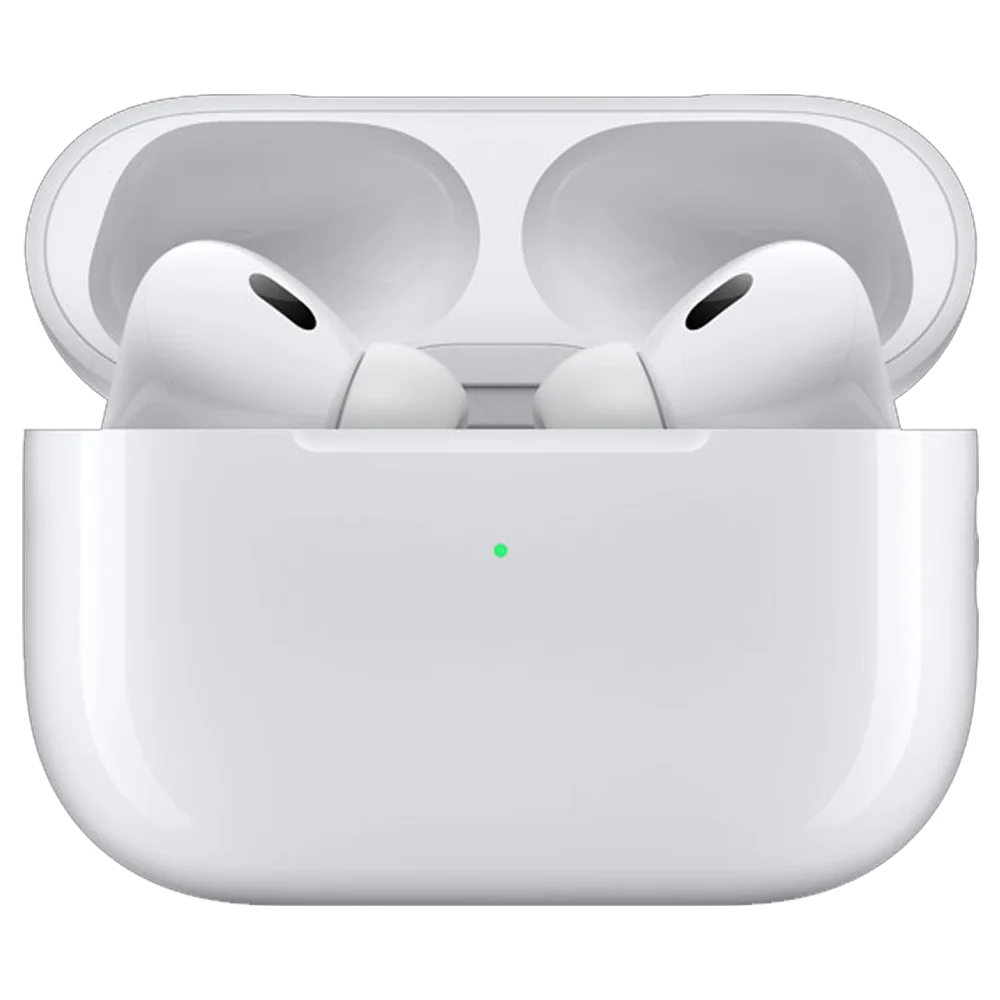
- The gear is small — AirPods Pro, iPhone, Voice Memos, a Mac at home. That's the whole stack.
- Press record before you leave the driveway — never touch the phone while driving. No Bluetooth fiddling, no Siri commands mid-corner.
- Transcription is the hard part, not recording — getting clean text out of a noisy .m4a is what eats your weekend
- EmberType's Transcribe Audio panel handles this offline on the Mac, using Whisper AI on local files — no cloud upload
- The voice draft is a first draft, not a final draft — plan an hour of editing for every hour of audio
- What voice can't do: structure, dialogue beats, em-dashes, italics — those still require keyboard hours
The Drive That Started This
I had been stuck on the same chapter for three weeks. Every evening I would open the file in Scrivener, type four sentences, hate them, delete three, and close the laptop. Three weeks. Twenty-two attempts at the same scene. What I knew was that the scene was about my protagonist driving home from a funeral. What I could not figure out was how to write it without it sounding like every other "character drives home from a funeral" scene I had ever read.
One Tuesday in March I left work early. The sky was the kind of low gray that flattens everything. I-5 was crawling — not stopped, but slow, the kind of crawl where you can almost relax because there is no decision to make. I had been listening to a podcast and I turned it off, because the host was being too clever, and in the silence I started thinking about my character. About the way her hands looked on the wheel after the funeral. The way the dashboard felt too bright. The fact that she had not eaten since the night before and her stomach had stopped asking.
I pulled my phone out of the cup holder at a red light, opened Voice Memos, hit the red button, and put the phone back. Then I started talking. Out loud. To nobody. About my character driving home.
By the time I pulled into my driveway thirty-eight minutes later, I had a 1,200-word draft of a scene that had been refusing to exist for three weeks. It was the first time I understood, in my body, why writers throughout history have done their best work walking, riding in carriages, pacing — anywhere their hands were busy and their mouth was free.
Why the Car Works (When the Desk Doesn't)
This is the insight I had not seen coming, and it took me weeks of doing this regularly to articulate. You describe scenes more honestly when you are not staring at them.
At my desk, when I try to write a character driving home from a funeral, I am sitting in a still chair in a quiet room looking at a glowing rectangle. Every word I produce has to be summoned from imagination against the resistance of my actual environment. My brain is doing two things — pretending to be in a moving car, and not being in a moving car. The pretending costs energy.
In the actual car, the friction disappears. My peripheral vision is full of road. My body is registering the small accelerations and decelerations of traffic. When I describe my character noticing the dashboard light, I am literally looking at a dashboard light. The sensory input layer is free. All the prefrontal effort that would have gone into "imagining a car" is now available for the actual writing — for word choice, rhythm, the specific gesture, the line of dialogue.
There is also a thing that happens to your brain at low-attention driving speed that is hard to describe and impossible to manufacture on purpose. Phil Houtz called it "the loose-associative state" in his Medium piece on dictation while driving, and that's the right phrase. Your conscious mind is mildly occupied — keeping the car between the lines, adjusting to traffic — and your subconscious is suddenly free to do its real work. Connections appear. Metaphors arrive without being asked. The interior monologue you've been forcing at your desk just happens.
Henry James reportedly composed sections of late novels in the back of a car touring the English countryside, dictating to a secretary. Nabokov drafted on index cards in motel rooms. Rebecca K. Sampson wrote about dictating her novel on her commute. Hugh Howey has talked openly about dictating significant portions of his books while walking. There is a long, quiet tradition of writers who learned that the desk is not the only place prose comes from.
The Gear (It's Smaller Than You'd Think)
I have read articles that recommend a $200 lavalier mic, a special car mount, a dedicated dictation app, and a transcription subscription. None of that is necessary. Here is what I actually use:
1. AirPods Pro
The earbud mic sits inches from your mouth. That proximity does more for transcription accuracy than any external microphone you could buy, because it dramatically improves the signal-to-noise ratio. Road noise is mostly low-frequency rumble; your voice is mid-frequency. When the mic is close to the source of the voice, the relative balance tilts hard toward the words.
I use AirPods Pro 2 specifically because of the active noise cancellation — not for input, but so I can hear myself clearly without raising my voice over road noise. Hearing yourself clearly is a bigger deal than I expected. It tightens up the rhythm of dictation, the same way wearing headphones in a podcast booth keeps you from over-projecting.
If you don't own AirPods, regular wired EarPods with the inline mic also work. The mic is below your chin instead of at your ear, but it's still close enough to dominate over road noise. I tested both. Wired EarPods produced about 88% transcription accuracy on a 30-minute drive. AirPods Pro produced about 94%. Both are usable.
What does not work: the iPhone's built-in microphone, sitting in a cup holder. I tried this in week one. The transcript was unintelligible. The phone is too far from your mouth and too close to road noise. Don't bother.
2. The iPhone (with Voice Memos open)
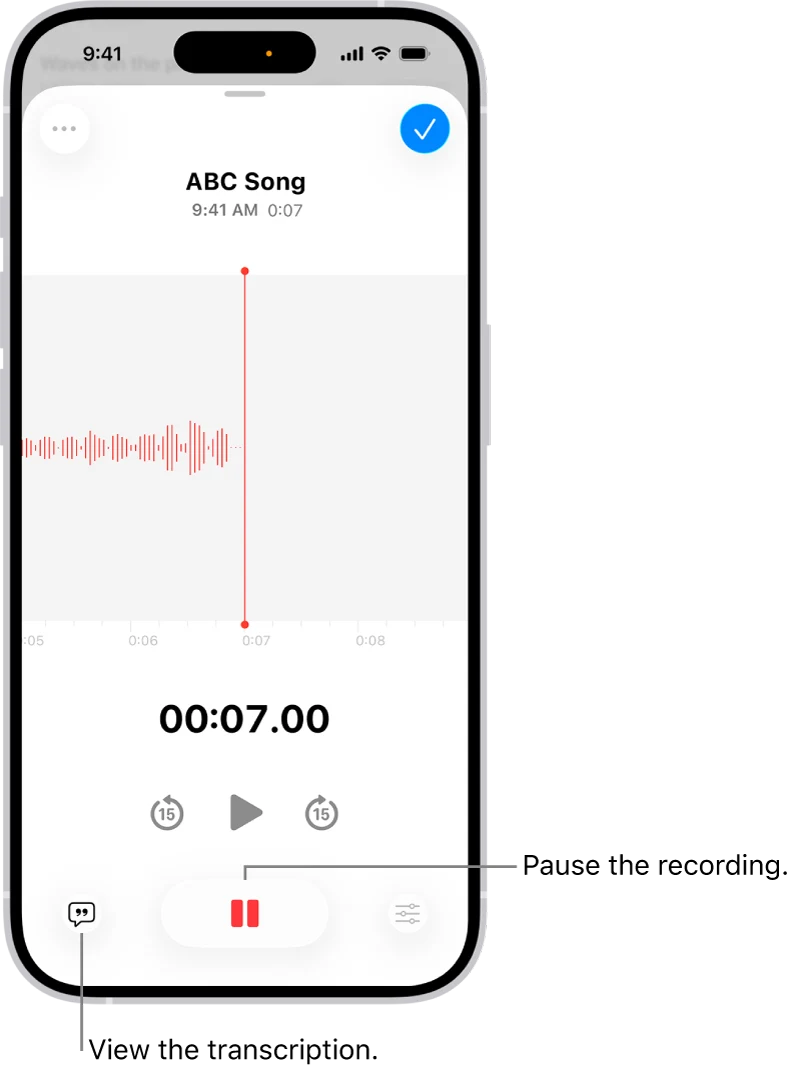
Apple's built-in Voice Memos app is the unsung hero of this workflow. It records to lossless Apple Lossless or AAC, syncs automatically to iCloud (so the recording is on your Mac before you've even finished the drive), and has zero learning curve. It is the right tool for the job.
Two things to know. First, in iOS 18 and later, Voice Memos has a built-in transcription feature — you can view a live transcription while recording. It's fine for short notes. For long fiction passages with road noise, the on-device transcription model is not as accurate as Whisper running on your Mac. I use Voice Memos purely as a capture tool and let EmberType do the transcription work later.
Second, name your recordings before you start. Voice Memos defaults to "New Recording 47" or whatever incremental number it's on, and you will not remember which file is which by Saturday. Before I leave the driveway I tap the file from yesterday, rename it ("Chapter 12 - funeral drive"), then start a new one named with today's date and the working scene. Thirty seconds at the top of the trip. It saves an hour on Saturday.
3. An iOS Shortcut (Optional but Nice)
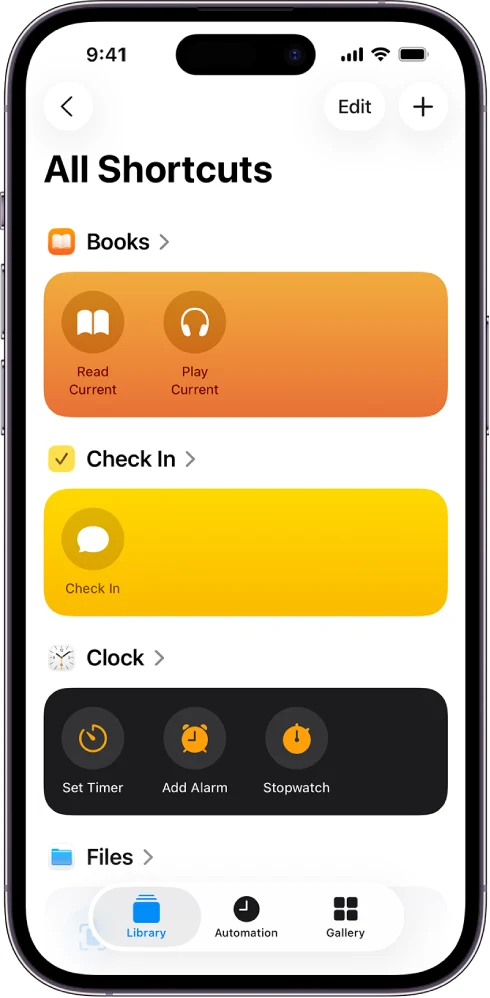
The iOS Shortcuts app has a "Record a voice memo" shortcut in the gallery that opens Voice Memos and immediately starts recording. You can pin it to your home screen, add it to Control Center, or trigger it from the action button on iPhone 15 Pro and later. I have it set up as a Back Tap — two taps on the back of the phone records a voice memo. It means I can press record without unlocking the phone or finding an app.
To set it up: open the Shortcuts app, tap Gallery at the bottom, search for "voice memo," and add the "Record a voice memo" shortcut. Then in Settings → Accessibility → Touch → Back Tap, assign it to Double Tap. That's it. Matthew Cassinelli has documented several variations of this shortcut if you want to get fancier — adding a name prompt, saving to a specific folder, or chaining a transcription step.
Honestly, the shortcut is a nice-to-have. The most important thing is that you press record before you start driving. The shortcut just removes one of the small frictions that might otherwise make you skip a session.
4. A Mac (for the Real Work)
This is where the actual writing happens — the transcription, the cleanup, the sentence-level revision. The recording is the easy part. The Mac is where rough audio becomes prose.
The Safety Conversation (Read This)
I am going to be direct, because the alternative is glib and the stakes are real. Dictating while driving is only acceptable on low-attention drives. If your route involves heavy traffic, weather, unfamiliar roads, complex merges, or anything that requires real attention — do not do this. You are not a professional rally driver. Your novel can wait.
Here are my actual rules, refined over a few months:
- Press record before you put the car in drive. Never reach for the phone while moving. Never. The whole workflow falls apart the moment you start fiddling with the device.
- Treat dictation like talking to a passenger. If a passenger were trying to tell you a story and traffic suddenly demanded all your attention, you would say "hold on" and stop listening. Do the same with your own dictation. If a truck pulls into your lane, stop talking. The recording will keep going. You can edit out the silence later.
- Use familiar routes. The 22-mile commute I do five days a week is the only stretch of road I dictate on. I know every interchange. There are no surprises. New routes get a podcast instead.
- Avoid high-attention conditions. Rain. Snow. Night driving on unlit roads. Construction zones. Heavy stop-and-go where you need full focus on the brake. Any of those, the recording stays off.
- No Siri commands while moving. The whole point of pre-pressing record is that you don't have to interact with the phone. "Hey Siri, take a note" requires waiting for confirmation, listening to a readback, all kinds of cognitive overhead. Skip it.
- If you can't do it without looking at the phone, don't do it. Full stop.
The good version of this workflow is genuinely no more dangerous than listening to a podcast and occasionally talking back to it (which most of us already do, alone in our cars, all the time). The bad version of this workflow — fumbling with the phone, trying to start a recording mid-corner, trying to look at the live transcription — is significantly more dangerous than texting and driving. Be the first version. Don't be the second.
The Transcription Day (This Is the Real Work)
By Friday I usually have five recordings in Voice Memos, totaling somewhere between two and four hours of audio. The actual word count, once transcribed, is usually 4,000-6,000 raw words. Saturday morning is when this becomes prose.
Here's the workflow:
Step 1: Get the Audio Files
Voice Memos syncs to iCloud automatically, so the recordings are already on my Mac. Open the Voice Memos app on macOS, find the week's recordings, right-click each one and choose "Show in Finder." This reveals the .m4a files. I drag them into a folder on my desktop called "this week's drive" so they're easy to find.
Step 2: Transcribe Locally
This is where the choice of transcription tool matters. There are three options, and they are not equal:
Voice Memos' built-in transcription. Apple added on-device transcription in iOS 18 / macOS Sequoia. It's fine. For a five-minute reminder to yourself, it's perfect. For thirty minutes of fiction with road noise, it produces transcripts that are missing words, mishearing names, and adding "uh" and "um" everywhere. Usable, but you will spend the day cleaning it up.
Cloud transcription services (Otter, Rev, Descript). These are accurate, but they require uploading your unfinished novel to a third party's servers. I write fiction. The whole reason I'm doing this is that the work is mine. I am not uploading my draft to anyone's cloud, ever. Hard pass.
EmberType's Transcribe Audio panel. This is what I use. EmberType has a "Transcribe Audio" panel where you drop in a local .m4a (or .mp3, .wav, .mov, anything ffmpeg supports) and it processes the file locally on your Mac using Whisper AI. Nothing leaves the machine. The large-v3 model handles road noise better than anything else I've tested — I think because Whisper was trained on hundreds of thousands of hours of imperfect real-world audio (YouTube videos, phone calls, podcast recordings) where mic-to-mouth distance and background noise are the norm.
For a 30-minute recording, EmberType takes maybe four or five minutes on my M2 MacBook Pro to produce a clean transcript. I batch all five recordings at once, walk away to make coffee, and come back to a folder of .txt files.
Step 3: Read Through Once, Without Editing
This is the step I almost skipped my first month. Don't.
Open each transcript and read it straight through. Do not edit. Do not reach for the keyboard. Just read. What you are looking for is the shape of the scene — the bones of what you said, the moments that landed, the moments that didn't. The transcript is messy by definition. There will be sentences that trail off. There will be the same beat described two different ways because you got to the end and circled back. There will be parenthetical asides where you were thinking out loud about what your character would do next.
The first read is for triage. Mark sections with brackets — [USE THIS], [FRAGMENT], [DELETE]. Don't try to fix anything yet. You're just orienting yourself.
Step 4: The Real Edit
This is where you actually become a writer again. Open the transcript in your usual writing app. (Mine is Scrivener. Yours might be iA Writer, Ulysses, Word, plain BBEdit. Doesn't matter.)
Now you do the work that voice can't do. You break the prose into paragraphs (Whisper produces big walls of text — you have to add the line breaks). You fix the misheard words. You replace "they're" with "their" where it matters. You add the em-dashes — because you can't dictate em-dashes, you can only say "dash," and Whisper writes out "dash" as a word. You add the italics for internal thoughts. You decide where dialogue beats break.
You also cut. A lot. The voice-to-text ratio is roughly 1.5x — you produce about 1.5 raw words for every word that survives the edit. Some of what you said in the car was just thinking out loud. Some of it was a worse version of a line you said better thirty seconds later. The second pass is brutal. You're aiming for a clean first draft, not a polished final draft, but you're cutting hard.
For a week of audio that produced ~5,000 raw transcribed words, I usually end Saturday with about 3,000 words of usable prose. That's a chapter. Sometimes a chapter and a half.
Step 5: The Sunday Read
I don't trust my Saturday edits. So Sunday morning I read the chapter cold, away from the screen — printed out, on the back porch, with coffee. I mark it up by hand. Then I make those changes Sunday afternoon. By Sunday evening the chapter is in the manuscript.
Total time investment: about four hours of editing for one chapter. But the drafting time was free — it was the commute I was already doing. Net new writing time: four hours per chapter, instead of the twenty hours of staring-at-screen-typing-deleting-typing it was taking me before.
What Voice Will Not Do for You
I want to be honest about the limits, because every dictation article on the internet wants to sell you on the idea that you can write your whole novel by mouth. You can't. Or rather, I can't, and after talking to a half-dozen other writers who do this, none of them can either.
Here is what voice doesn't do:
Structure. Where does the chapter break? What's the scene order? Does this flashback go before or after the funeral? Those decisions require seeing the manuscript, ideally on paper, and looking at the architecture. You can't draft architecture by mouth — you draft scenes.
Dialogue beats. I can dictate the spoken lines. I cannot, in any natural way, dictate "She set down the cup and looked at the window for a long time before she answered." It comes out as "She set down the cup and looked at the window for a long time before she answered" — fine, but the rhythm of beats between dialogue lines requires you to be looking at them, on the page, in their context. I draft the dialogue in the car and add the beats at home.
Em-dashes, italics, scene breaks. All formatting. All typographic decisions. None of these are dictateable in any sensible way. You can say "dash dash" and "em dash" and "open italics close italics" but it's exhausting and the transcript still needs cleaning. Just leave the formatting for the keyboard pass.
Revision. Voice is for generating raw material. Revision — the actual word-by-word work of making the prose better — that's a desk activity. You can't read your own prose in a car. You have to see it, hear it in your head, feel its weight on the page.
What voice does do, magnificently, is get you out of the staring-at-cursor problem. The blank page is the hardest part of writing. Voice dictation, with its loose-associative state and its sensory richness, is the best tool I've ever found for filling the blank page with raw material that you can then sculpt at the keyboard.
Transcribe Your Voice Memos Locally on Your Mac
EmberType has a Transcribe Audio panel — drop in a Voice Memos .m4a, get clean text out, processed entirely on your Mac with Whisper AI. No cloud, no subscription, nothing leaves your machine. Perfect for fiction drafts you don't want sitting on someone else's server.
Download EmberType Free7-day free trial. $39 one-time after. macOS 14+ Apple Silicon.
The Things That Broke (And How I Fixed Them)
This workflow did not arrive intact. Here are the failures I had to debug, in case any of them save you time.
The Phone Stopped Recording at a Phone Call
About week three I lost a 25-minute scene because someone called me halfway through the drive. iOS routed the audio to the phone call and ended the Voice Memo automatically. The recording I'd been making for 25 minutes was saved — but anything I said after the call ended was lost, because Voice Memos doesn't auto-resume.
The fix: enable Do Not Disturb (or the Driving Focus mode) before you start. Driving Focus is built for this — it auto-engages when your phone detects vehicle movement, silences calls, and keeps you in dictation mode without interruption. Set it once, forget it.
I Forgot Which Recording Was Which
Week one, I had eight recordings in Voice Memos all named "New Recording 14, 15, 16…" I had no idea which one was Tuesday's funeral drive and which was Wednesday's pacing-around-the-character's-grief-arc monologue. I had to listen to the first 30 seconds of each one to triage.
The fix: rename the previous day's recording at the top of each new drive, before you start. Thirty seconds. Saves an hour.
The Transcription Had My Character's Name Wrong, Every Time
My protagonist is named Imogen. Whisper consistently transcribed it as "imagine," "image in," "image n," and once memorably as "Imogene." A 3,000-word chapter with the wrong character name on every page is unusable.
The fix: I added "Imogen" to EmberType's custom dictionary. After that, transcription was correct on every drive. Most dictation apps have some version of this — a place to teach the model words it doesn't know. Use it for character names, place names, anything you've invented.
The Whole Thing Felt Awkward at First
This is the meta-failure I want to name explicitly. The first three drives, I felt like an idiot. I was in a car, alone, talking out loud about a fictional woman driving home from a fictional funeral. I caught myself self-editing in real time — saying a sentence, then saying "no, scratch that" and saying it differently. Trying to sound like a writer instead of just talking.
By drive four or five, I stopped caring. The trick is to remember that nobody is listening except future-you, and future-you is going to delete most of it anyway. Talk badly. Trail off. Repeat yourself. Get to the end of a paragraph and say "actually, let me try that again" and then say it again. That's the whole point. The car is the rehearsal room. The Mac is where it gets cleaned up.
Numbers, If You Want Them
I tracked output for two months. Here's what I averaged:
| Metric | Average | Notes |
|---|---|---|
| Recording length per drive | 32 min | 22-mile commute, mostly highway |
| Raw transcribed words per drive | ~1,150 | ~36 words/min when speaking |
| Useable words after editing | ~750 | 1.5x voice-to-text ratio |
| Drives per week (work days) | 4 | Some days traffic was too heavy |
| Net weekly word count | ~3,000 | One chapter, give or take |
| Editing time per week | 4 hours | Saturday + Sunday |
| Transcription accuracy (EmberType) | ~94% | AirPods Pro, Driving Focus on |
Three thousand usable words a week, every week, with no extra time carved out of my life. Just the commute I was already doing and four hours of weekend editing. Over a year, that's 150,000 words — a complete novel-length first draft, written entirely from a car seat I was going to be sitting in anyway.
That's the math that makes this worth doing.
If You Want to Try It This Week
Here's the minimum-viable version. You can start tomorrow morning.
- Charge your AirPods tonight. Make sure they're paired and ready.
- Open Voice Memos and rename your last recording to clear the deck.
- Decide what scene you'll work on tomorrow — a specific moment, not a chapter. "The protagonist arrives at the funeral and sees her sister." Write that down on a sticky note and put it in your car.
- Tomorrow morning, before you put the car in drive: put the AirPods in, open Voice Memos, hit record, set the phone in the cup holder face-down, enable Driving Focus.
- Drive. Wait until you're settled into traffic. Then start describing the scene. Out loud. Don't perform. Don't try to write. Just describe what your character is doing, what they're seeing, what they're thinking.
- Get home. Stop the recording. Rename it.
- Saturday morning: download EmberType, drop the .m4a into the Transcribe Audio panel, and edit the resulting text into a real scene.
Your first attempt will be rough. The transcript will be messy. You'll feel awkward in the car. The scene won't be great.
But you'll have a scene. You'll have moved a piece of fiction from "in your head" to "on the page" using time you were already burning on the commute. That's the whole game.
And then you do it again Tuesday. And Wednesday. And by the end of the month you're 12,000 words deeper into a novel that, four weeks ago, you were stuck on.
Frequently Asked Questions

Free Mac Dictation Tips
Get tips on voice-to-text, dictation workflows, and productivity. No spam.
Unsubscribe anytime. We never share your email.
You're in! Check your inbox.
Turn a Week of Voice Memos into a Chapter
EmberType is offline voice-to-text for Mac, with a Transcribe Audio panel built for exactly this kind of workflow. Drop in your .m4a recordings, get clean Whisper-powered transcripts, edit at the keyboard. No cloud, no subscription, nothing leaves your Mac.
Download EmberType FreemacOS 14+ required. Apple Silicon only. $39 after 7-day trial.